113
© 2019 Konami Gaming Inc.P/N 810497 KXP Setup Manual
KMS
SETUP
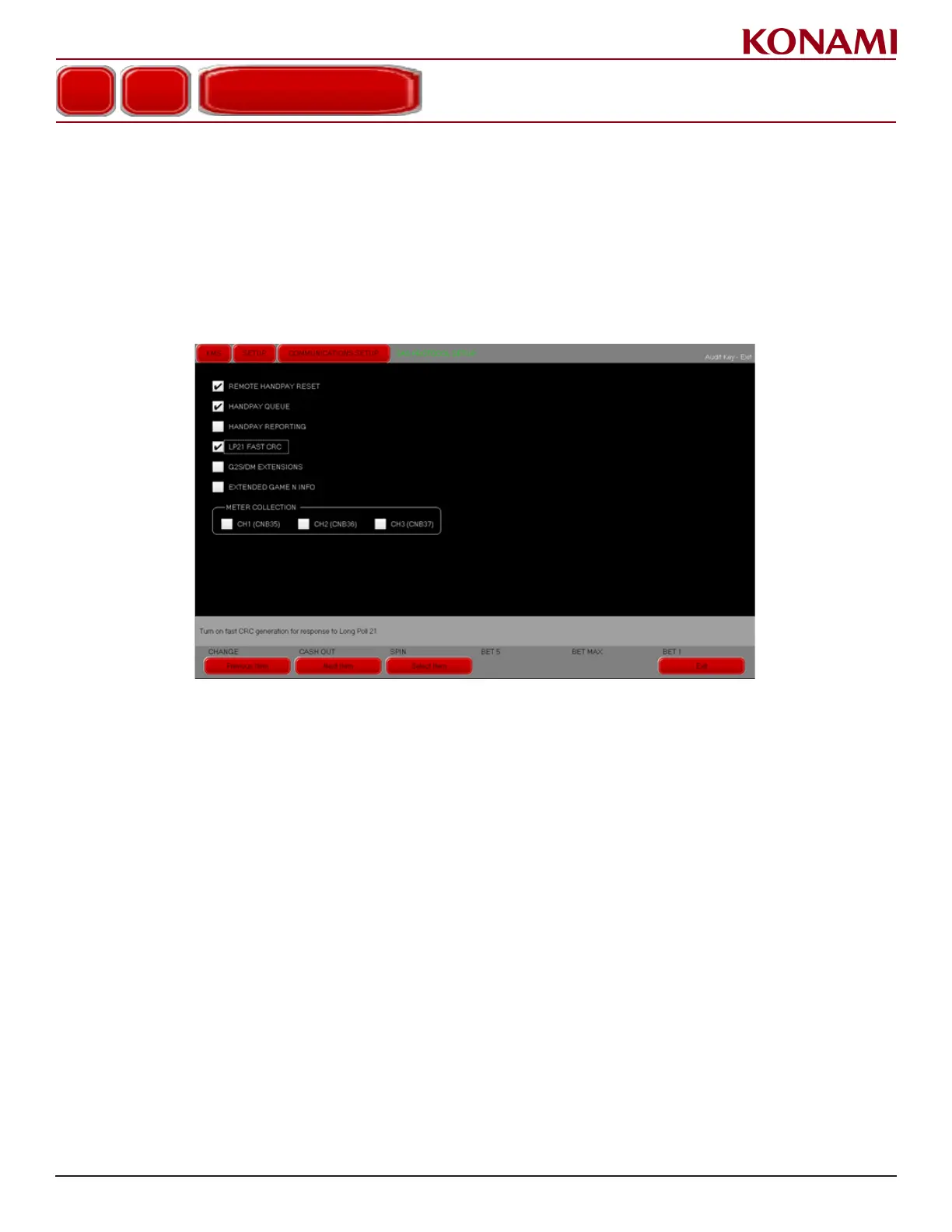
The LP21 Fast CRC option can be enabled or disabled in the SAS PROTOCOL SETUP screen within KMS.
SAS PROTOCOL SETUP
The LP21 FAST CRC option can only be enabled/disabled from the SAS Protocol Setup screen.
1. From the KMS menu press SETUP.
2. Press COMMUNICATIONS SETUP.
3. Press SAS PROTOCOL SETUP. The following screen is displayed.
4. The default setting for the LP21 Fast CRC option is disabled on initial RAM clear.
5. To enable LP21 Fast CRC, place a checkmark in the LP21 FAST CRC eld. This enables a menu when in
DIAGNOSTIC mode to view the LP21 response le.
NOTE: The LP21 Fast CRC option can be changed after RAM clear, but the system must be rebooted before
any changes take effect.
The menu in the DIAGNOSTIC screen will only be turned on if this option is selected. If this option is disabled,
the EGM platform will work using the older method.
6. Press EXIT to return to the COMMUNICATIONS SETUP menu.
7. Press EXIT again to return to the KMS menu.
COMMUNICATIONS SETUP
SAS PROTOCOL SETUP














 To Next Page