Introduction–Parts and what they do
4
About the trigger pad functions
The trigger pads are one of the most useful parts
of the microKONTROL. They’re used for many
different important functions, as described
below.
Transmit MIDI messages
In Play mode, the MIDI message assigned in
Setting mode will be transmitted each time you
press a pad.
In Message mode, you can hold down the
[MESSAGE] key and press a pad to transmit a
specified MIDI message.
Select the different microKONTROL modes
To move from Play mode to Message, Setting, or
Scene modes, hold down a mode key and press
the appropriate pad to move to that mode, or to
transmit a MIDI message.
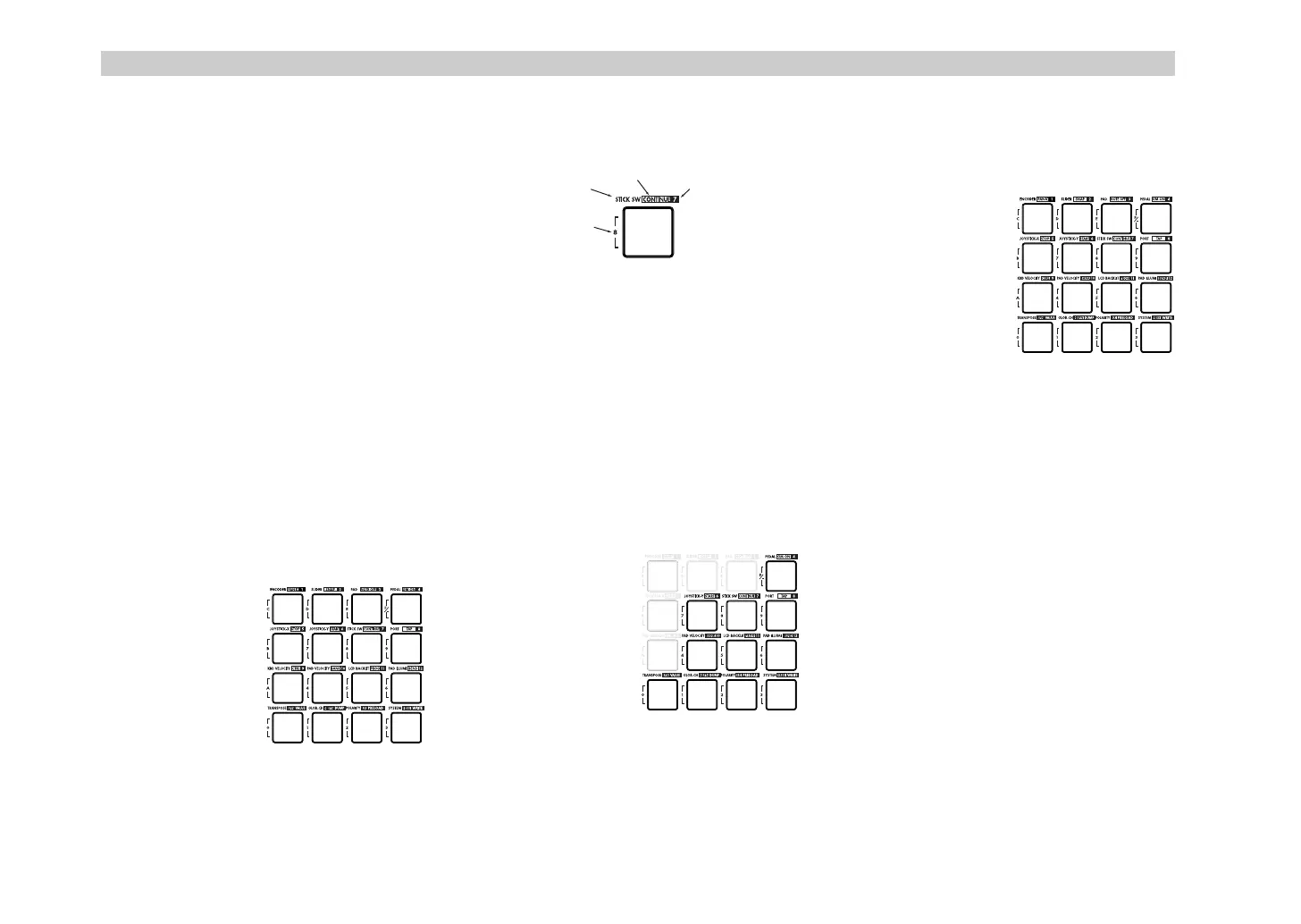
About the pad numbers
The pad numbers printed in this owner’s
manual (e.g., pad [1]) correspond to the
microKONTROL’s pads as follows.
The printing around each pad on the
microKONTROL’s panel indicates the page or
function in each mode.
Input numerical values
In Setting, Message, or Scene modes, you will
use the pads to input numerical values such as
MIDI control change numbers or MIDI
channels.
You can input values in either decimal or
hexadecimal form.
Using the pads to input decimal values
To input a decimal value, make sure that the
[HEX LOCK] key is unlit, and use the pads
shown below. The value will be cleared if you
press any other pad.
Using the pads to input hexadecimal values
To input a hexadecimal value, press the [HEX
LOCK] key to make it light, and use the pads
shown below.
[1]
[5]
[9]
[13] [14] [15]
[16]
[2]
[10]
[6]
[3]
[11]
[7]
[4]
[8]
[12]
Setting mode
Message mode
Scene mode
Numeric key
or HEX key
0
1
4
7
2
5
8
3
6
9
-
' !"



 To Next Page