Operation–Play mode
21
3. Joystick
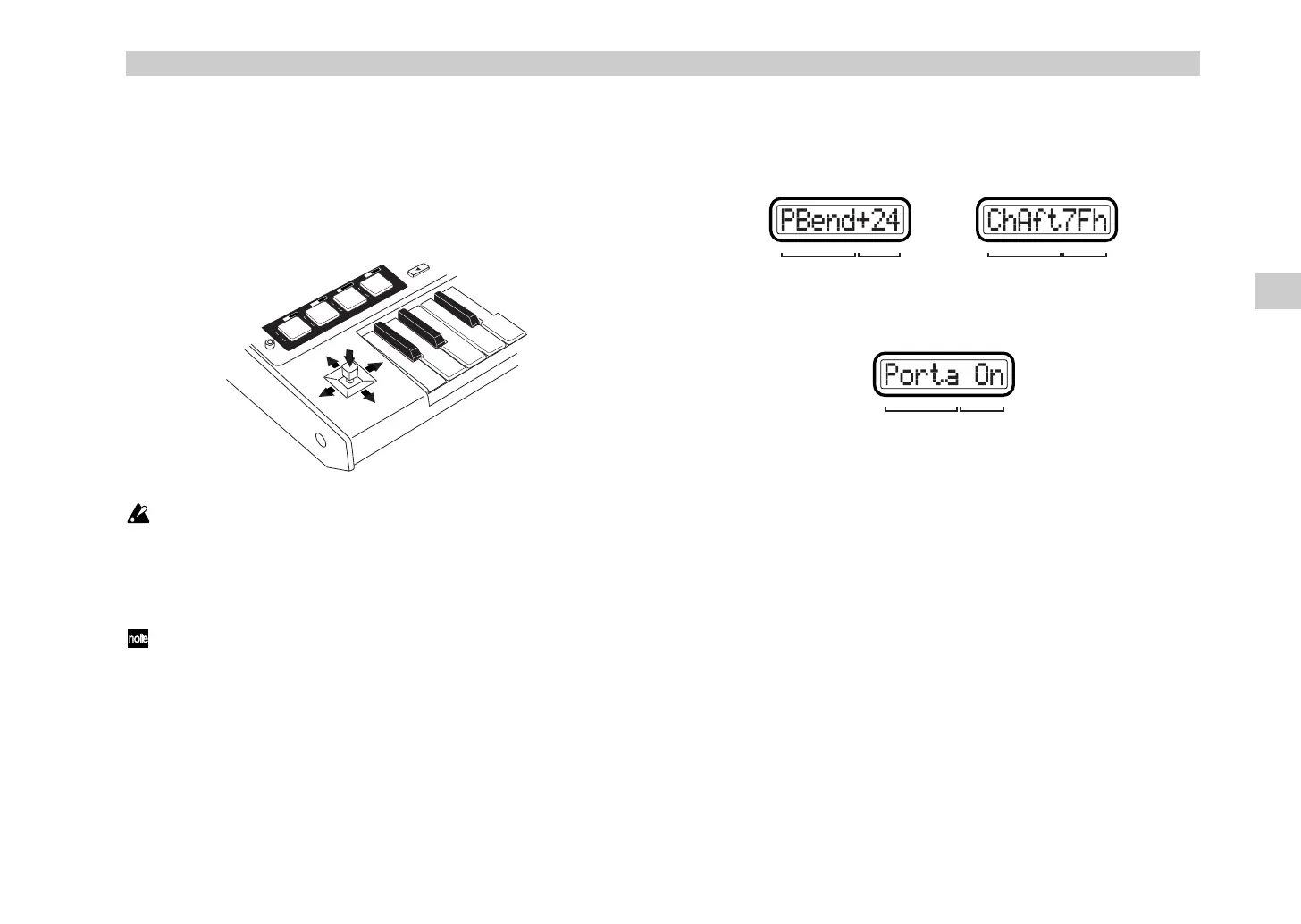
When you move the joystick, it will transmit the assigned MIDI message.
You can assign MIDI messages to the forward/back/left/right (±X, ±X)
directions and to the switch.
For the forward/back/left/right directions, the assigned MIDI message will
be transmitted with a value in the range of 0–127. The joystick switch will
transmit a value of either 0 or 127.
You cannot press the joystick switch while the joystick is moved in the X
or Y direction.
Display
When you operate the joystick, the main display will show the message that
is transmitted.
Depending on the MIDI message that is assigned, you can turn the
[HEX LOCK] key on (lit red) to view the MIDI message in hexadecimal
form.
When you move the joystick in the X-Y direction
If pitch bend or master balance is assigned, the value will be displayed in a
range of ±24 regardless of the [HEX LOCK] key.
When you operate the joystick switch
If no MIDI message is assigned (NoAssign), the main display will not
change even if you operate the joystick. Instead, the display will continue to
show the scene number.
Joystick-related settings
•You can assign a MIDI message to the left/right direction of the joystick.
For details, see “Setting mode - [5] JOYSTICK-X (Joystick–X assignment)”
(
☞
p.31).
•You can assign a MIDI message to the forward/back direction of the
joystick. For details, see “Setting mode - [6] JOYSTICK-Y (Joystick–Y
assignment)” (
☞
p.35).
•You can assign a MIDI message to the joystick switch. For details, see
“Setting mode - [7] STICK SW (Joystick switch assignment)” (
☞
p.35).
•You can specify the USB-MIDI port from which the assigned MIDI
message is transmitted. For details, see “Setting mode - [8] PORT (USB-
MIDI Port setting)” (
☞
p.36).
T
R
A
N
S
P
O
S
E
+Y
+SW
-Y
+X
-X
OCTAV
E SHIFT
0
1
2
3
R
P
N
V
A
L
U
E
G
L
O
B
.
C
H
N
R
P
N
D
U
M
P
S
Y
S
T
E
M
F
R
E
E
W
R
I
T
E
C
L
O
C
K
E
X
P
R
E
L
O
A
D
MIDI message Value
If channel aftertouch is assigned
(hexadecimal display)
If pitch bend is assigned
MIDI message Value
MIDI message Value
If portamento is assigned
Play mode
%$ !"



 To Next Page