Appendices–Using the Librarian software
57
Using the Librarian software
The librarian software lets you save and manage the twelve scenes saved in
the microKONTROL as a “set” (scene set).
The explanatory screens used here are from Mac OS X.
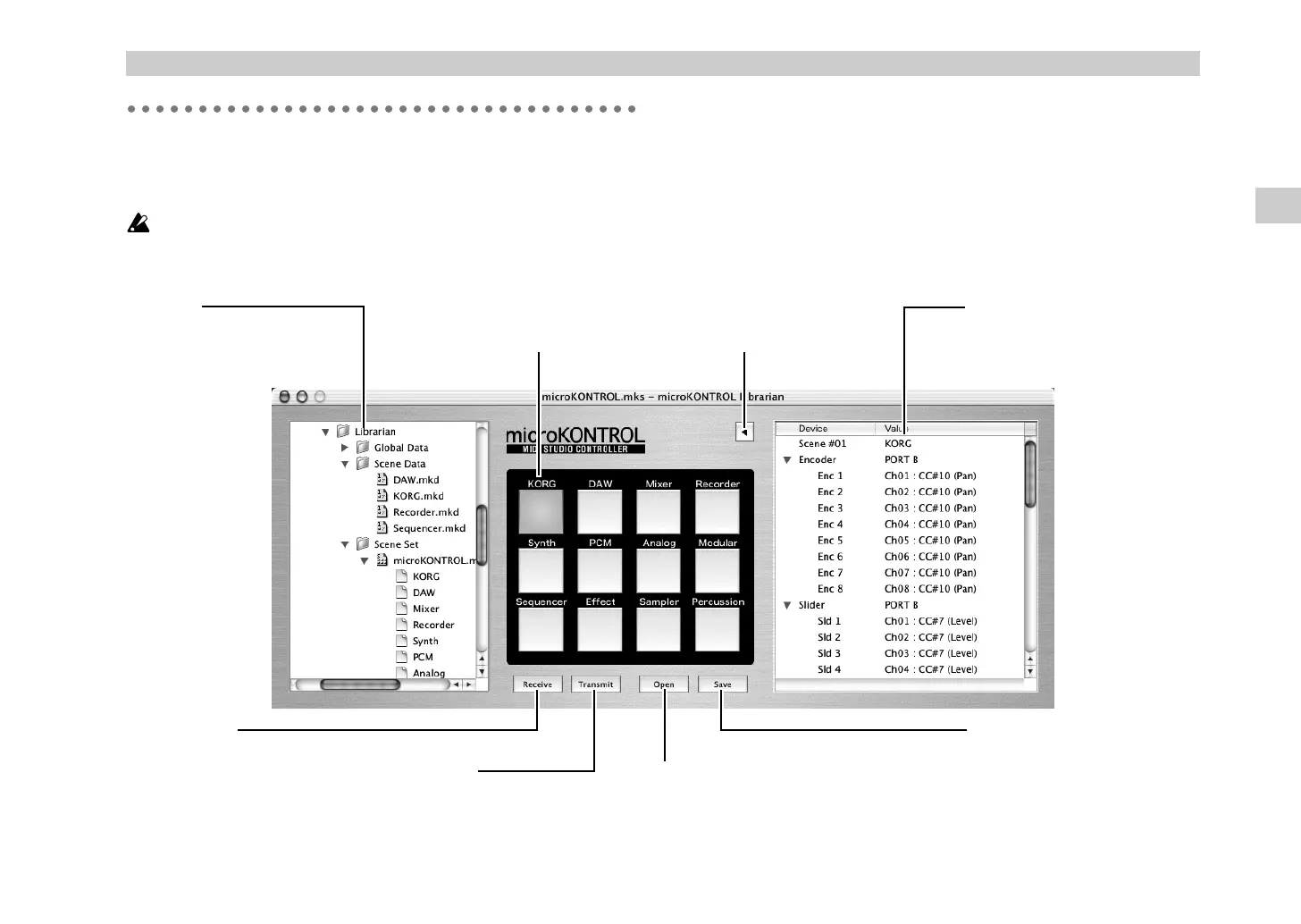
Parts and their function
Installation
Open the installer provided on the CD-ROM, and install the software as
directed by the on-screen instructions.
“Transmit” button
Transmits the scene set to the
microKONTROL.
“Save” button
Saves the scene set with the name
you specify.
“Receive” button
Receives a scene set from
the microKONTROL.
“Open” button
Loads a scene set saved in your computer.
The loaded scene set will appear in the
scene pad display.
Folder tree
Shows the structure of the
computer hard disk.
Parameter viewer
Shows the control assignments of
the selected scene.
“Parameter Viewer” button
Switches the parameter viewer
between displayed and hidden.
Scene pad display
Displays and edits the scene sets.
Using the Librarian software
(* !"



 To Next Page