Introduction–Driver installation and settings
9
■
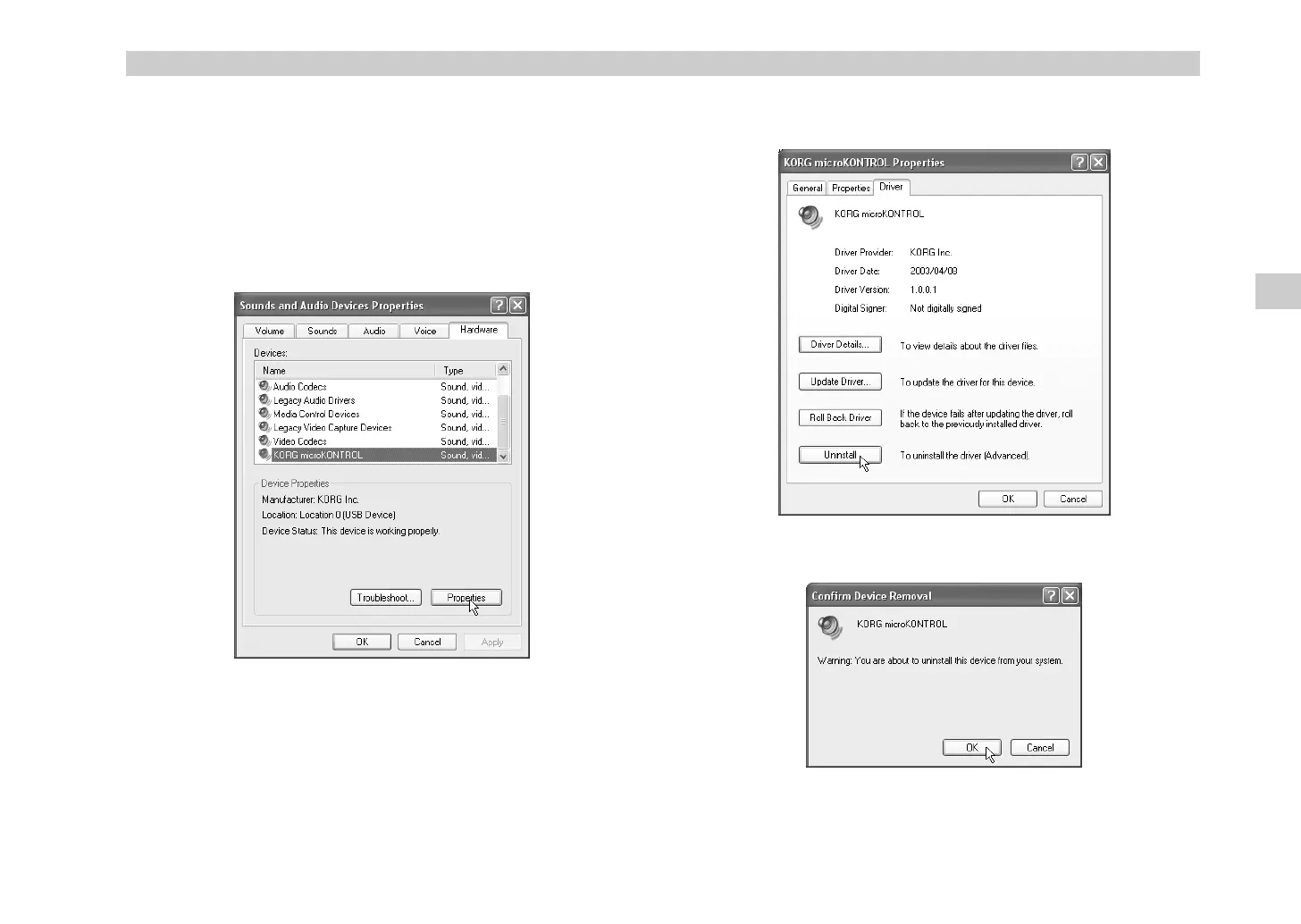
Uninstalling the Korg USB-MIDI Driver
If necessary, you can uninstall the Korg USB-MIDI Driver by following the
steps below.
1
From the taskbar, click
[Start]
and then click
[Control Panel]
to open it.
From the Control Panel, open [Sounds and Audio Devices], and click
the
[Hardware] tab
.
From the list of devices, make sure that
microKONTROL
is shown for
“Location,” and click the
[Properties...] button
.
2
The “KORG microKONTROL Properties” dialog box will appear. Click
the
“Driver” tab
, and click the
[Uninstall] button
.
3
A dialog box will ask you for confirmation. Click the
[OK] button
.
Driver installation and settings
, !"



 To Next Page