Introduction–Making connections and turning the power on
12
Making connections and turning the
power on
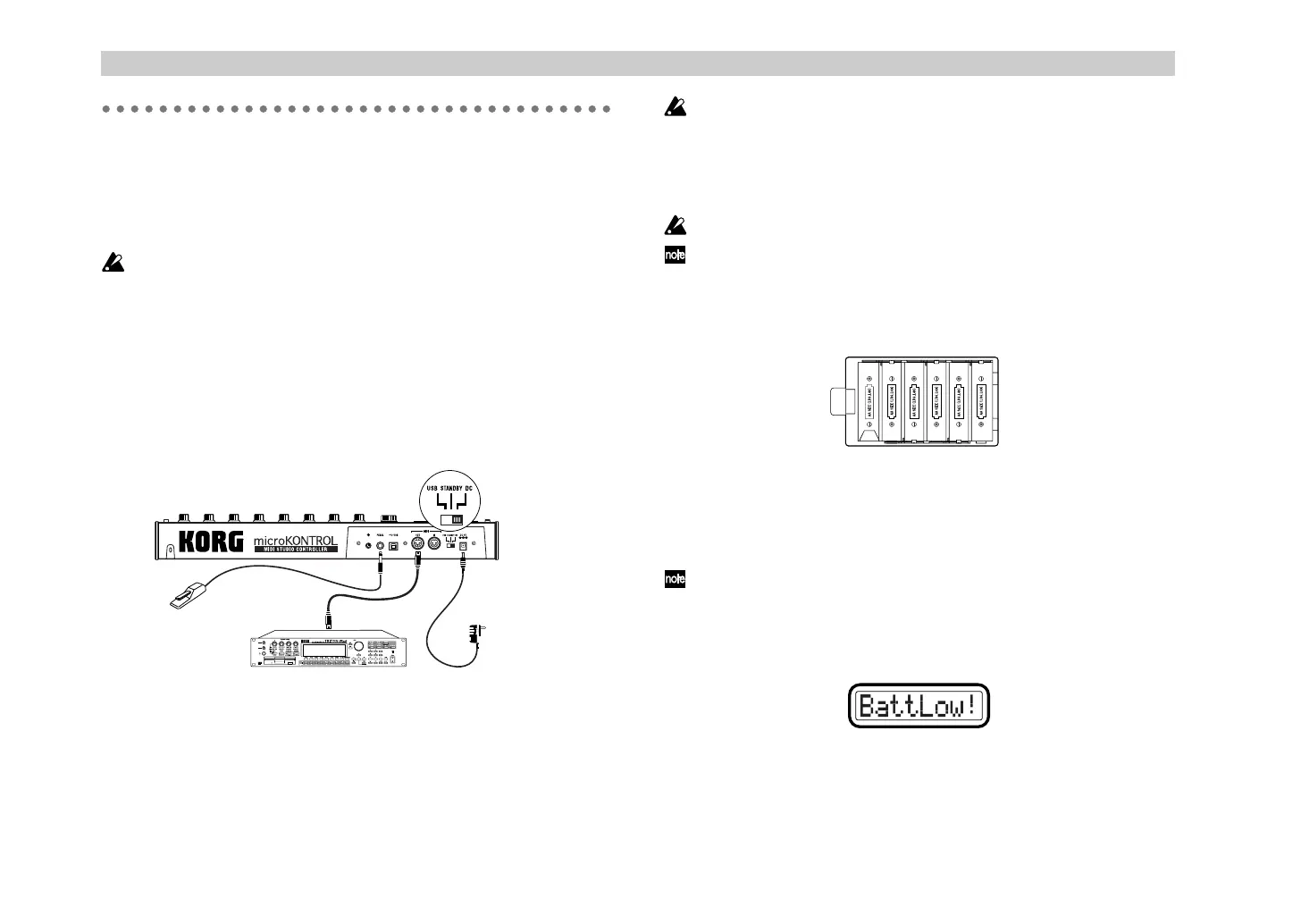
MIDI & AC adapter connection
Before you make connections, you must turn off the power of all
devices. Failure to do so may damage your speaker system or cause
malfunctions.
1
Connect the AC adapter to the power connector of the
microKONTROL, and plug the adaptor into an AC outlet.
You don’t need the AC adapter if the microKONTROL is running on
batteries.
2
Use a MIDI cable to connect the microKONTROL to your external
device. If you will be using a pedal, connect it to the PEDAL jack.
3
Set the microKONTROL’s power switch to the
DC
position to turn on
the power.
4
Turn on the power of the connected equipment.
5
When you are ready to turn off the power, set the microKONTROL’s
power switch to
STANDBY
.
Never turn off the power while you are saving settings (i.e., while the
Write operation is occurring). Doing so may damage the internal data.
Using Batteries
The microKONTROL can run on battery power, without the AC adapter.
Batteries are not included. You will need to purchase them separately.
If the AC adapter is connected, power will be taken from the AC
adapter instead of the batteries.
1
Set the power switch to the STANDBY position, and open the cover of
the battery compartment located on the bottom of the case.
2
Insert six AA alkaline batteries (sold separately). Be sure to observe the
correct orientation for each battery.
3
Close the battery cover.
To turn on the microKONTROL when using batteries, set the power
switch to the DC position.
Battery empty indication
When the batteries run low, the main display will indicate “BattLow!”
If the “BattLow!” warning appears, you can continue using the
microKONTROL for a certain length of time, but you will be unable to save
assignment settings. If you need to save your settings, connect the AC
adapter and do so. We recommend that you then replace the batteries as
soon as possible, or continue using the AC adapter.
AC adaptor
to an AC outlet
MIDI sound module
Damper pedal
or foot switch
$% !"



 To Next Page