Introduction–Making connections and turning the power on
13
When connecting the AC adapter while running on batteries, you must
first connect the AC adapter to an electrical outlet, and then insert the
plug into the microKONTROL’s power connector.
If the batteries become unusable, take them out of the microKONTROL
immediately. Leaving dead batteries installed may cause malfunctions
(such as battery leakage). You should also remove the batteries if you
will not be using the microKONTROL for an extended period.
USB connection
1
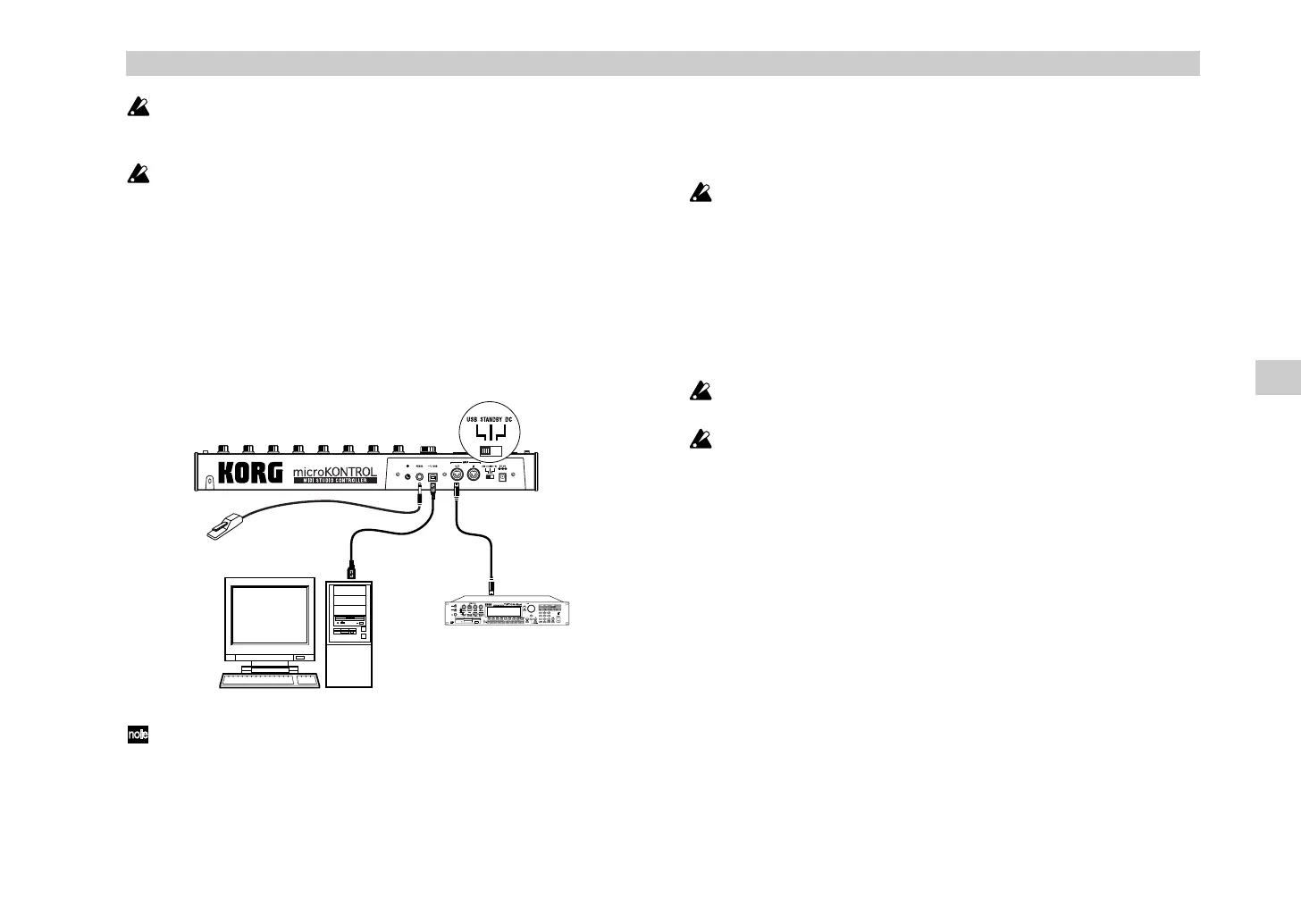
Use a USB cable to connect the microKONTROL to the USB connector
of your computer. You can leave your computer turned on when you
make USB connections. If you will be using a pedal, connect it to the
PEDAL jack.
The microKONTROL can also be used as a USB-MIDI interface. You can
connect a MIDI sound module or other MIDI device to the MIDI OUT
connector, and send messages to it from your computer.
2
Set the microKONTROL’s power switch to
USB
to turn on the power.
When using a USB connection, the power is supplied from the
connected computer (this is referred to as “bus power”).
The same applies if you are using a self-powered USB hub.
You won’t usually need to use the AC adapter if you are using a USB
connection. However if your computer does not supply a large amount
of power via USB, or if you have connected several bus-powered
devices to a USB hub, the power supplied via USB may be insufficient.
(If this occurs, the main display will indicate “LowPower.”)
In such cases, use the AC adapter or batteries, and set the power switch
to
DC
.
3
When you are ready to turn off the power, set the power switch to
STANDBY
.
Never turn off the power while you are saving settings (i.e., while the
Write operation is occurring). Doing so may damage the internal data.
When the microKONTROL is being used as a USB MIDI interface, its
MIDI OUT will transmit the data received via USB. MIDI messages
transmitted by the encoders and other controllers of the
microKONTROL itself will not be transmitted from the MIDI OUT
connector (
☞
p.37).
Computer
Damper pedal
or foot switch
MIDI sound module
USB cable MIDI cable
Making connections and turning the power on
$& !"



 To Next Page