Operation–Message mode
50
[15] EX (System Exclusive message)
This lets you transmit any desired system exclusive message.
As an example, here’s how to specify and transmit a
GM System On
message
[F0, 7E, 7F, 09, 01, F7]
.
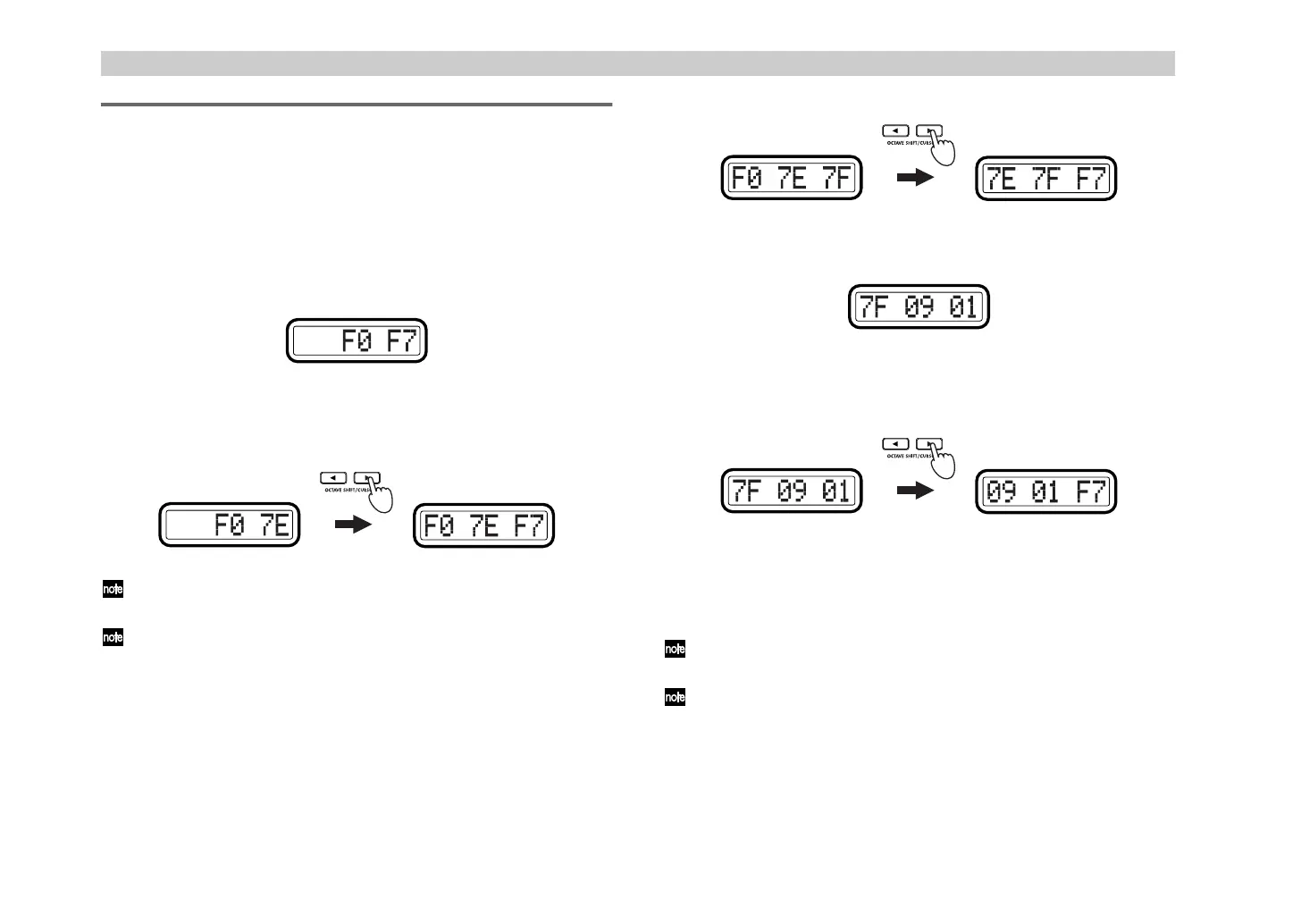
1
Hold down the [MESSAGE] key and press pad [15].
The [MESSAGE] key and pad [15] will light, and you will enter the EX
(System Exclusive message) page. The main display will indicate
“System Exclusive” (specify a system exclusive message).
2
Use the [VALUE] dial or the pads to enter
7E
, and press the OCTAVE
SHIFT/CURSOR [
®
] key to proceed to inputting the next byte.
Input from the pads will be only in hexadecimal form; the [HEX LOCK]
key will automatically be lit.
When you input a byte from the F7 (End Of Exclusive) indication, the
OCTAVE SHIFT/CURSOR [
®
] key will light green, allowing you to
move.
3
Use the [VALUE] dial or the pads to input
7F
, and press the OCTAVE
SHIFT/CURSOR [
®
] key to proceed to the next byte of input.
At the point you input 7F, the OCTAVE SHIFT/CURSOR [
®
] key will
light green, allowing you to move.
4
In the same way, use the [VALUE] dial or the pads and the OCTAVE
SHIFT/CURSOR [
®
] key to input bytes
09
and
01
.
5
After you have input
01
, press the OCTAVE SHIFT/CURSOR [
®
] key
to display
F7
(End Of Exclusive).
6
Press the [ENTER] key to transmit the message.
When transmission is completed, the main display will indicate
“Trnsmit!” and you will return to Play mode.
If you press the [EXIT] key, the scene number will be displayed.
You can transmit an exclusive message of up to 22 bytes (not including
F0 and F7).
The next time that you use this function, the previously-specified
message will be displayed. The microKONTROL will remember this
message until you turn off the power.
(Green)(Red)
(- !"



 To Next Page