Operation–Play mode
22
4. Pedal (PEDAL jack)
When you operate a damper pedal or pedal switch connected to the PEDAL
jack, the assigned MIDI message will be transmitted.
Operating the pedal will transmit a value of either 127 or 0.
Display
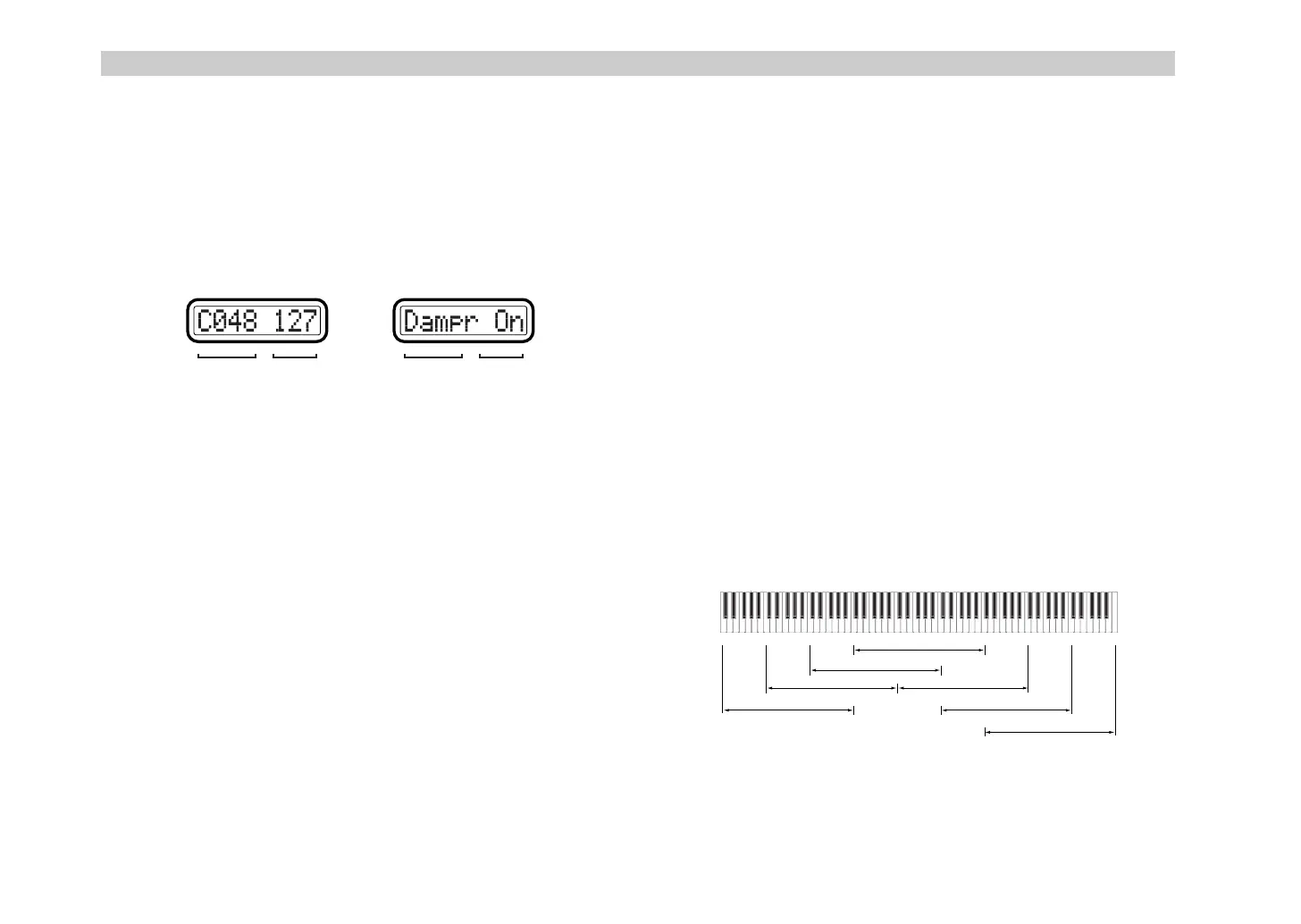
When you operate a connected pedal, the main display will show the
contents of the message.
If no MIDI message is assigned (NoAssign), the main display will not
change even if you operate the pedal (the display will continue to show the
scene number).
Pedal-related settings
•You can assign a MIDI message to the pedal. For details, see “Setting
mode - [4] PEDAL (Pedal assignment)” (
☞
p.29).
•You can specify the USB-MIDI port from which the assigned MIDI
message is transmitted. For details, see “Setting mode - [8] PORT (USB-
MIDI Port setting)” (
☞
p.36).
•You can specify the polarity of the connected pedal. For details, see
“Setting mode - [15] POLARITY (Polarity setting)” (
☞
p.41).
5. Keyboard
When you play the keyboard, note data is transmitted on the global MIDI
channel (
☞
p.41).
Octave setting
You can use the OCTAVE SHIFT/CURSOR [
√
]/[
®
] keys to shift the pitch
of the keyboard in steps of an octave. If you want to return from a shifted
setting to the ±0 (normal) setting, press the [
√
] and [
®
] keys
simultaneously.
1
Each time you press the [
®
] key the pitch will shift upward one octave.
The color of the [
®
] key indicates the current setting.
Unlit:
±0 octaves
Green:
+1 octave
Orange:
+2 octaves
Red:
+3 octaves
2
Each time you press the [
√
] key the pitch will shift downward one
octave. The color of the [
√
] key indicates the current setting.
Unlit:
±0 octaves
Green:
–1 octave
Orange:
–2 octaves
Red:
–3 octaves
MIDI message Value
If damper is assignedIf a control change is assigned
MIDI message Value
C4 C5 C6 C7 C8C3C2C1 C9C0
Octave: ±0
Octave: -1
Octave: -2 Octave: +1
Octave: -3
Octave: +2
Octave: +3
Pitch range adjusted by the Octave Shift keys
%% !"



 To Next Page