Introduction–Driver installation and settings
10
■
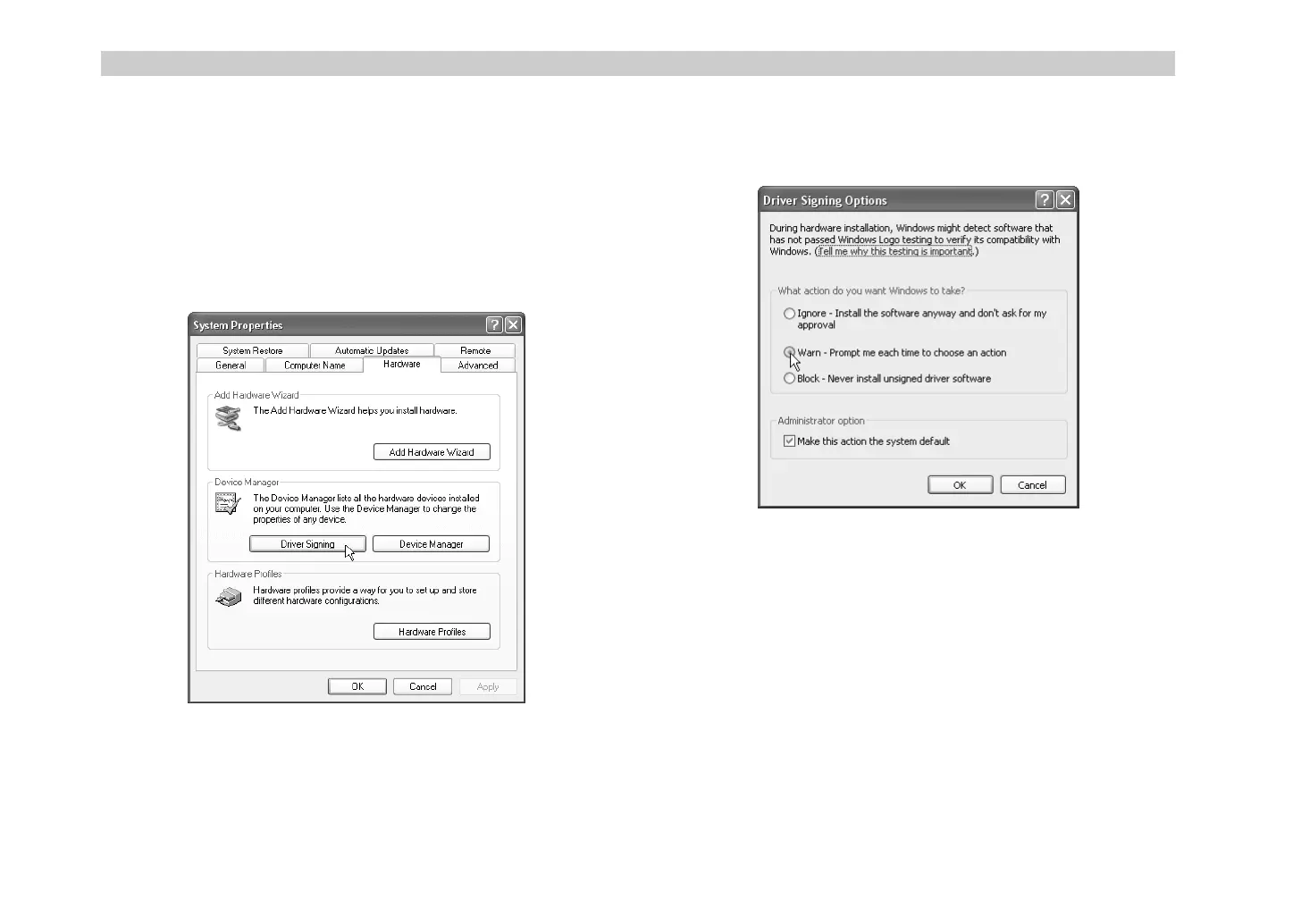
Allowing installation of an unsigned driver
If your computer has been set so that drivers without a digital signature
cannot be installed, you will not be able to install the Korg USB-MIDI Driver.
Use the following procedure to change your settings so that you can install
the driver.
1
On the taskbar, click the
[Start] button
and then
[Control Panel]
to
open the Control Panel.
From the Control Panel, open [System] and click the
[Hardware] tab
.
Then click the
[Driver Signing] button
.
2
If “What action do you want Windows to take?” is set to [Block], you
will not be able to install the driver. Choose
[Ignore]
or
[Warn]
, and
then click
[OK]
. If necessary, change this setting back to its original
setting after you have installed the driver.
$- !"



 To Next Page