9 Terminal – menus [Medium Plus/Comfort Plus Electronics]
9.13 Menu 13 "Counters"
64
Supplement to Operating Instructions 150000773_00_en
BiG Pack 1270, BiG Pack 1270 XC, BiG Pack 1290, BiG Pack 1290 HDP, BiG Pack 1290 HDP XC, BiG Pack
1290 XC, BiG Pack 890, BiG Pack 890 XC
ü The menu level is called, refer to page49.
Press
to open the menu.
Æ The display shows “Counters” menu.
The "Counter" menu is divided into the following sub-menus depending on the machine
configuration:
Icon Designation
Menu 13-1 "Customer counter" , refer to page64
Menu 13-2 "Total counter", refer to page67
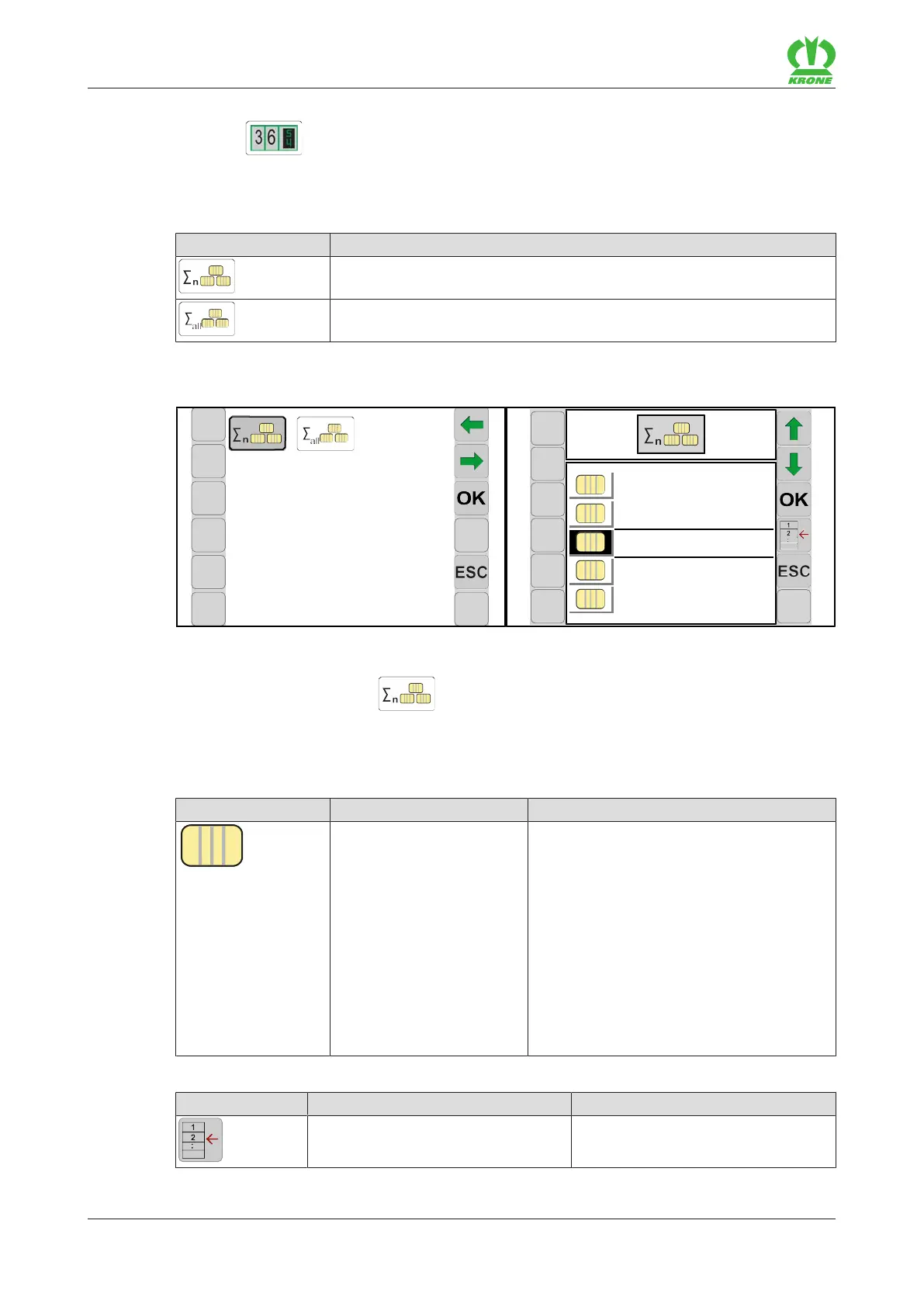
9.13.1 Menu 13-1 "Customer counter"
13-1
1
NAME 01
2
NAME 02
3
NAME 03
4
NAME 04
5
NAME 05
EQ001-008 / EQ001-070
ü Menu 13 “Counter” is called.“ refer to page63.
To open the menu, press
.
Æ The display shows the "Customer counter" menu.
Display range
Icon Designation Explanation
Customer counter • Customer counter 1 to 20.
• The activated customer counter is
highlighted in grey.
• The selected customer counter is the
one between the lines.
• The selected customer counter does
not have to be activated.
• The name next to the customer counter
is touch-sensitive. An input mask
opens.
• Tap the icon to select the detail
counter, refer to page65.
Recurring icons refer to page48.
Icon Designation Explanation
Display detail counter Displays counter information for the
selected customer counter.








 To Next Page