Messages, Troubleshooting, and Diagnostics
Battery Replacement
106
Removing the Cover
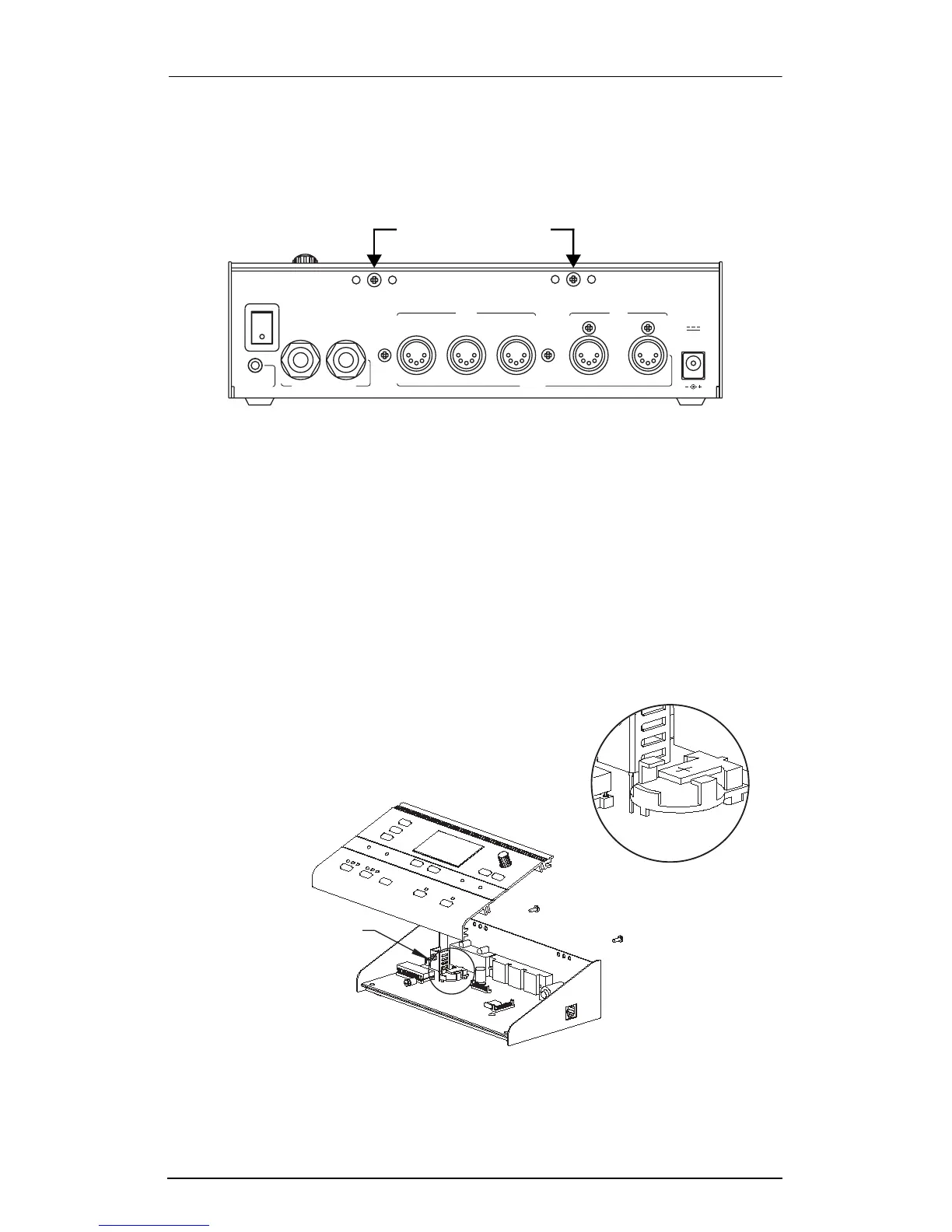
4. See the Þgure below. Using a #2 Phillips screwdriver, remove
the screws on the back of the ExpressionMate unit.
Figure 6-1. Removal of Rear-panel screws.
5. Slide the top cover forward about 1/4", then carefully tilt it
back. The cables inside the unit are short, so youÕll have to
hold the cover up with one hand while you do the next few
steps.
Replacing the Battery
6. See the Þgure below. Locate the battery holder, toward the
back left side as you face the front of the unit.
Figure 6-2. Battery replacement.
SP
B
reath witch / CC Pedals
S
1 / CC
SP
2
M
In
ain
Thru
MIDI
Out In
A
ux
12VDC
0.4A
Out
Remove These Screws
Battery Holder
Battery Location
Detail














 To Next Page