Editing and Creating Setups
Continuous Controller Parameters
34
Scale (Scal)
Scale lets you amplify or diminish the action of the controller. No
change is 100%. Higher values will make the controller more
sensitive, and lower values will make it less so. Setting the scale
to a negative number makes the controller action work in reverse.
You can use a controller to crossfade between two Zones by
setting the scaling for one Zone positive and the other negative.
(Or you could accomplish the same thing by having one zone set
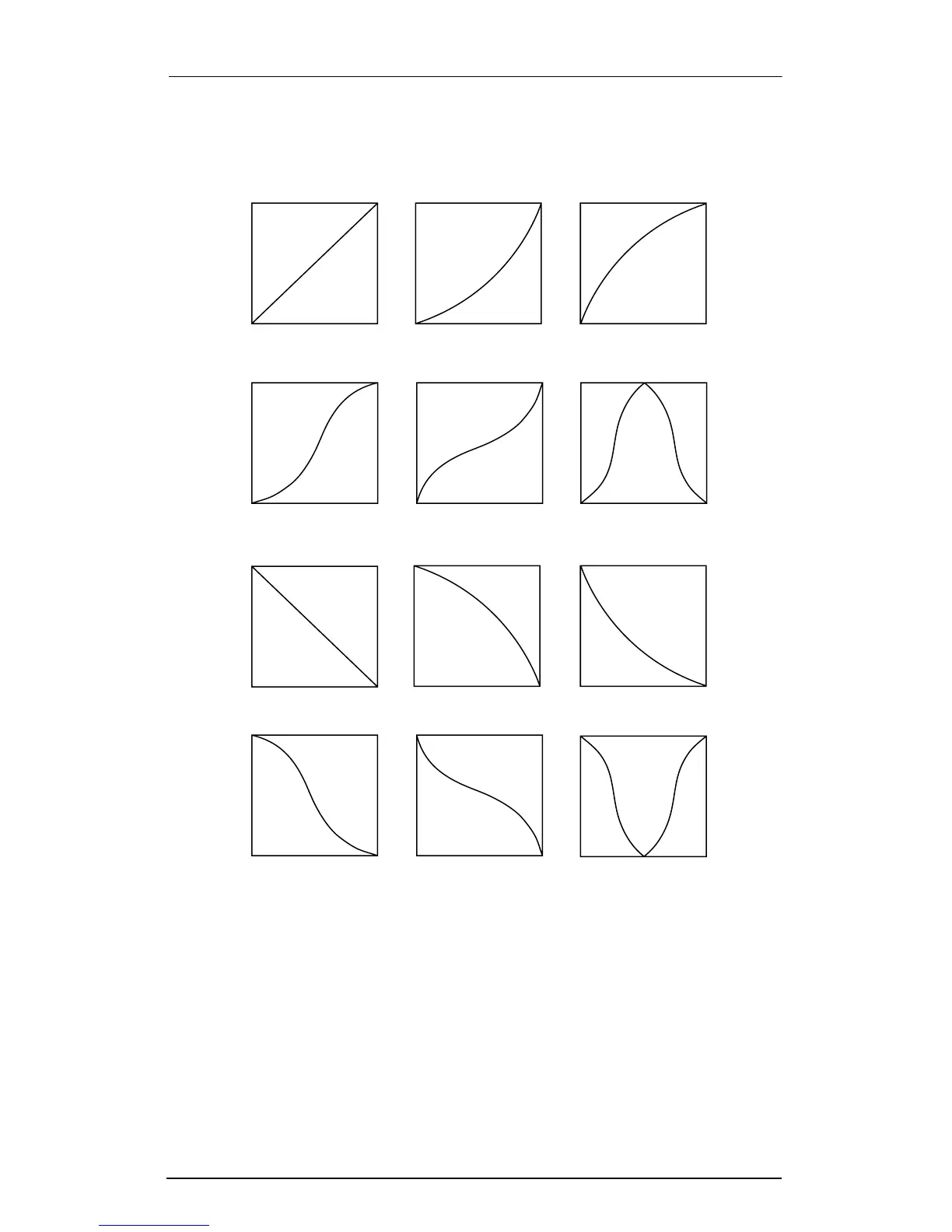
Curve Examples
(Amount = 3)
0 Linear 1 Expand 2 Compress (Cmpres)
5 Bump3 CrossFade
(XFade)
4 CrossSwell
(XSwell)
6 Reverse Linear
(RevLin)
8 Reverse Compress
(RevCmp)
7 Reverse Expand
(RevExp)
11 Reverse Bump
(RevBmp)
9 Reverse CrossFade
(RevXfd)
10 Reverse CrossSwell
(RevXsw)














 To Next Page