Getting Started
User Interface Basics
12
If you have two or more instruments, you can set each one to
receive on its own channel, so that each ExpressionMate Zone
controls a different instrument. You can also set several
instruments to the same channel, so that a single Zone can control
multiple programs on different instruments.
If the receiving instrument can only play on one MIDI channel at
a time, set it to receive on channel 1, 2, or 3.
User Interface Basics
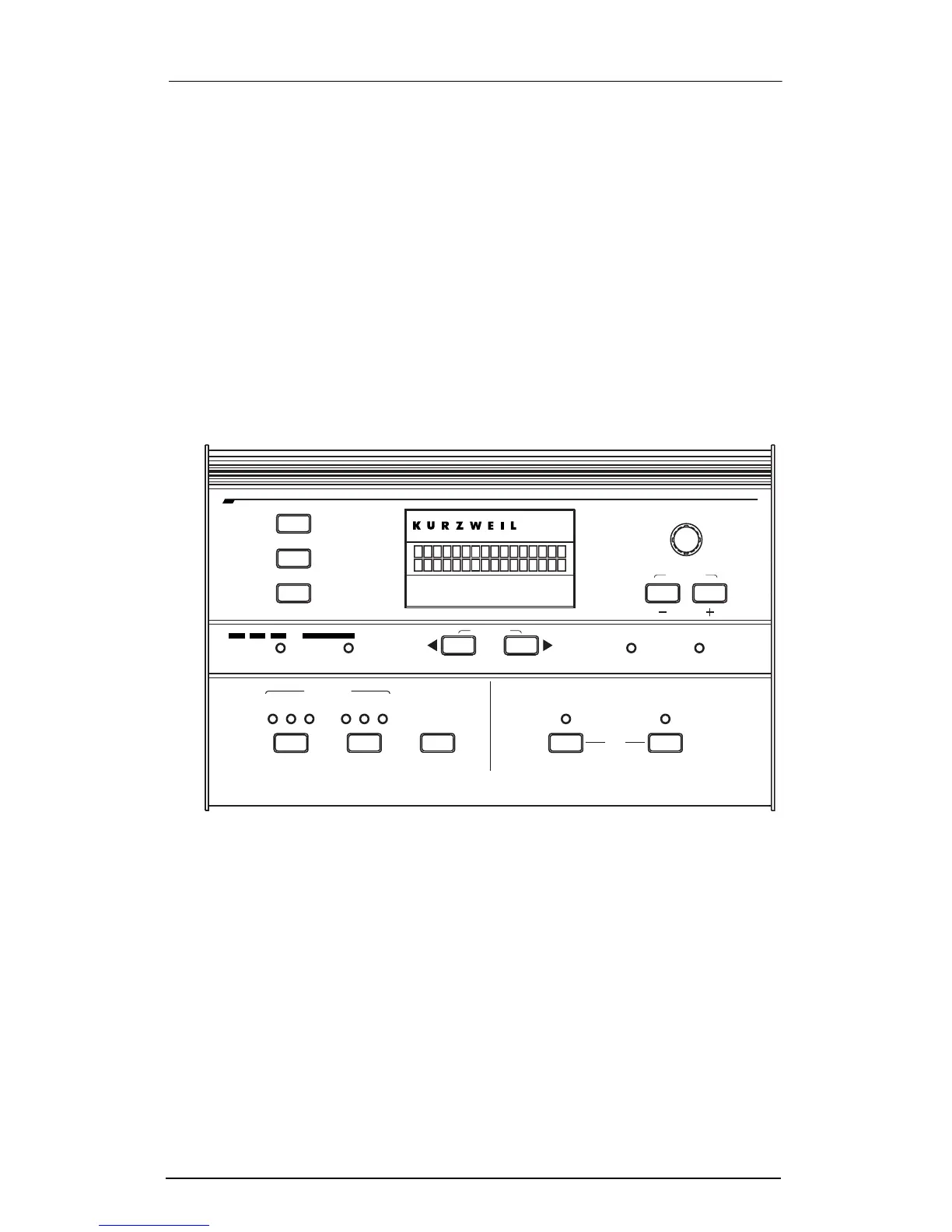
The Front Panel
The Display
The display shows you what Setup youÕre playing, what
parameter youÕre editing, or what options you can choose during
certain tasks. It displays other information too.
Data Knob, - and + Buttons
Use these to scroll through Setups in Play mode, and to change
values when you edit Setups.
onfiguration
ontroller
1
C
12
Sections
ibbon
R
3
C
earn
L
Z
ones
E
dit
A
rpeggiator
13 23
G
lobal
Compare
Section
xit
tore
S
E
SW
1
ate
ist
L
tep
S
xpression
Jump Param
Panic
Jump Value
EM
SW
2
xternal
MIDI
nternal
I E














 To Next Page