Getting Started
Placement and Connections
9
Connecting the ExpressionMate to Your MIDI
Gear
There are lots of ways to connect the ExpressionMate to your
MIDI devices. WeÕve chosen to show two simple, effective
conÞgurations that should give you ideas for your own MIDI
studio or rig. You can use the conÞgurations as printed, or
modify them for your own needs. (If you play MIDI guitar or
some other instrument besides the keyboard, donÕt be offended.
Just use your axe as the master controller.)
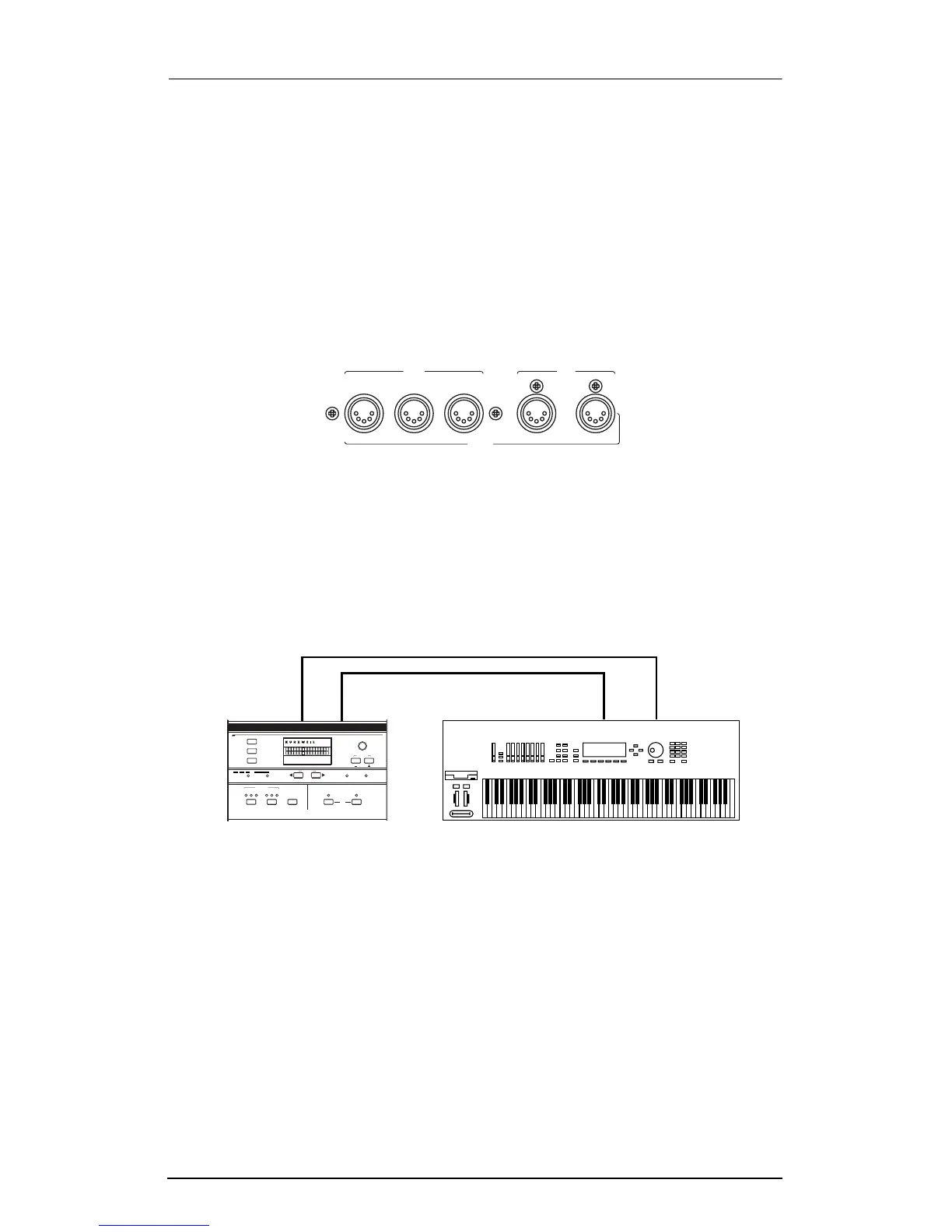
Basic MIDI Hookup
Connect the ExpressionMateÕs Main Out jack to the MIDI In jack
of the device that you want to control (such as a keyboard, sound
module, or computer). Then connect the other deviceÕs MIDI Out
jack to the ExpressionMateÕs Main In jack. Turn Local Control Off
on your keyboard.
Figure 2-3. Connecting the ExpressionMate to one MIDI device.
M
In
ain
Thru
MIDI
Out In
A
ux
Out
Main Out
onfiguration
ontroller
1
C
12
Sections
ibbon
R
3
C
earn
L
Z
ones
E
dit
A
rpeggiator
13 23
G
lobal
Compare
Section
xit
tore
S
E
SW
1
ate
ist
L
tep
S
xpression
Jump Param
Panic
Jump Value
EM
SW
2
xternal
MIDI
nternal
I E
Main In Out In
ExpressionMate MIDI Keyboard














 To Next Page