Editing and Creating Setups
Ribbon Configuration Parameters
26
Mode, and Rbn Sprg. In three section mode, there are seven
parameters in all (the RBN Split parameter, plus a Mode and Sprg
parameter for each section).
The Ribbon ConÞguration parameters deÞne how the section
responds to Þnger position.
PARAMETER RANGE OF VALUES DEFAULT
SPLIT One Section/Three Sections One Section
MODE Relative/Absolute Absolute
SPRING 0–127, None None
Split
This selects a one- or three-section conÞguration of the Ribbon.
You can use the Ribbon as one controller, or divide it up into
three smaller sections, each with its own controller assignments.
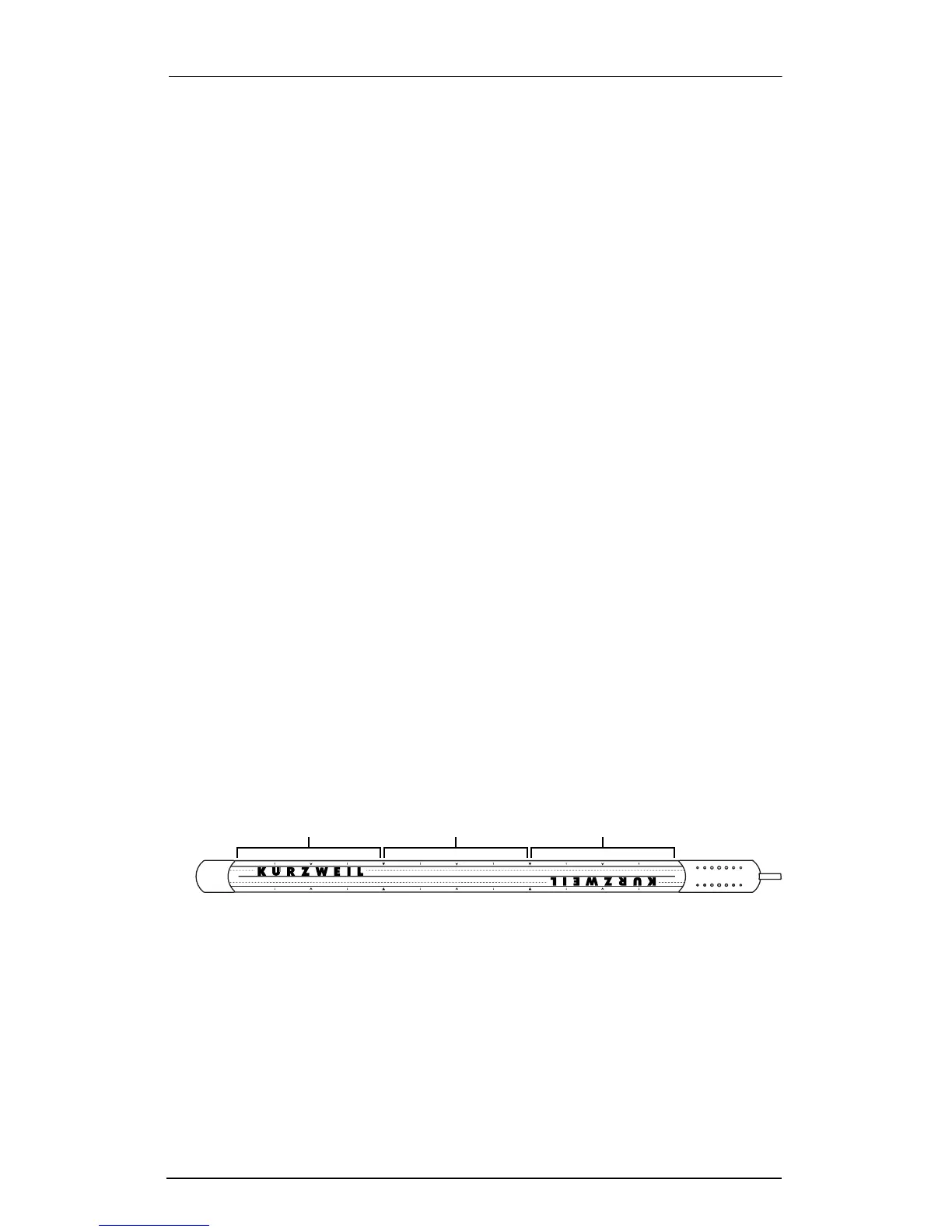
Along the edges of the Ribbon are several white arrows; these
arrows divide the Ribbon into sections, point to each sectionÕs
center, and show smaller divisions within the sections. The
arrows are especially helpful when Split is set to Three-Sections,
though theyÕre also handy when using the Ribbon as a single-
section controller.
The Þgure below assumes that the Global RBN Dir parameter is
set to Right, meaning that values get higher toward the end with
the cable. To learn how to change this parameter, see ÒRBN DirÓ
on page 78.
Figure 3-1. Ribbon sections.
Note that you can set one group of parameters for the Ribbon in
single-section mode, and different parameters for three-section
mode. Both sets of parameters will be there when you save the
Setup, but only one set of parameters will take effect at a time. In
other words, if the Ribbon is in single-section mode, youÕll be
using only the single-section parameters.
Section 1 Section 2 Section 3














 To Next Page