Editing and Creating Setups
Continuous Controller Parameters
36
changed in this example; the other parameters are set to their
defaults (Scale = 100% and Curve = none).
Offset and Scale work together. If scaling takes the controller out
of the ballpark Ñ for example, you want to set it to 300% but that
puts all of the controllerÕs readings at their maximum values Ñ
using a negative offset, say around -60, still lets you send
different values, though your curve will be a lot steeper than
normal.
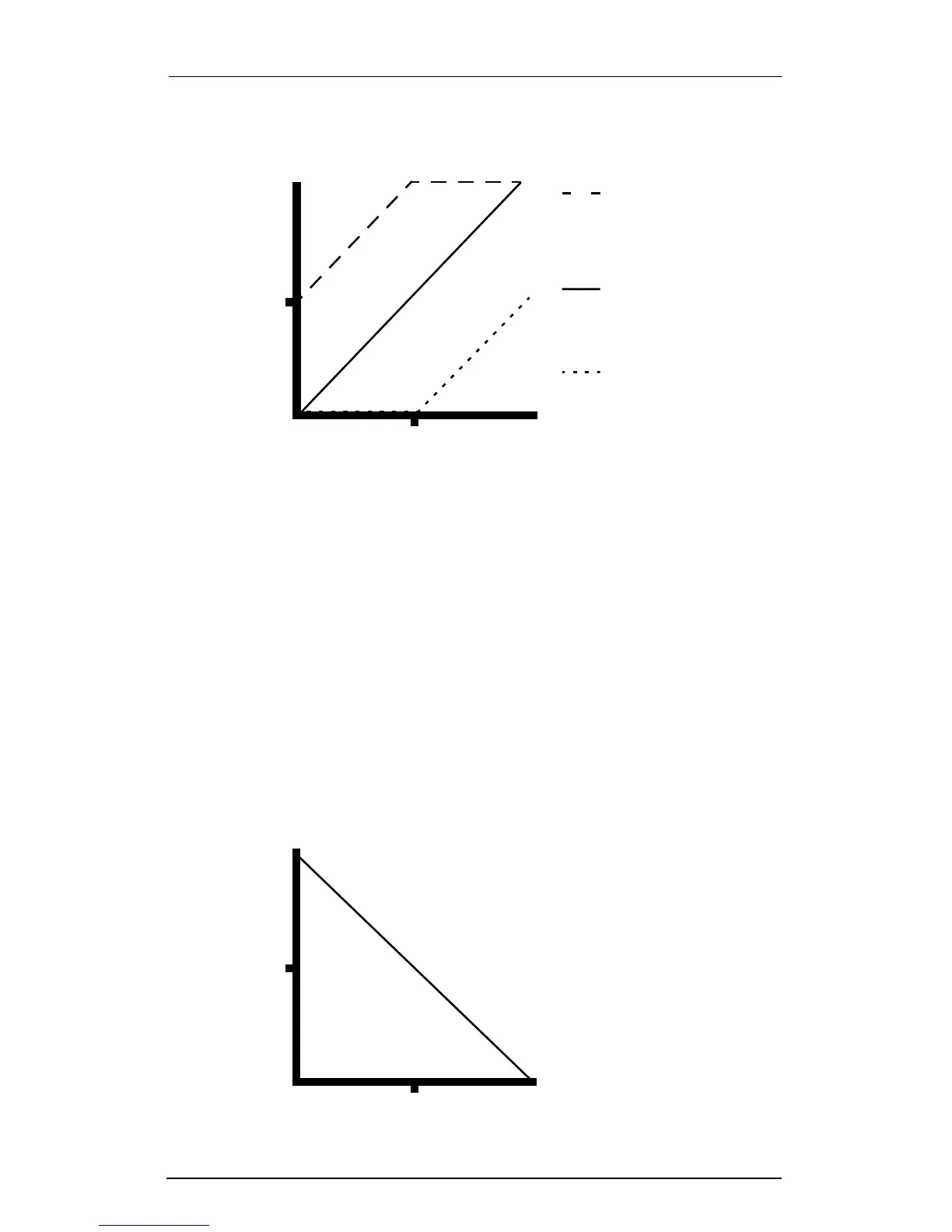
If you use a negative scaling, then you must use an offset, or all of
your Controller messages will end up as zeroes. So to get true
inverse scaling (that is, minus 100%) with the full range of values,
you must set Offset to 127 and Scale to -100%. Doing so produces
a slope like this (which is identical to the Reverse Linear curve):
Offset: -64
Offset: +64
Low controller values
produce medium MIDI
Controller and greater
Low controller values
result in MIDI Controller
of 0; maximum MIDI
Controller reduced
127
0 127
Controller Input
64
64
Controller Output
Offset: 0
No Offset is applied to
controller
127
0
127
Controller Input
64
64
Controller Output














 To Next Page