KW Aufzugstechnik GmbH OPERATING MANUAL DAVID-613
DAVID-D613-V125-E 13.04.2021 Page - 232 -
2.0 Check the software settings
Before starting the teach-in, you should read the specifications in the
attachment parameters A4 and the shaft copying menu B43.
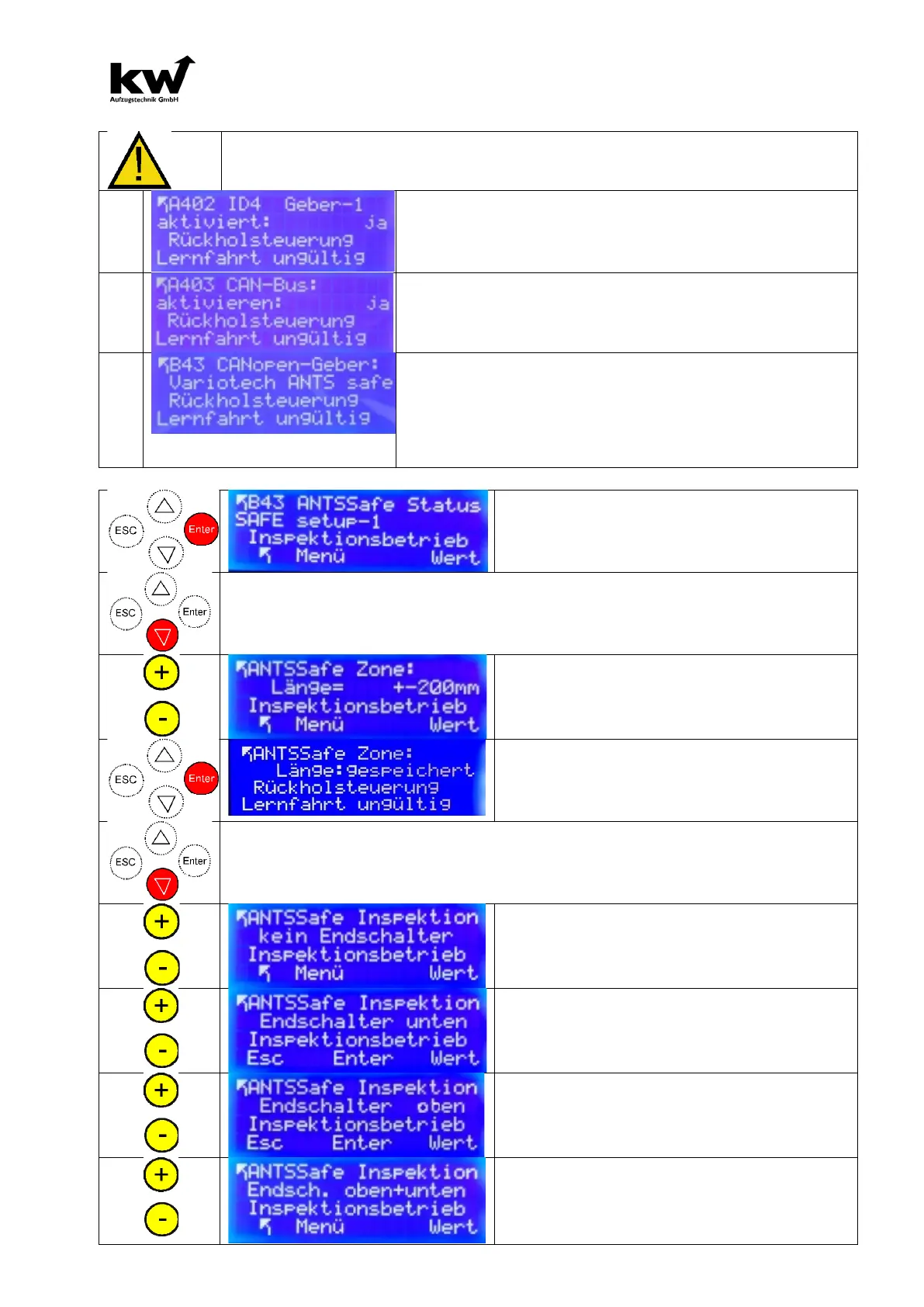
The CANopen shaft copying system must be functionally
installed. Subsequently, the activation takes place in the
CANopen menu A402, in which a YES is entered for en-
coder 1 activated.
In menu A403 the CAN bus must be switched on. This is
done by activating in the menu item CAN bus: a YES.
In the B43 CANopen encoder menu a SAFE shaft copying
system should be set. The choices are:
1.) Variotech ANTS SAFE
2.) LIMAX-33CP SAFE ( in preparation)
3.0 Teach-In Setup-1
After the SIL 3 shaft copying system has been
recognized, the Setup 1 parameter is dis-
played in the Status Safe parameter. By press-
ing the Enter key one enters the input routine.
3.1 Enter the zone length
This parameter is used to enter the zone length. Later, the zone length can be
shortened, but not increased!
Change value and enter default value of 200
mm.
The entry is completed with the ENTER key.
When the value is accepted, the saved mes-
sage appears.
3.2 Entering the inspection limit switch (protection mode)
With shortened pit or / and shortened pit head, inspection switches can be set. The dis-
tance to the upper or lower limit switch is 1.2m. These positions are fixed. In order to make
it possible to leave the shaft head / pit, the car is already stopped at a distance of 1.4 m!
Shaft pit and pit brow have normal height.
attitude -> No limit switch and confirm with
enter.
Shaft pit have reduced depth.
attitude -> Limit switch down and confirm
with enter.
Pit brow have recuced height.
attitude -> Limit switch up and confirm with
enter.
Shaft pit and pit brow are reduced.
attitude -> Limit switch up+down and con-
firm with enter.



 To Next Page