KW Aufzugstechnik GmbH OPERATING MANUAL DAVID-613
DAVID-D613-V125-E 13.04.2021 Page - 44 -
When the ER-2013/2014 is connected to the bus line and the con-
trol is active, the green LED blinks
. In short circuit on the busline
or malfunction expires or lights the LED. You can control the Re-
mote Station in Menu C6 Modul Monitor/ Remote Station ER01-
and Remote Station ER 17-32.
For every remote station with an acceptable function, there will
be shown an „E“ in the display of the HPG-60. From left to right,
you can see in the display all remote stations from the first floor
to the hightest floor which are recognized in the system.
All ER-2013 preset
for the individual floors. The bottom floor has
always marked “Floor 01”. The setting of floors is no longer adress
switch on the Remote Station, like ER-2005, but by the setting soft-
ware.
1. STEP: Switch off the controller ( Main Switch Q1, and
Fuses F6 & F7 switch off ).
2. STEP: The Remote Station programmed with the RJ-45 cable
with the central unit. All other Remote Stations may not be con-
nected.
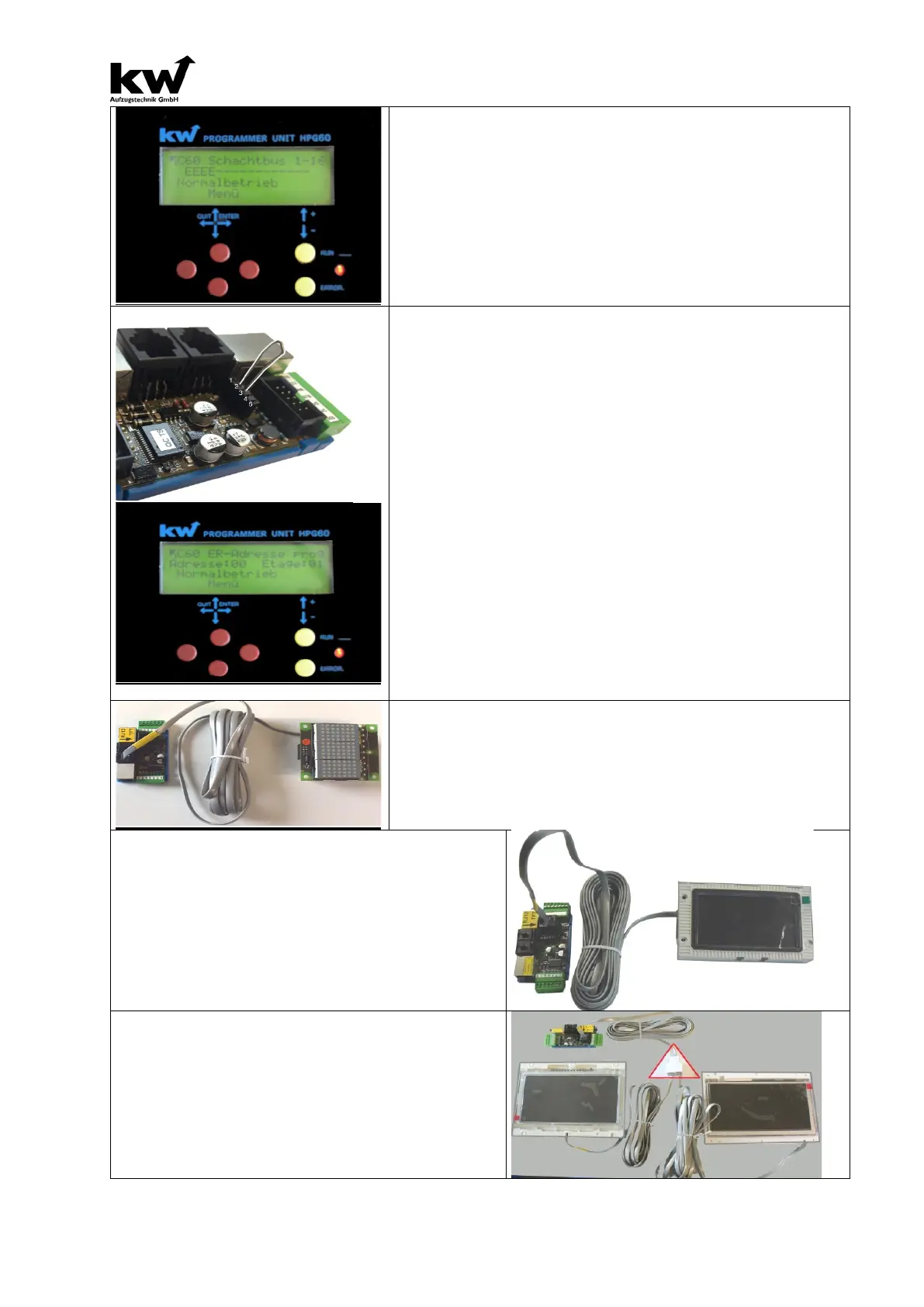
3. STEP: It must be set a jumper on the 5-pin socket Print be-
tween pins 2 and 3 (-> see picture left). Then, the system can be
put under power (main switch Q1, Q6 is switched on).
4. STEPt: You can regulate
the parameter “Remote Station
Adress programming” in menu C6 Modul Monitor. The ER-
gets his adress with the selection of the number of floors. (01-
Then the ER-2014 can be installed in the corresponding floor.
TERMINAL: MATRIX-INDICATOR TYPE ANZ-xx
The connection of the Matrix-indicator of type ANZ-XX (ANZ-22,
ANZ-32, ANZ.-33, ANZ-52 & ANZ-53) takes place on the black
RJ-12 jack with the black RJ-12 cable.
Don’t do the RJ-12 in the silber RJ-45 jack!
Connection of a TFT-Displays at an ER-2013
The connection of TFT displays is done by the yellow RJ-
12 jack with the included RJ-12 cable.
The RJ-12 cable is not allowed to be plugged into the
RJ-45 jack silver or in one of the two RJ12 sockets for
matrix display!
Connection of several TFT-Displays at an
ER-2013
Several TFT displays can be operated at a terminal
means of a RJ-12 splitter.
This is necessary in elevator installations with
door sides, or in elevator groups.



 To Next Page