4.4 Clearing Paper Jams
4-16
4.4.6 Paper Jam — Duplexer
This message is relevant to the FS-C8008DN.
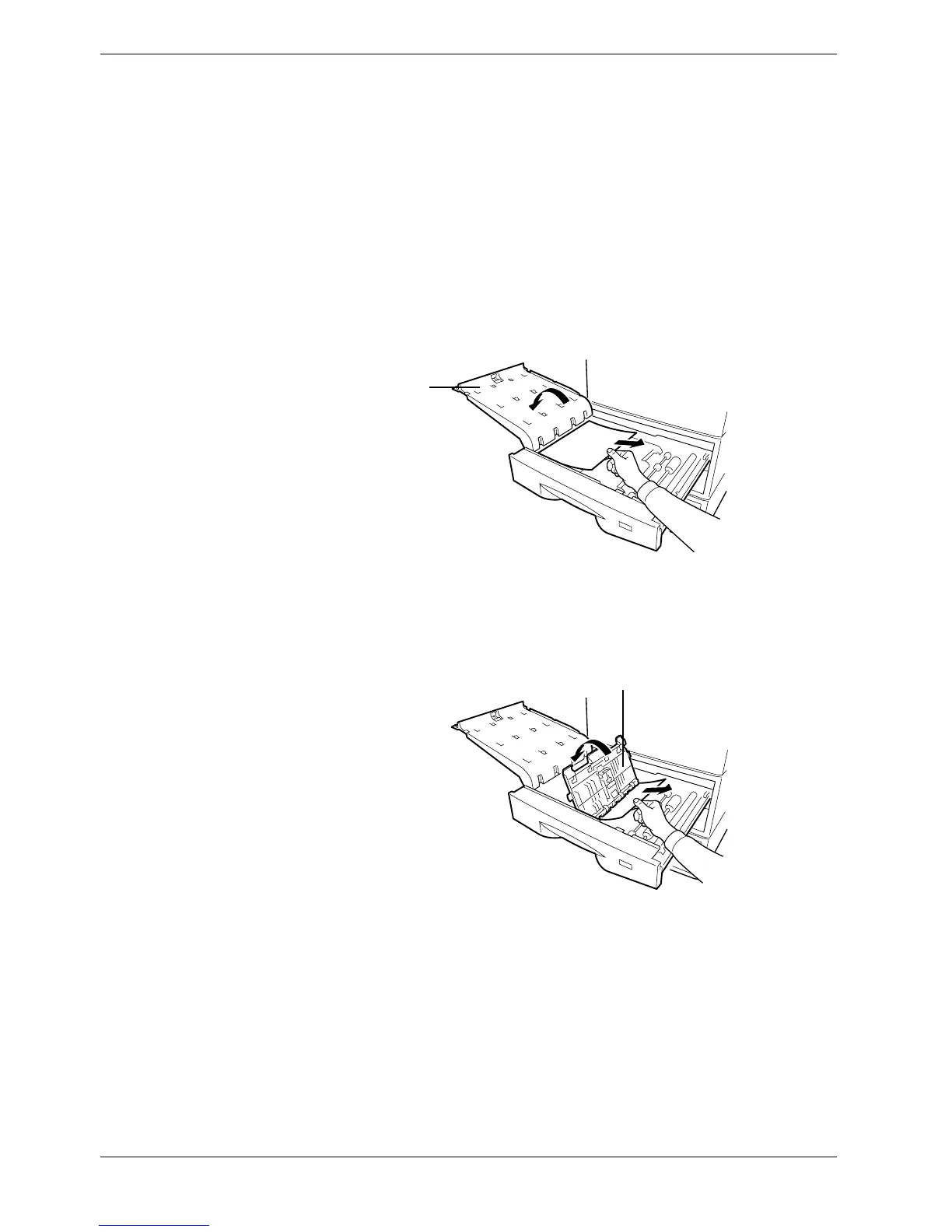
The paper jammed inside the duplexer drawer. Clear the jam in the following locations:
• Upper cover
• Lower cover
1
11
1
Open the duplexer drawer towards you.
2
22
2
First, open the upper plastic cover of the duplexer drawer to remove the jammed
paper under the cover.
Figure 4-5
3
33
3
Then open the lower plastic cover of the duplexer drawer to remove the jammed
paper under the roller.
Figure 4-6
4
44
4
When the jammed paper sheets are removed, close both covers of the duplexer. Close
the duplexer drawer completely.
Upper Cover
Lower Cover



 To Next Page