5.2 Replacing the Waste Toner Box
5-6
5.2 Replacing the Waste Toner Box
When the Check waste toner box message appears, replace the waste toner box. A
new waste toner box is included with the toner kit. The printer will not operate without
replacing the waste toner box.
1
Open the front cover
2
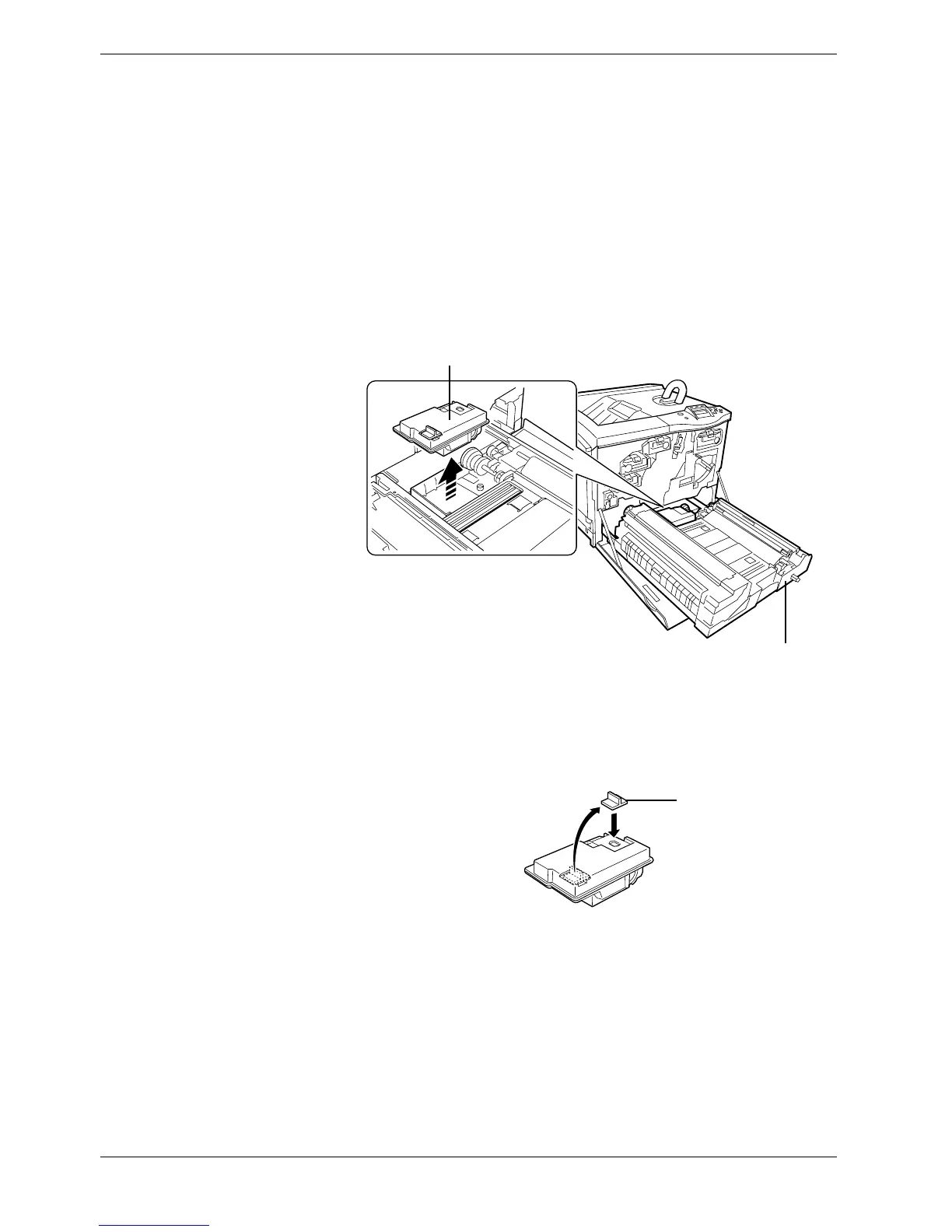
Pull the paper transfer unit all the way out. Slowly remove the waste toner box. Do
not place the removed box upside down.
Figure 5-6
3
The old waste toner box has a cap. Remove the cap (black) on the top of the box and
put the cap onto the opening as shown below. This is to prevent the toner from
spilling.
Figure 5-7
Paper Transfer Unit
Waste Toner Box
Cap



 To Next Page