5.3 Cleaning the Printer
5-12
5.3.2 Cleaning the Main Charger Unit
The main charger unit needs to be cleaned periodically as it gets contaminated with dioxide
after a long usage. The main charger is comprised of two main parts — the wire and the grid
— which should be cleaned separately as instructed below.
To clean the main charger unit, proceed as follows:
1
Open the front cover.
2
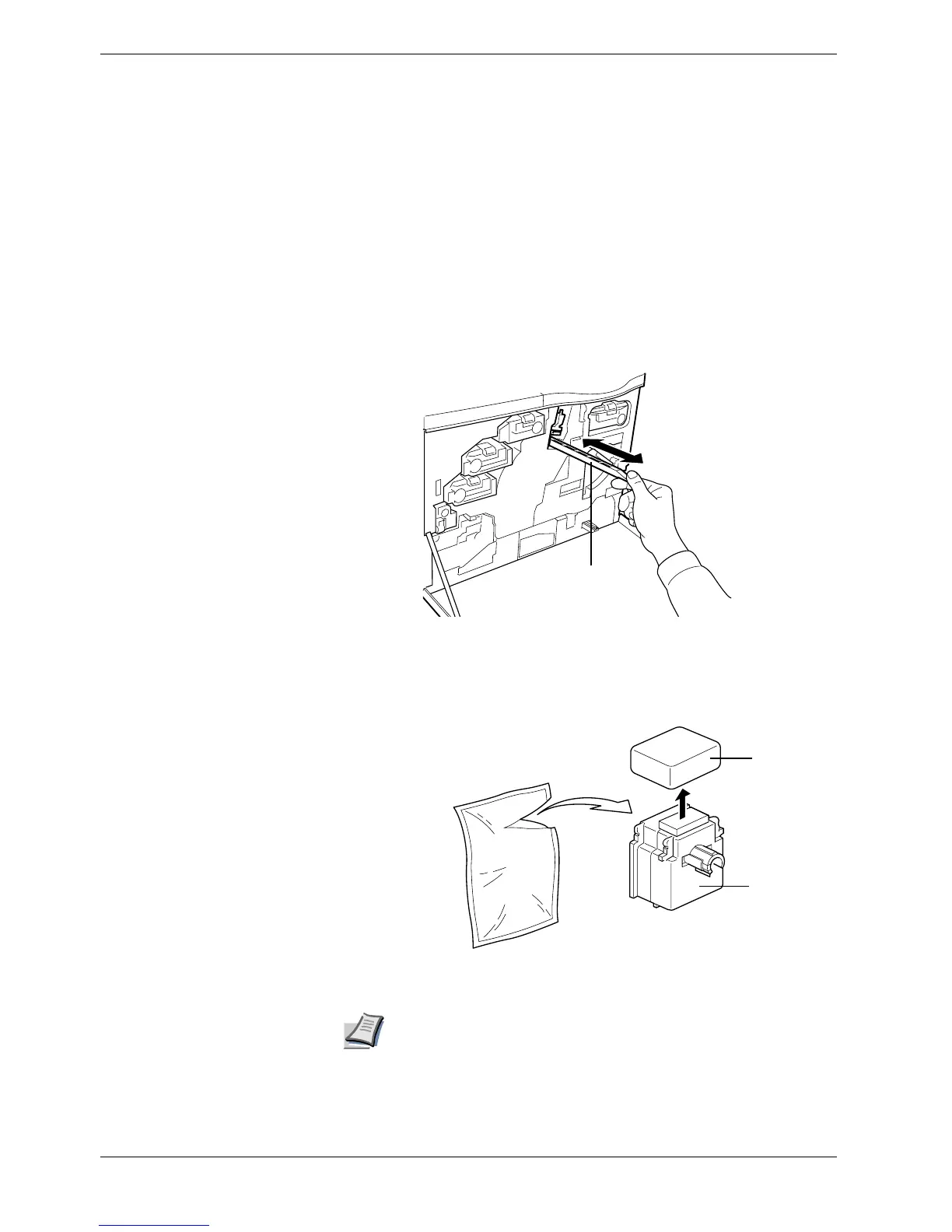
First we clean the main charger wire. Grasp the tab of the cleaning knob
(green-colored). Gently pull the cleaning bar out and push it back in. Repeat this 3 to
5 times.
Figure 5-16
3
Next, we clean the main charger grid. Take the grid cleaner out of the toner kit. Take
the grid cleaner out of the protective bag and remove the cap.
Figure 5-17
The pad of the grid cleaner contains water. Clean the grid quickly so
that the pad may not dry off.
Cleaning knob
Cap
Grid Cleaner
Note



 To Next Page