5.3 Cleaning the Printer
5-13
4
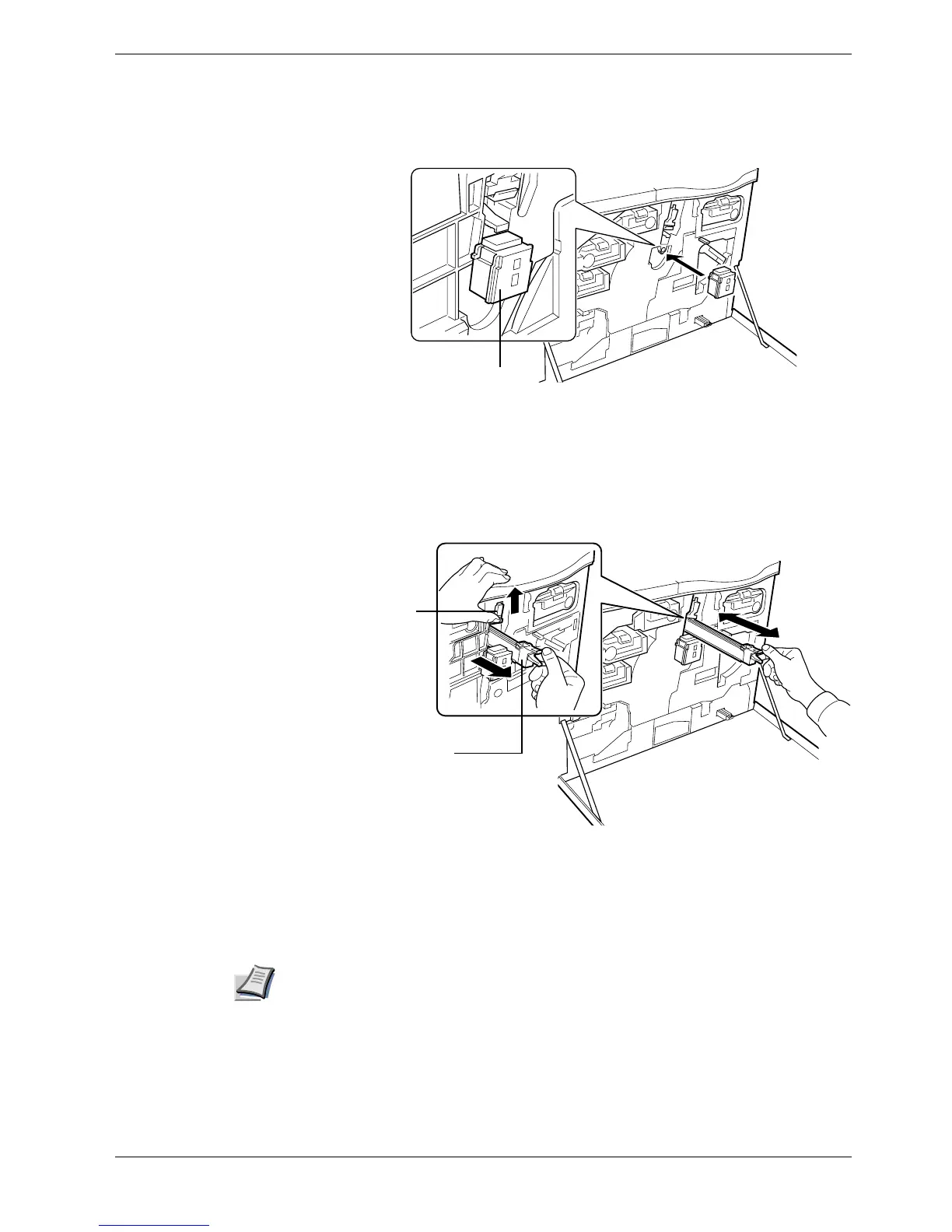
Attach the grid cleaner to the printer with the pad facing up.
Figure 5-18
5
While pushing the main charger unit lock lever upward as shown in Figure 5-19,
slightly lift the main charger unit, and gently pull the gray-colored main charger
handle out and push it back in. Repeat this 2 to 3 times. These movements clean the
grid.
Figure 5-19
6
After cleaning is finished, remove the grid cleaner from the printer and discard it.
The grid cleaner cannot be reused. Close the front cover.
Note
If the front cover does not fully close, although the printer shows Ready, open the front
cover and push the main charger unit until it is fully inserted in the printer.
Grid Cleaner
Lock Lever
Main Charger Unit



 To Next Page