4.4 Clearing Paper Jams
4-23
1
11
1
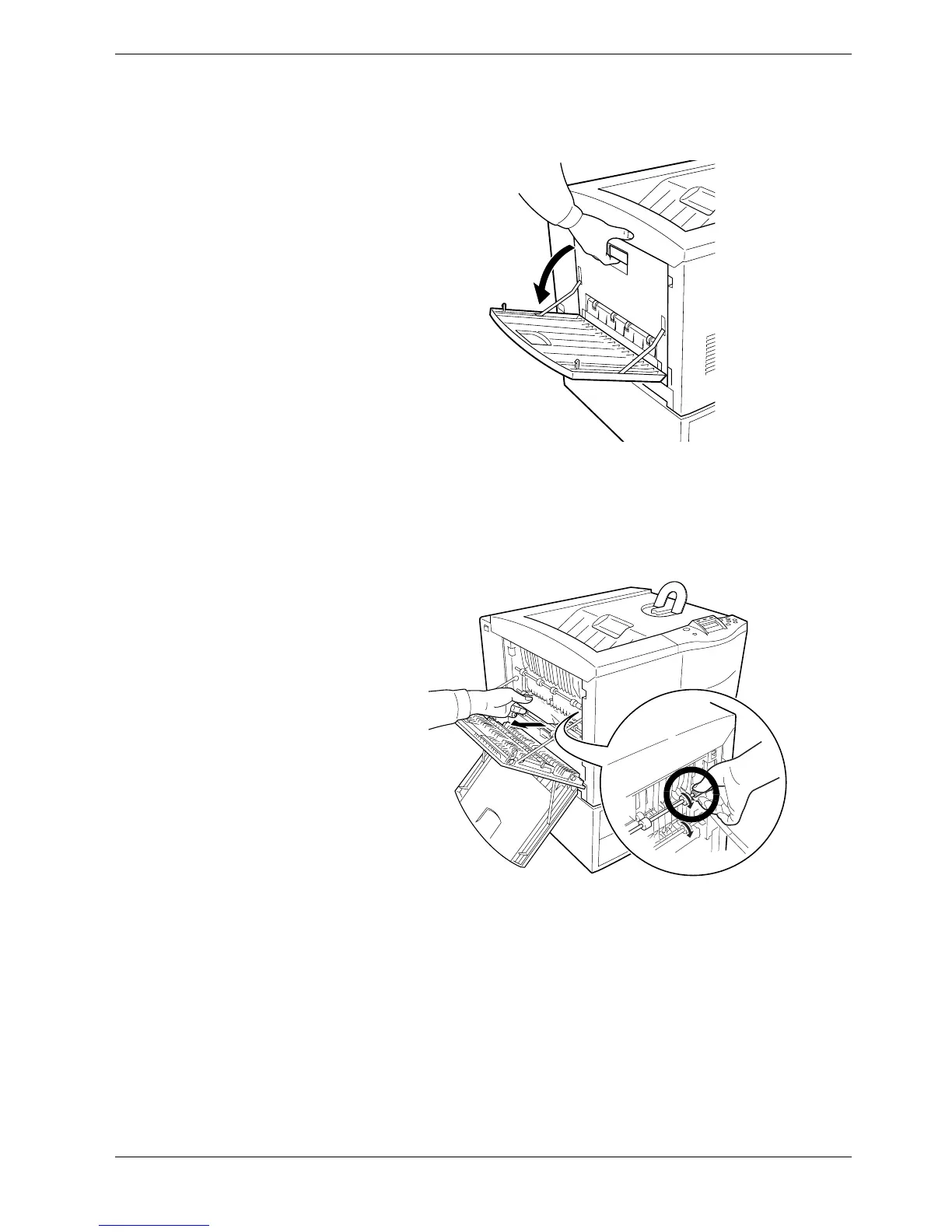
Open the left cover for the face-up tray.
Figure 4-20
2
22
2
Remove the jammed paper gently. If the paper is stuck under the roller, grasp the
green-colored knob and rotate the roller in the direction indicated in the diagram so
that the paper is driven out.
Figure 4-21
If the paper does not go easily, refer to Section 4.4.7 Paper Jam — Paper Transfer
Unit on page 4-17.
3
33
3
Close the left cover. Close the face-up tray.
4.4.9 Paper Jam — Option Stacker/Finisher/Sorter
The bulk stacker, document finisher, and sorter are optional equipment. When this message
is displayed, refer to the appropriate documentation for the option attached with the printer.



 To Next Page