SYS
F・1 F・2 F・3 F・4 F・5 F・6
F・7
INPUT
EXT
MULTI
WFM
VECT
PIC
CAP
AUDIO
STATUS
EYE
VPOS HPOS
F・D
MEM
RECALL
S‐CUT
LV5300/LV5350/LV7300QuickManual
CIEDIAGRAMdisplay
> (VECTINTEN/CONFIG)> (VECTORDISPLAY) > CIEDIAGRAM
16
VECT
F・1
F・1
Colortrianglesetting
(CIEDIAGRAMSCALE)> (TRIANGLE1), (TRIANGLE2) > Yellowstandardscalercanbedisplayed
Trianglestandardnamedisplay
(CIEDIAGRAMSCALE)> (SUBSCALE)> (TRIANGLECAPTION) > ON setting
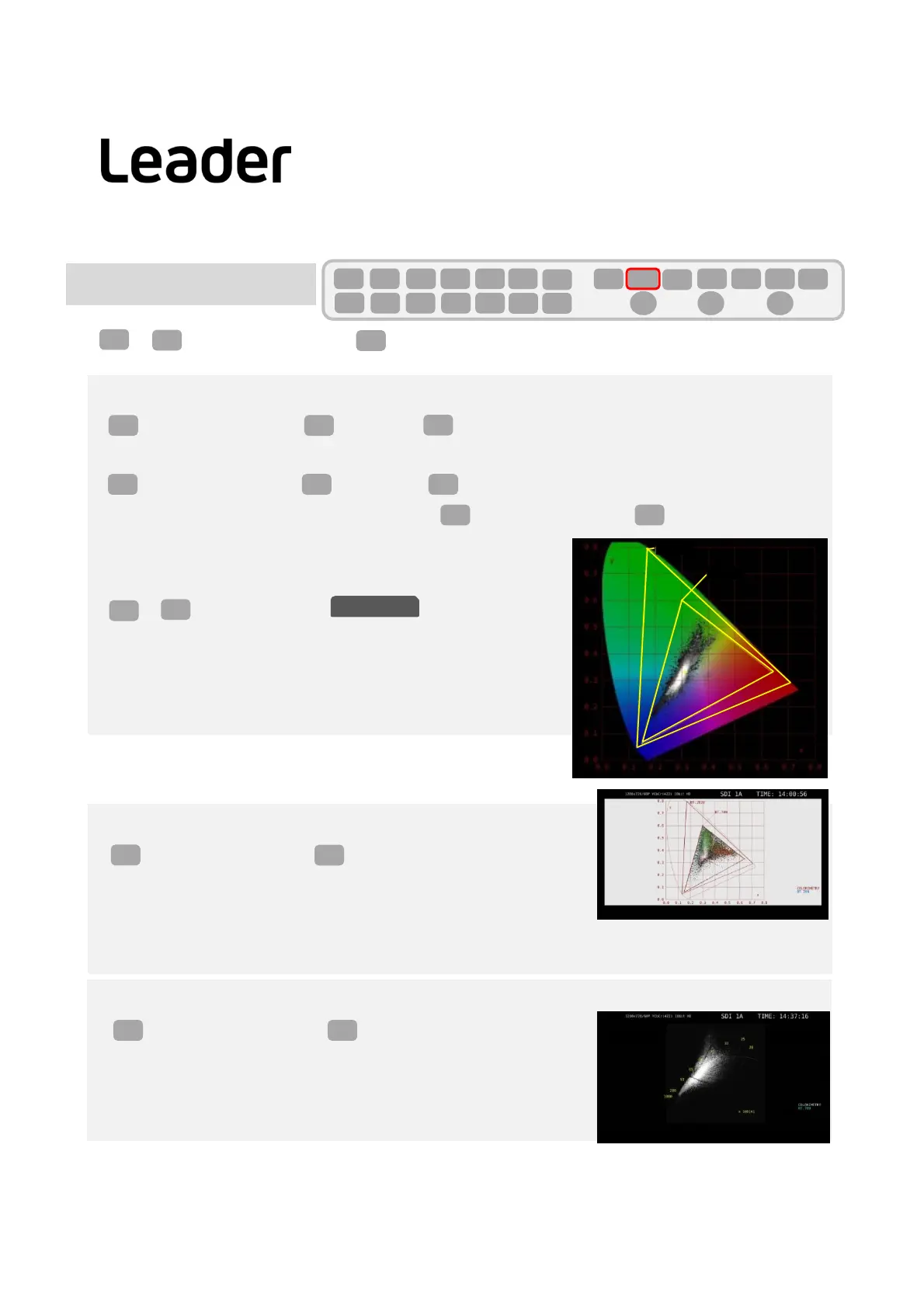
Thefigurebelowshowsthecolortrianglesetting, (TRIANGLE1) BT.2020, (TRIANGLE2) BT.709
> Trianglestandardnamedisplay > ON
PayloadIDsettingandcolorimetric setting
> (SIGNALINOUT)>
・COLORIMETRY itemscanchoosefrom:
PayloadID,BT‐709,BT‐2020,DCI
F・2 F・1
F・2
Colorscalesetting
(CIEDIAGRAMSCALE)> (COLOR)
B.G.COLOR:Displaysthecolorscale.Backgroundisblack,thewaveformisdisplayedaccordingtothebrightness level.
B.G.WHITE:Colorscaleisnotdisplayed.Backgroundiswhite,waveformis displayedaccordingtothecolorofthepicture.
B.G.BLACK:Colorscaleisnotdisplayed.Backgroundisblack,waveformisdisplayed
accordingtothecolorofthepicture.
F・1
F・2
Displaymodesetting(ChromaDiagram/ColorTemperatureDisplaySwitch)
(CIEDIAGRAMSETTING)> (DISPLAYMODE)
DIAGRAM: ChromaDiagramDisplay
TEMP: ColorTemperatureDisplay
F・1F・3
F・2 F・5 F・4
F・1 F・2
SYS
F・1
SDI INSETUP1
B.G.WHITE
TEMP
BT.2020
BT.709



 To Next Page