37
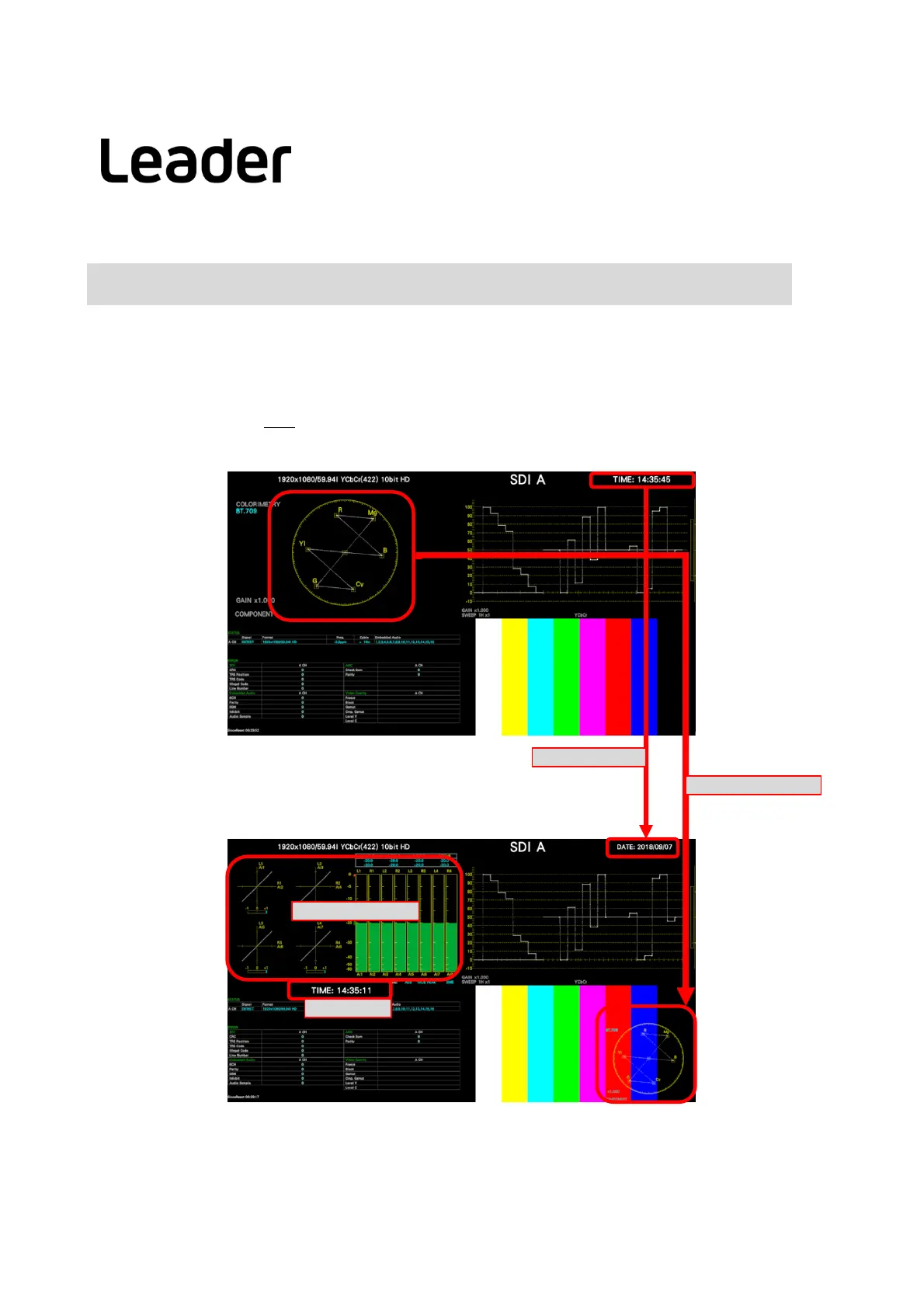
ChangeLayout( General)-example- (LV5300/5350/7300‐SER26)
(example) changethelayoutfromMULTI(USER1) (addaudioitem)
① Showthelayoutscreen
② ItemchangefromTIMEtoDATEintheupperrightofthescreen
③ Placevectordisplay onpicturedisplay
④ Addaudiomeasurementsdisplay
⑤ AddTIMEtoSTATUSitem display
⑥ Complete
② TIME→DATE
③ moveVECTOR
④ addAUDIO
⑤ addTIME
After
Before
LV5300/LV5350/LV7300QuickManual


 To Next Page