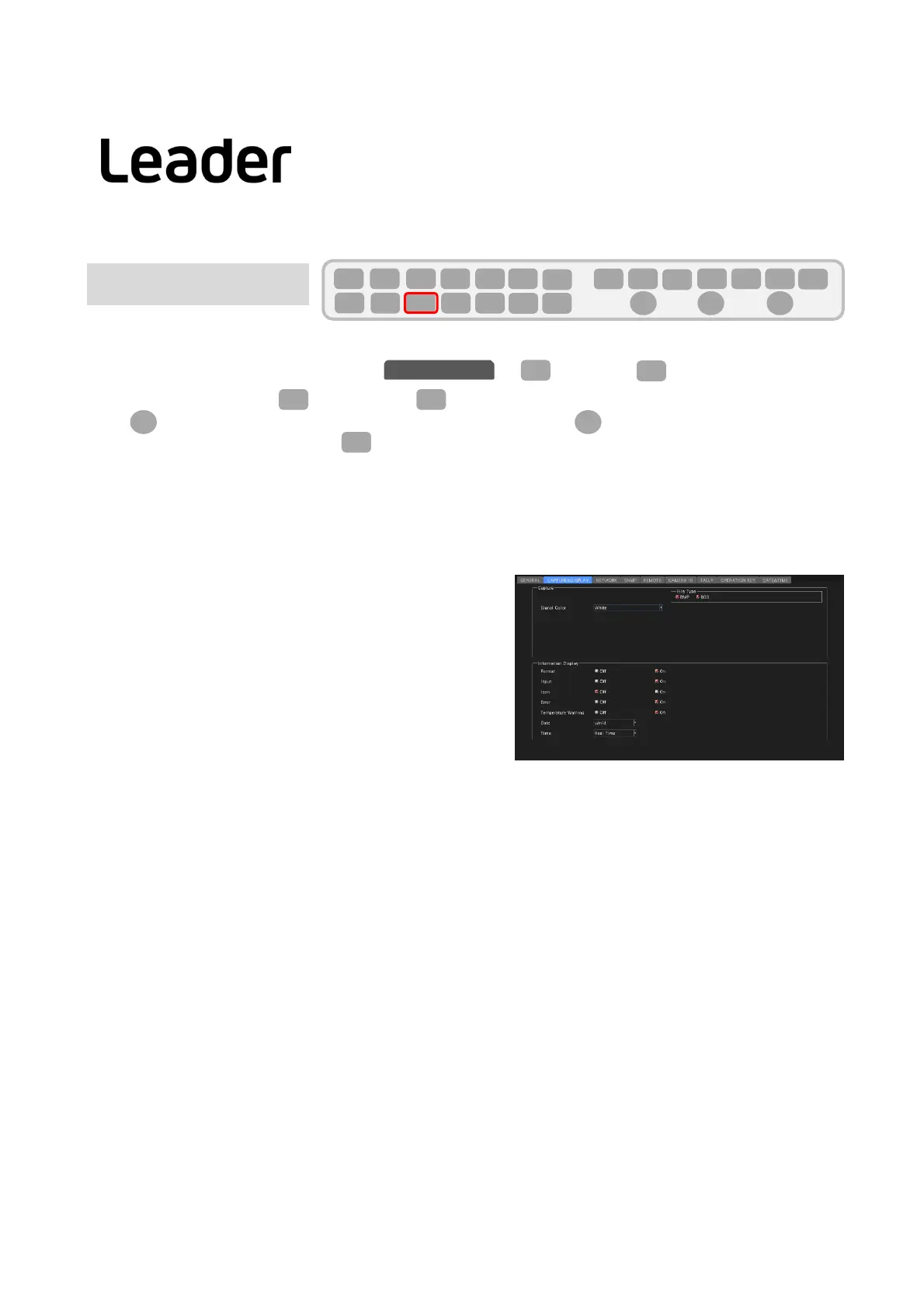
ThefollowingsettingscanbemadeontheCAPofSYS(SYSTEM)>F2(SYSTEMSEUP).
(DisplaytabischangedbyF2(PREVTAB)orF3(NEXTTAB))
UseFDtosettheblueframetotheitemyouwanttoset,thenpressFDtoaddacheckmark.
Aftercompletingthe
settings,pressF1(COMPLETE)toconfirmthesettings.
CAPTURE
Screencapture:Capturethedisplayscreenasastillimage
●SignalColor
Displaycolorsettingofcapturedwaveform
White/Yellow/Cyan/Green/Magenta/Red/Blue
InformationDisplay
●Format
ON/OFFofformatdisplay(1920x1080/59.94IYCbCr (422) 10bitHDetc.)
Off/On
●Input
Turnon/offtheinputsignaldisplay(SDIA,etc.)
Off/On
●Icon
Turningon/offthemouseicon,keylockicon,andUSBmemoryicon
Off/On
●Error
Errordisplayon/off(upperrightofmeasurementscreen)
Off/On
●TemperatureWarning
Turnsthealarmdisplay(TEMPERATURE)onandoffwhentheinternaltemperatureofthemainunitrises.
Off/On
●Date
Selectdatedisplayformat
Off/[y/m/d]/[m/d/y]/[d/m/y]
●Time
Selectthetimedisplayformat
Off/RealTime/LTC/VITC/D‐VITC
8
F・2
F・1
SYS
F・D F・D
SYS
F・1 F・2 F・3 F・4 F・5 F・6
F・7
INPUT
EXT
MULTI
WFM
VECT
PIC
CAP
AUDIO
STATUS
EYE
VPOS HPOS
F・D
MEM
RECALL
S‐CUT
CAPTURE&DISPLAY
F・3
F・2
LV5300/LV5350/LV7300QuickManual
Basicsetting(No.2)



 To Next Page