SYS
F・1 F・2 F・3 F・4 F・5 F・6
F・7
INPUT
EXT
MULTI
WFM
VECT
PIC
CAP
AUDIO
STATUS
EYE
VPOS HPOS
F・D
MEM
RECALL
S‐CUT
LV5300/LV5350/LV7300QuickManual
CineZone
20
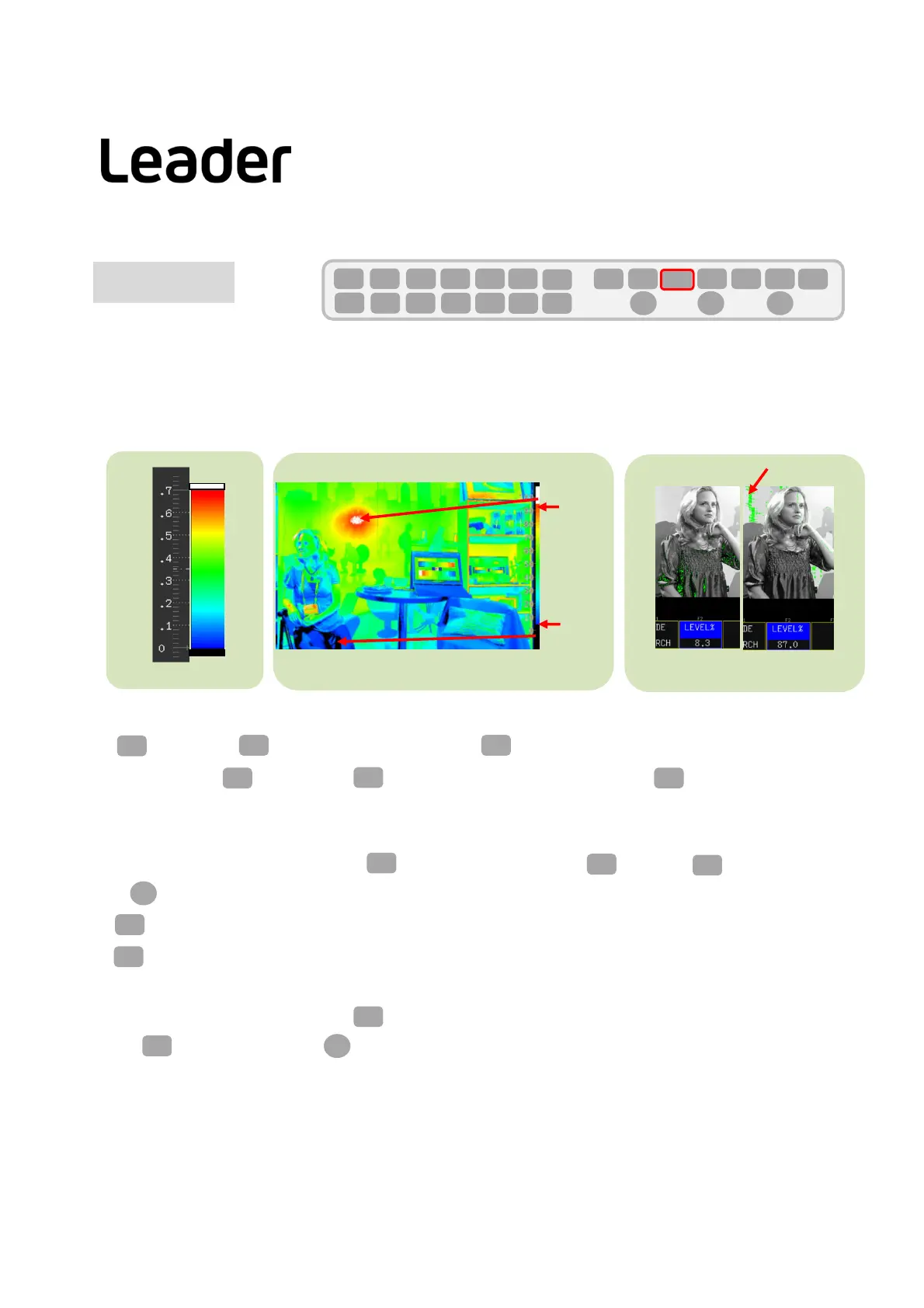
Thecinezonehasthreefunctions.
1.Thegradationdisplayfunction,whichreplacesthebrightnesslevelofthepicturewiththecoloranddisplaysit,
showsthebrightnessdistribution.
2.Saturationisunderstoodbythefunctionthatsetsathresholdforthebrightnesslevelanddisplaysthepart
aboveorbelowit.
3.Thesearchfunctiondisplaysthesetbrightnesslevelingreenandyoucanseethesetbrightnessfromthe
picture.
[%] [mV] Level
100%
0%
50%
Blue
Red
Green
●Gradationdisplay ●Aboveandbelowdisplayofthreshold
Thrishold
Threshold
Specified level
●Displayspecifiedlevel
Set PIC(PICTURE)> F2(CINELITEorCINELITE/HDR)> F1(CINELITEDISPLAY)toCINEZONE
PIC
F・2 F・1
1.Gradation Display
Note:● IfyoupressPIC (PICTURE)and F2 isnot(CINELITEorCINELITE/HDR),press PIC(PICTURE)twice.
F・2
PICPIC
2.Thresholdsetting
Aftersettingthegradationdisplay,press F2(CINEZONESETUP)andthen F2(UPPER)or F3(LOWER)toset
with FD(FUNCTIONDIAL).
UPPER: Itcanbesetintherangeof‐6.3to‐109.4.
LOWER: Itcanbesetintherangeof‐7.3to‐108.4.
F・2
F・2
F・3
F・2
F・3
F・D
3.Searchlevelsetting
Aftersettingthethresholdlevel,set F1(CINEZONEFORM)toSEARCH.
Press F4(LEVEL%)andsetwith FD(FUNCTIONDIAL).
F・1
F・4
F・D



 To Next Page