STATUS
SYS
F・1 F・2 F・3 F・4 F・5 F・6
F・7
INPUT
EXT
MULTI
WFM
VECT
PIC
CAP
AUDIO
STATUS
EYE
VPOS HPOS
F・D
MEM
RECALL
S‐CUT
25
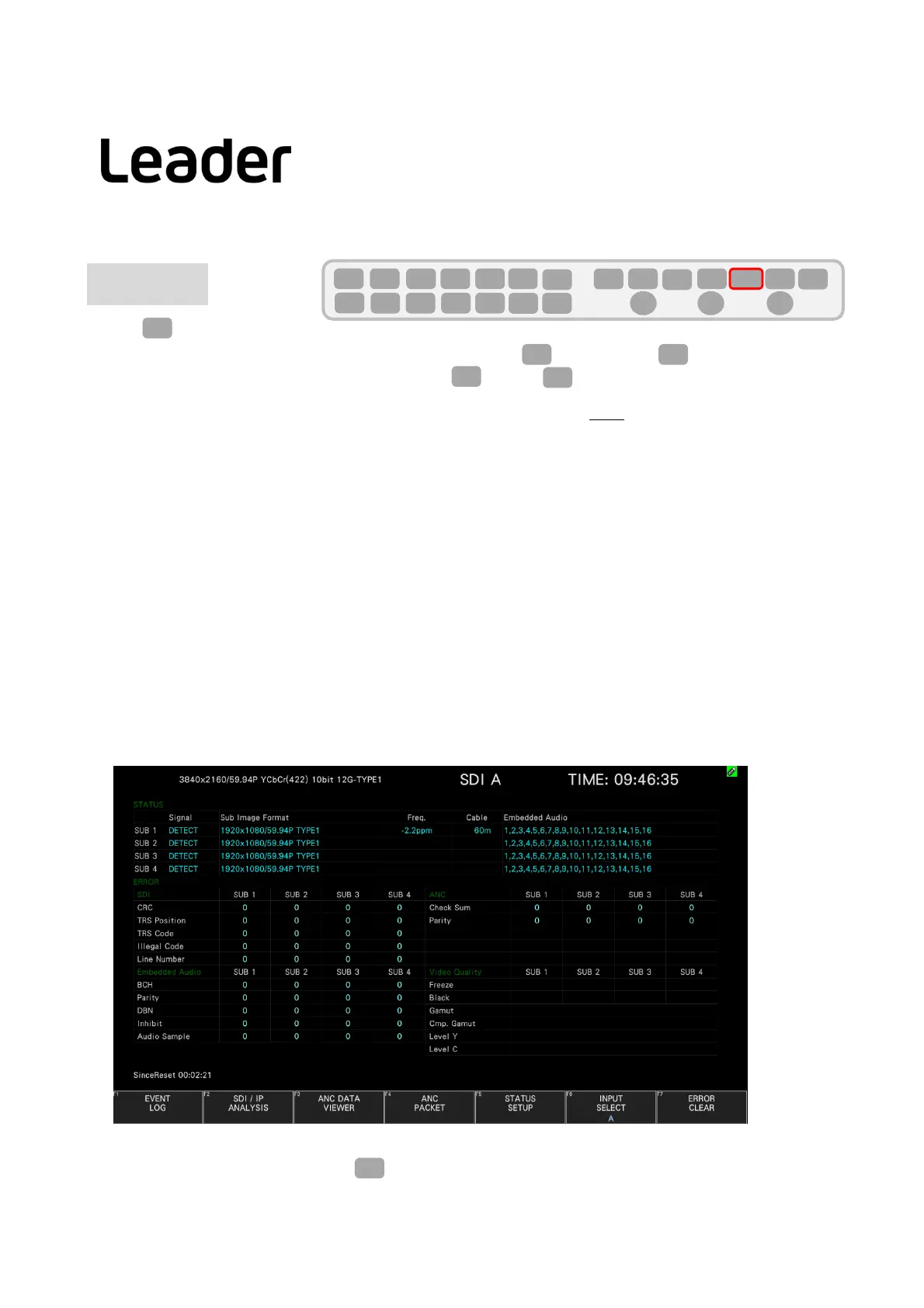
Press(STATUS).
Note:・ If thedisplayisdifferentfromthebelowevenifyoupressSta(STATUS),presssta (STATUS)twice.
・For2screens,changetheDISPLAYsetting.SetIN(INPUT)>F7(DISPLAY)toSINGLE.
●SIGNAL
Displaysas“DETECT”or“NOSIGNAL”tocheckwhethertheSDIsignalisinput connected ornot
Inthecaseof"NOSIGNAL",thefollowingitemsarenotdisplayed.
●FORMAT/SUBIMAGEFORMAT
Itshowsthesignalformat.Usually,itistheblueone.Ifyouputtheincorrectsignalformat,itwillbeshownin
red.AlsoSDIinputcannotbeprocessed.
●Freq(Frequencydeviation)
Displayinterface samplingfrequency
deviation
Normallyitisdisplayedinlightblue,butbyturningonFrequencyErrorontheERRORSETUP1tab,
Itturnsredwhenitexceeds± 10ppm.
●Cable(Cablelengthunit)
Convertstheattenuationoftheinputsignalintothelengthoftheselectedcableanddisplaysit.
12G:<10m,10~100m,>100m(5mstep)
3G:<10m,10~100m,>100m(5mstep)
HD:<10m,10~130m,>130m(5mstep)
SD:<50m,50~200m,>200m(5mstep)
●EmbeddedAudio
Displaystheembeddedaudiochannelsuperimposedontheinputsignal.
Whentheinputsignalis3G‐B
‐DL,onlystream1isdisplayed.
ON/OFFofSTATUSerrorcanbe setby
byF5(STATUSSETUP).
F・5
STATUS
F・7
INPUT
STATUS STATUS
LV5300/LV5350/LV7300QuickManual



 To Next Page