35
Preset Register/Delete
Thisisafunctiontoregisterupto60panelsettings.
AllitemsexceptEthernet,remote,RS‐422/485,cameraID,datesettingareregistered.
Toregister/deletesettings,pressM..UseFDtoselectthepresetnumbertoregister/delete.
Toregister,pressF2(STORE)ontheregistrationscreen.(DeletewithF3(DELETE).)
Entertheregistered filenamebypressingF1(COMENTINPUT).
Theinputmethodisasfollows,usefunctionkeyandormousetocontrol.
入。 (CLEARALL):Deletealltheword
(DELETE):Deletethecharacteronthecursor
(INSERT):Inserttheselectedcharacteratthecursorposition
(<=):Movethecursortotheleft
(=>):Movethecursortotheright
(CHARSET):Typing
:Turnandselectcharacters,pressandenterletters.
InthecaseoftheUSBmouse,enterthepointerbyleftclickingin
accordancewiththecharacteryouwanttoinput.
Next,press(upmenu)> tochoosepre‐setnumber > (STORE) >finish
MEM
F・D
F・2 F・3
F・1
Pre‐setcommentinputscreen
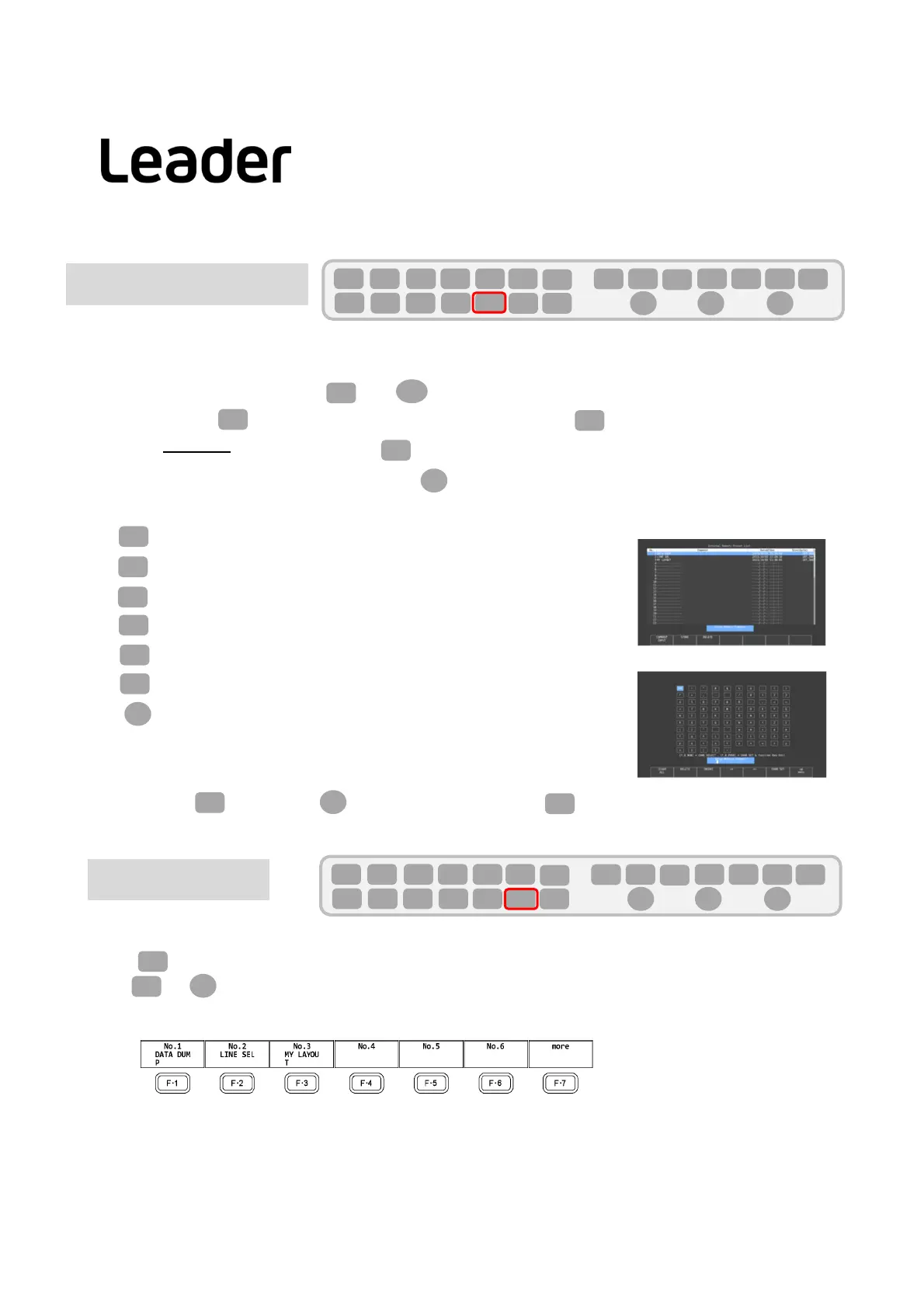
Presetrecall
Thepresetcalliscalledfromthepresetregisteredpresetnumber.
Press,youcancheckthepre‐setnumberfromfunctionmenu.
Useor>checkmorepreset
F・7
F・D
RECALL
Pre‐setregistrationscreen
F・D
F・1
F・6
F・5
F・4
F・3
F・2
F・D
F・7
F・D
F・2
SYS
F・1 F・2 F・3 F・4 F・5 F・6
F・7
INPUT
EXT
MULTI
WFM
VECT
PIC
CAP
AUDIO
STATUS
EYE
VPOS HPOS
F・D
MEM
RECALL
S‐CUT
SYS
F・1 F・2 F・3 F・4 F・5 F・6
F・7
INPUT
EXT
MULTI
WFM
VECT
PIC
CAP
AUDIO
STATUS
EYE
VPOS HPOS
F・D
MEM
RECALL
S‐CUT
LV5300/LV5350/LV7300QuickManual



 To Next Page