Initialize Setting
> (INITIALIZE)
・ (PARAM INIT YES): Otherthanthesettingbelowareinitialized
・thesettingofnetwork (NETWORK type)
・thesettingofremote(REMOTE type)
・thesettingofRS‐422/485(RS485type)
・thesettingof cameraID (LocalIDSettingisnotincluding)(CAMERAID type)
・thesettingofdate&time(DATE&TIME type)
・thecontentofpre‐set
・Layoutsettingofmeasurementscreen
・ (LAYOUTINITYES): Onlythelayoutsettingwillbeinitialized
・ (OPETATEINITYES):Onlytheoperationkeywillbeinitialized
・ (ALLINITYES):PARAMINITandLAYOUTINITwillbeinitializedatthesametime
Factorysetting:PerformsinitializationincludingPARAMINIT(excludingdateandtimesettings).
Turnon
thepowerwhilepressingVp andH, andexecutewithF3(SRAM/FLASHINITYES).
Howtochecktheversion?
> (SYSTEM INFO)
SYS
F・7
F・1
F・2
F・3
VPOS
HPOS
F・3
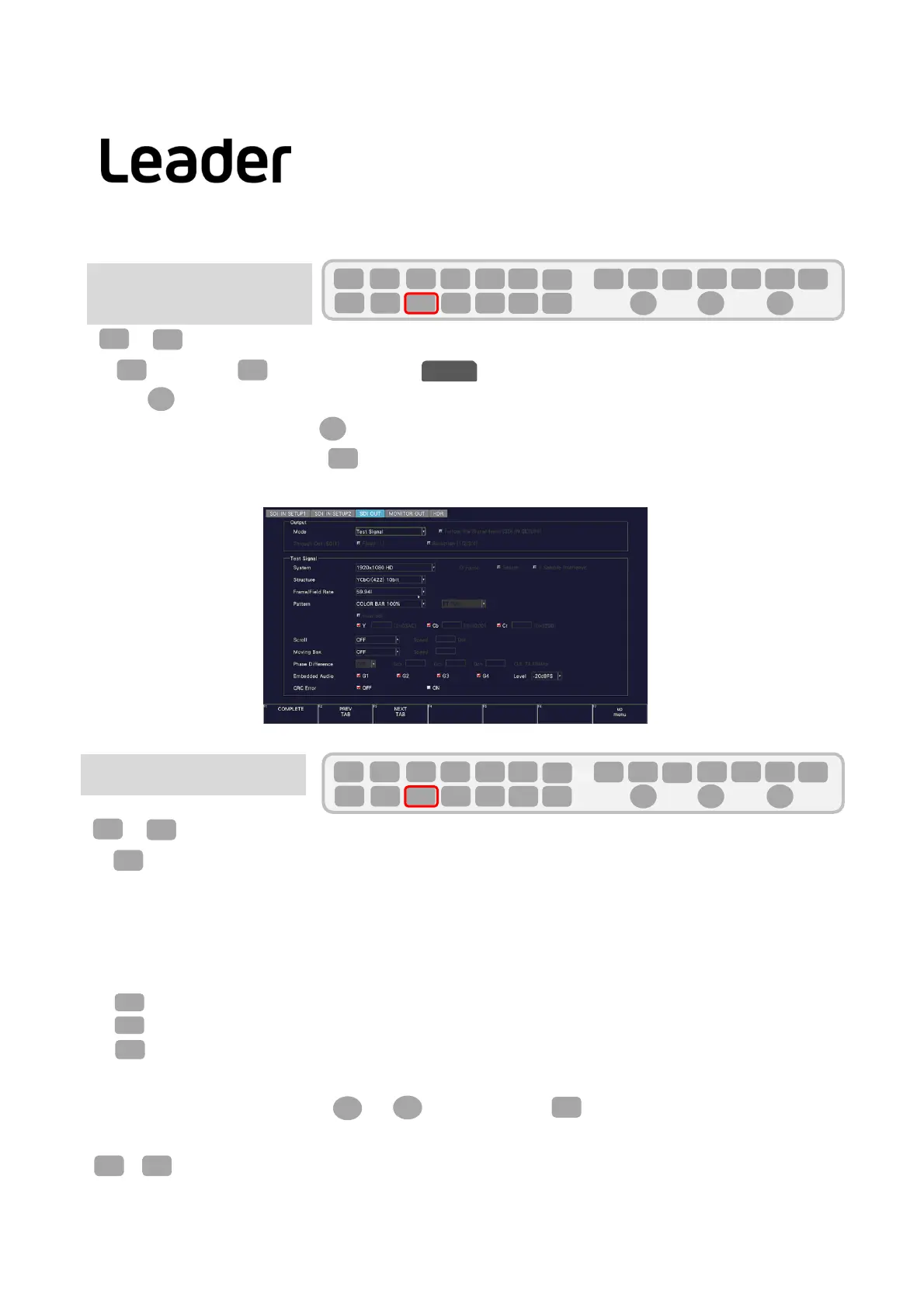
SignalOut‐put
(LV5600‐SER24,LV7600‐SER24)
> (SIGNALINOUT)
(PREVTAB), (NEXTTAB) >Choose
Use> Output Mode >Mode:TestSignal
SettheTestSignalitemusingFDaccordingtotheoutputsignal.
Attheendofthesetting,pressF1(COMPLETE)toconfirm.
SYS
F・1
F・2
F・3
SDI OUT
F・D
F・D
F・1
SYS
F・1 F・2 F・3 F・4 F・5 F・6
F・7
INPUT
EXT
MULTI
WFM
VECT
PIC
CAP
AUDIO
STATUS
EYE
VPOS HPOS
F・D
MEM
RECALL
S‐CUT
SYS
F・1 F・2 F・3 F・4 F・5 F・6
F・7
INPUT
EXT
MULTI
WFM
VECT
PIC
CAP
AUDIO
STATUS
EYE
VPOS HPOS
F・D
MEM
RECALL
S‐CUT
F・4
SYS
F・3
34
LV5300/LV5350/LV7300QuickManual



 To Next Page