38
ChangeLayout(process) -example- (LV5300/5350/7300‐SER26)
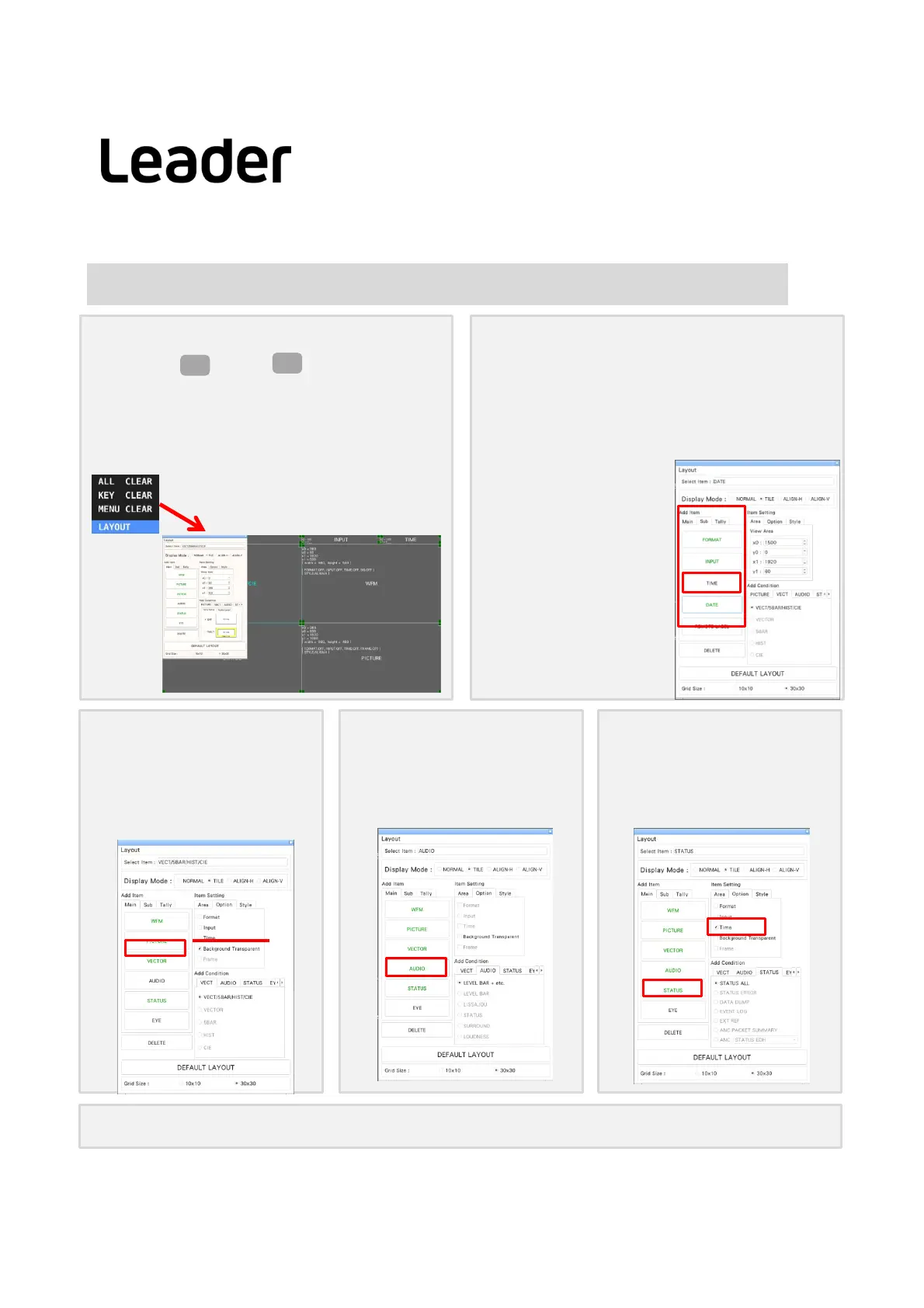
① Displayoflayout
a.Longpress>Press (LAYOUTuser1)
(TherearesixlayoutsofUSER1toUSER6formulti
display)
b.SelectLAYOUTofthewindowdisplayedbyright
clickonthemeasurementscreenanddisplaythe
layoutscreen
MULTI
F・1
② ChangeTIMEattheupperrightof
thescreentoDATE
a.ClicktheTIMEitemintheupperrightofthescreen
andselectit.
(ThecolorandlettersoftheTIMEitemframechange
tolightblue,SelectiteminLayoutSetupwindowto
TIME.)
b.LayoutSetup window >
DELETE key> deleteTIME
c.AddItem > Clickonthe
DATEiteminthetab.
d.ChangethesizeofDATE
>Usethemousetodecide
theplace.
③ Placevectorwaveformon
picture
a. SelecttheVECTitemintheMainItem
taboftheAddItemandclicktheClick
BackgroundTransparent.
b. PlacetheVECTitemonthepictureand
resizeit.
④ AddAUDIO
a.ClicktheAUDIOfromMaintab,change
theplace
⑤ AddTIMEintostatus
a.ClickSTATUS,clickTimefromOption
(Option tab Time cannotchangethedisplay
place,size)
⑥ Check Right‐clickonthelayoutscreenandclickSAVE.
ChooseLAYOUT
LV5300/LV5350/LV7300QuickManual



 To Next Page