7
SYS
F・1 F・2 F・3 F・4 F・5 F・6
F・7
INPUT
EXT
MULTI
WFM
VECT
PIC
CAP
AUDIO
STATUS
EYE
VPOS HPOS
F・D
MEM
RECALL
S‐CUT
LV5300/LV5350/LV7300QuickManual
Basicsetting(No.1)
> (SYSTEMSETUP)> ((PREVTAB)or (NEXTTAB) canchangethetabdisplay)
Rotating>blueframetomatchtheitem >pressandcheckmakeroritemcanbechosen>
Aftersetting> (COMPLETE)
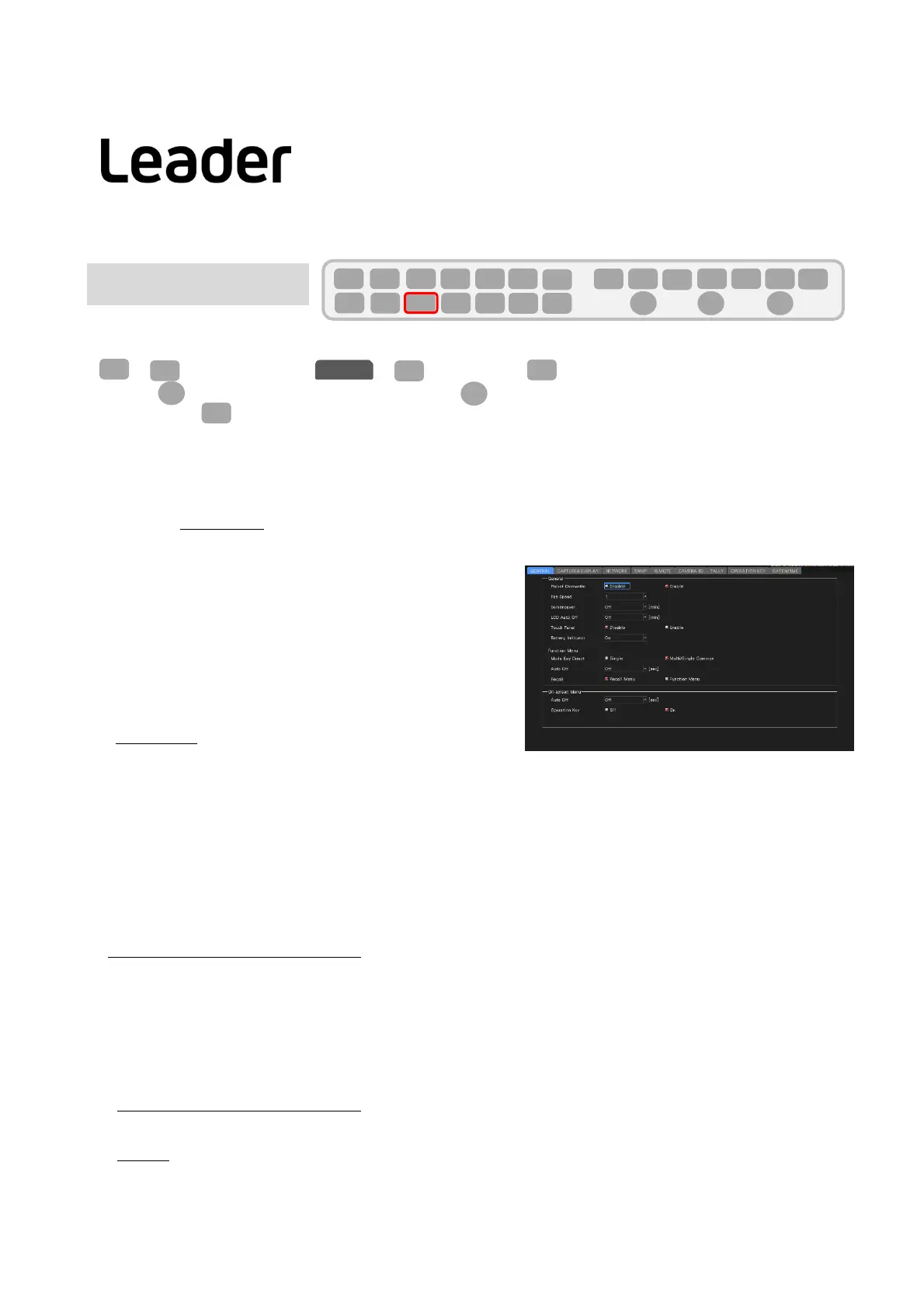
GENERAL
●PresetOverwrite
Whenregisteringpresets,selectwhethertoenableoverwritingornot.Youcanpreventpresetsfrombeingoverwrittenbydisablingthem.
OverwriteDisable/Enable
●FanSpeed
Fanspeedcanbechosen
WhenLV5300,LV7300‐SER02isinstalled:4/5/6/7/8
WhenLV5300,LV7300‐SER01isinstalled :1/2/3/4/5/6/7/8
●Screensaver
Selectthetimefromthelastkeyoperationuntilthescreensaverstartsup.
Off/1/5/10/20/30/60[min]
●LCDAutoOff
Selectthetimefromthelastkeyoperationtoautomaticallyturningoffthe
backlight. Off/5/30/60[min]
●TouchPanel
Touchpaneluseornot
Disable/Enable
●BatteryIndicator(LV5300‐SER11/SER12、LV5350‐SER11/SER12)
DisplaysthebatterylevelwhenSER11orSER12isinstalled.
Off/On
FunctionMenu
●ModeKeyDirect
Multidisplay,modekey(WFM,VECT,PIC,AUDIO,STATUS,EYE)Selectwhether ornottochangethemeasurementscreenbyoperation.
(ThisiseffectivewhenINPUTitemorInputoptionisplacedinthelayout.)
Single: Withmodekey,functionmenuandmeasurescreencanbeswitch
Multi/SingleCommon: Withmodekey,onlyfunctionmenucan
switch.Measurescreenisstillmultidisplay.
Todisplaythefunctionmenuwithmultidisplay,pressandholdtheMULTIkeyforabout2seconds.
●AutoOff
Setthetimefromthelastkeyoperationtotheautomaticdisappearanceofthefunctionmenu.
Off/1/2/3/4/5/10/20/30/60[sec]
●Recall
Whenyouwanttopickuptherecallrecord
RecallMenu: Recallmenudisplay
FunctionMenu: measurement menudisplay
On‐screenMenu
●AutoOff
Mouse/ Setthetimefromthelastkeyoperationuntilthekeydisplaydisappearsautomaticallywiththekeydisplayonthescreenused bythe
touchpaneloperation.
Off/1/2/3/4/5/10/20/30/60[sec]
●OperationKey
Setwhetherornottodisplaytheoperationkeyonthekeydisplayonthescreenusedformouse/touchpaneloperation.
OFF/ON
7
F・2
F・1
SYS
GENERAL
F・D
F・D
F・3
F・2



 To Next Page