SYS
F・1 F・2 F・3 F・4 F・5 F・6
F・7
INPUT
EXT
MULTI
WFM
VECT
PIC
CAP
AUDIO
STATUS
EYE
VPOS HPOS
F・D
MEM
RECALL
S‐CUT
LV5300/LV5350/LV7300QuickManual
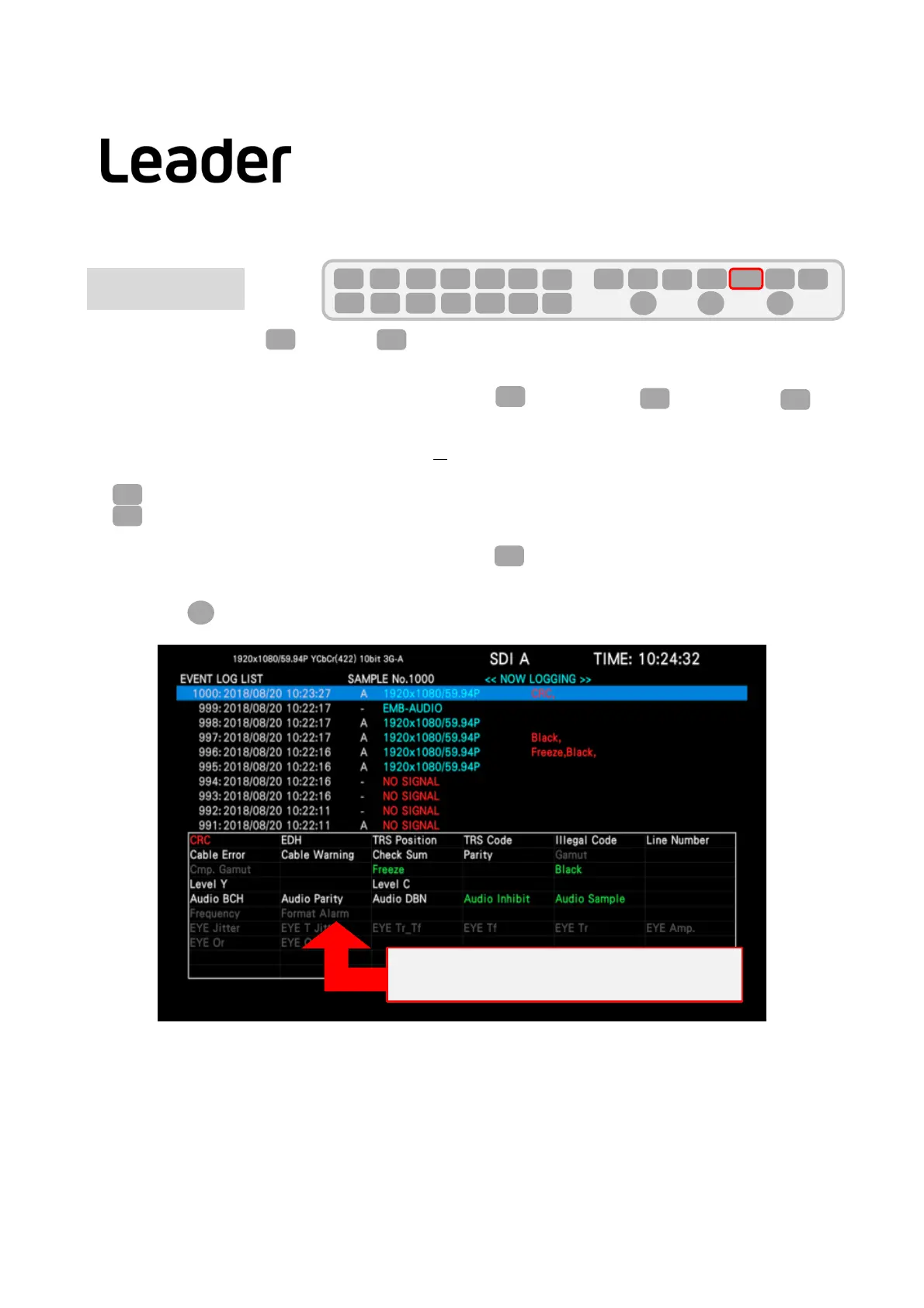
EVENTLOG
Thiscanbedisplayedby(STATUS)>(EVENTLOG).
Intheeventlog,theeventsthathaveoccurredaredisplayedinalist.
Note:・ IftheSTATUSscreenisnotdisplayedbypressingSta(STATUS),pressStatwiceandthenF1
(EVENTLOG).
・Theeventdetectiontargetisfor allthechannelsof
from currentlyselectedAtoD.
However,whenmeasuring3G‐B‐DS,3G(DL)‐4K,12G,onlyeventscurrentlydetectedwillbedetected.
・ (LOG)SettingforSTART・STOP
・(CLEAR)Deletetheeventlog
Eventscanlogand displayupto1000items.
Theoperationwhen1001ormoreeventsoccurissetinF3(LOGMODE).
OVERWR:Overwriteandrecordfromtheoldevent.
STOP:After1001items,nologginganddisplayofevents.
・ TurntheFDtoselectthedisplayedevent.
27
F・1
STATUS
F・1
F・2
F・3
STATUS
F・1
You can check all the Event log.
Color-coded error "not detected (white) / detection (red) /
return (green)"
Eventlogexample
STATUS
F・D



 To Next Page