HDR display(No.1)
(LV5300‐SER23, LV5350‐SER23,LV7300‐SER23)
SYS
F・1 F・2 F・3 F・4 F・5 F・6
F・7
INPUT
EXT
MULTI
WFM
VECT
PIC
CAP
AUDIO
STATUS
EYE
VPOS HPOS
F・D
MEM
RECALL
S‐CUT
LV5300/LV5350/LV7300QuickManual
22
HDR system setting
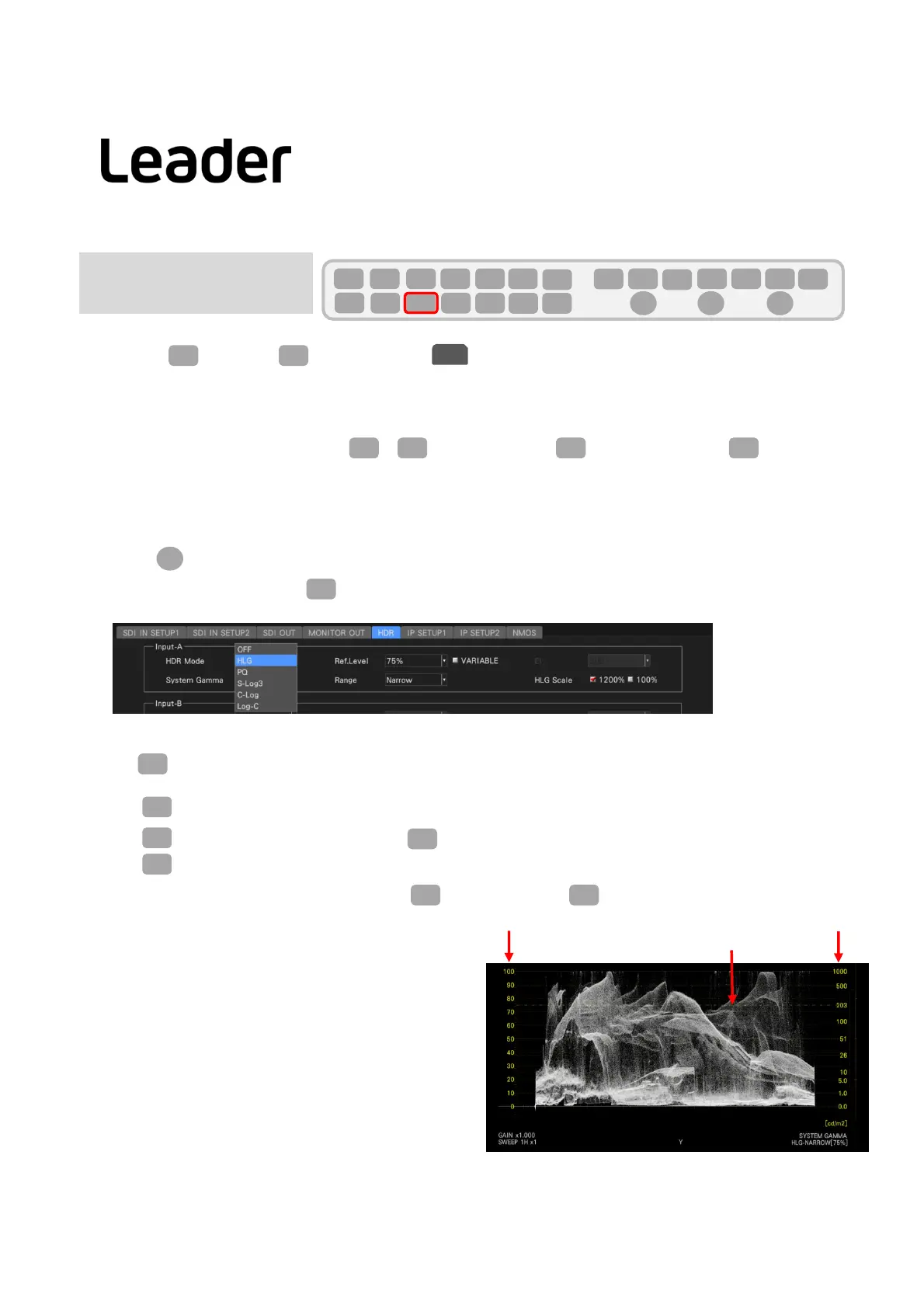
・SelectSYS(SYSTEM)>F1(SIGNALINOUT)>HDRandsetHDRMODEtoHLG,PQ,S‐Log3,C‐Log,orLog‐C
accordingtotheinputsignal.
・Ref.Level isthelevelsettingattheboundarybetweenHDRandSDR.Selectafixedvalueorputacheckmark
inVARIABLEto
enablevariablerange.
(ThevariablevaluecanbechangedbyPIC>F2(CINELITE/HDR)>F2(CINEZONESETUP)>F4(REF[%]).)
・RangecanbeselectedfromNarrowandFull.
・Thesystemgammacanbeturnedoff/on.
・HLGScalecanbeselectedfrom1200%or100%.
・UseFD(FUNCTIONDIAL)ormousetoselect/change.
・Attheendofsetting,pressF1(COMPLETE)toconfirm.
SYS
F・1
HDR
F・D
F・1
HDRWaveformdisplay
・WhenWF(WAVEFORM)ispressedaftersettingtheHDRsystem,thewaveformisdisplayedandtheHDRscale
appearsontherightside.
・ PressF1(WFMINTEN/CONFIG).
・ Press F5 (WFMSCALE).
・ ThefollowingscalelinescanbeselectedwithF3(SCALESETTING)>F3(SCALEDISPLAY).
MAIN:DisplaySDIscalelineand
HDRreferencescaleline
HDR:DisplayHDRscalelineand
HDRreferencescaleline
BOTH:DisplaysSDIscalelinesandHDRscalelinesand
HDRreferencelines
OFF: OnlydisplayHDRreferencescaleline
WFM
F・1
Note:IfF1isnot(WFMINTEN/CONFIG),pressWF(WAVEFORM)twice.
F・1
WFM
F・5
F・3
HDRscaleSDIscale
HDR
Ref‐scaleline
F・3
PIC
F・2 F・2 F・4



 To Next Page