SYS
F・1 F・2 F・3 F・4 F・5 F・6
F・7
INPUT
EXT
MULTI
WFM
VECT
PIC
CAP
AUDIO
STATUS
EYE
VPOS HPOS
F・D
MEM
RECALL
S‐CUT
LV5300/LV5350/LV7300QuickManual
HDR display(No.2)
(LV5300‐SER23, LV5350‐SER23,LV7300‐SER23)
・AftersettingHDRSystem,setPIC(PICTURE)>F2(CINELITE/HDR)>F1(CINEZONEDISPLAY)toCINEZONE.
・ TurnonF4(HDRZONE).
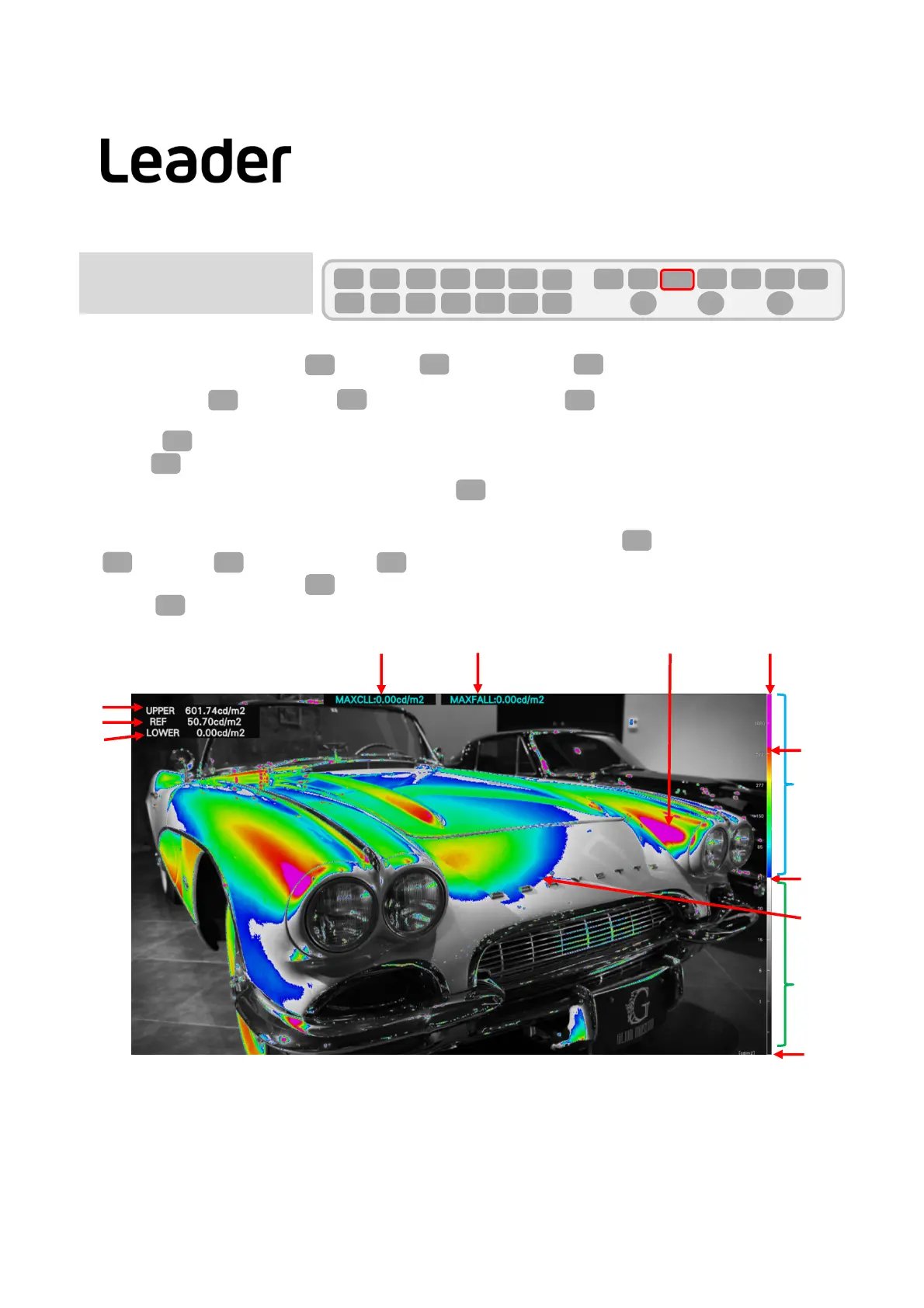
・ WhenF2(CINEZONESETUP)ispressed,UPPER,REF,andLOWERvaluesaredisplayedintheupperleft.
・ ThethresholdofUPPERcanbechangedbychangingF2(UPPER).Areas
thatexceedthethresholdare
displayedinmagentaonthepicture.
・IfyouputacheckmarkinVARIABLEofRef.Level intheSystemsettingofHDR,F4(REFLEVEL[%])canbeset.
・ F7(upmenu)>F3(MAXFALL/CLL)>F1(MAXFALL/CLLDISPLAY)canbesetto
ON/OFof thedisplay.
・ START/STOPispossiblewithF2(MEASURE).
・ PressF3(CLEAR)toclearthemeasuredvalue.
23
PIC
F・2 F・1
F・4
F・2
F・4
Note:IfyoupressPIC(PICTURE)and F2isnot(CINELITE/HDR),pressPIC(PICTURE)twice.
F・2
PICPIC
HDRZONE display
F・2
F・7
F・3 F・1
F・2
F・3
REF
UPPER
REF
UPPER
HDRZONE scale
HDR
SDR
Magenta
exceedsUPPER
HDRisthe
colored
part
MAXCLL
MAXFALL
LOWER
LOWER
Ican'tdistinguishbetweenHDRandSDRevenifIseetheHDRcontentontheHDRmonitor.
HDRZONEdisplaysHDRarea,SDRareaandareasthatexceedthethresholdindifferentcolors.
HDRZONE display



 To Next Page