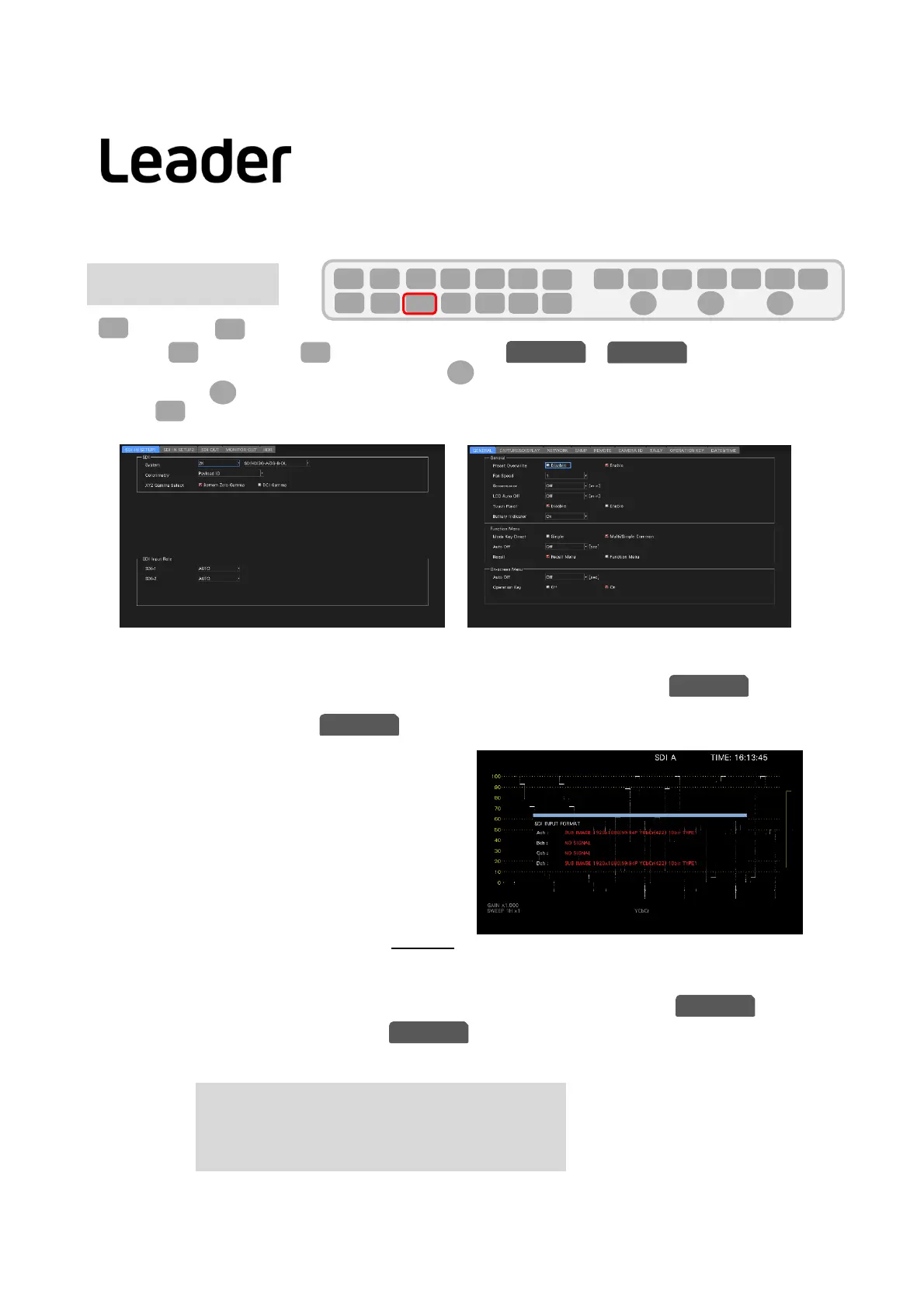
(SYSTEM)>(SIGNALINOUT)
Select(PREVTAB)or(NEXTTAB)tag,opentheorscreen.
Seteachitemaccordingtotheinputsignal.PressFDtoputacheckmarkorturnthedialtoselectanitemof
choiceandpressFDtocheckmarkthesettings.
Press[FI](COMPLETE)
attheendofthesettingtoconfirmandsavethesystem.
FortheformatselectionoftheSDISystem,referto6.2SettingofMeasurementSignalinthemanual.
InputFormatAlarm/Error
Iftheformatofthereceivedsignalisnotcompliantasper thesettingspecifiedonthetaboftheSYS
menu,theinstrumentdisplaystheformatinredoranINPUTFORMATwindowinthecenterofthescreen.Ifthis
occurs,checkthesettingsonthetab,theinputsignal,andpayloadID.
Formatsaredisplayedinredinthefollowingcases.
・ SDIinput:When4K12Gsettingand
inputsignalis
3G,HD,SDformat
・ WhenthepayloadIDisnotappropriate.
About Payload ID
TheLV5300/LV5350/LV7300analyzestheSYNCetc. TRS oftheinputsignaltojudgetheformatinformation
etc.,buttheitemsthatcannotbejudgedbytheinputsignalarejudgedbythepayloadID.
ItispossibletospecifyeitherthepayloadIDoftheinputsignalorthepayloadIDsetin.
(SetbyUSE/NotUSEinPayloadIDitemofsetup2
PayloadIDthatcanbesetinLV5300/LV5350/LV7300isthefollowingitems.
Division : Square / 2SampleInterleave
i/PsF Slect : Interlace / SegmentedFrame(PsF)
ColorSystem : YCbCr422 / YCbCr444 / RGB444 / XYZ444
PixelDepth : 10bit / 12bit
Note:SomeitemsmaynotbeabletobesetdependingontheSDISystemsettings.
6
SYS
F・1
SDIINSETUP1
F・2 F・3
F・D
F・1
SYS
F・1 F・2 F・3 F・4 F・5 F・6
F・7
INPUT
EXT
MULTI
WFM
VECT
PIC
CAP
AUDIO
STATUS
EYE
VPOS HPOS
F・D
MEM
RECALL
S‐CUT
SDIINSETUP2
F・D
SDIINSETUP1 SDIINSETUP2
SDIINSETUP1
SDIINSETUP1
SDIINSETUP2
SDIINSETUP2
INPUT setting
LV5300/LV5350/LV7300QuickManual



 To Next Page