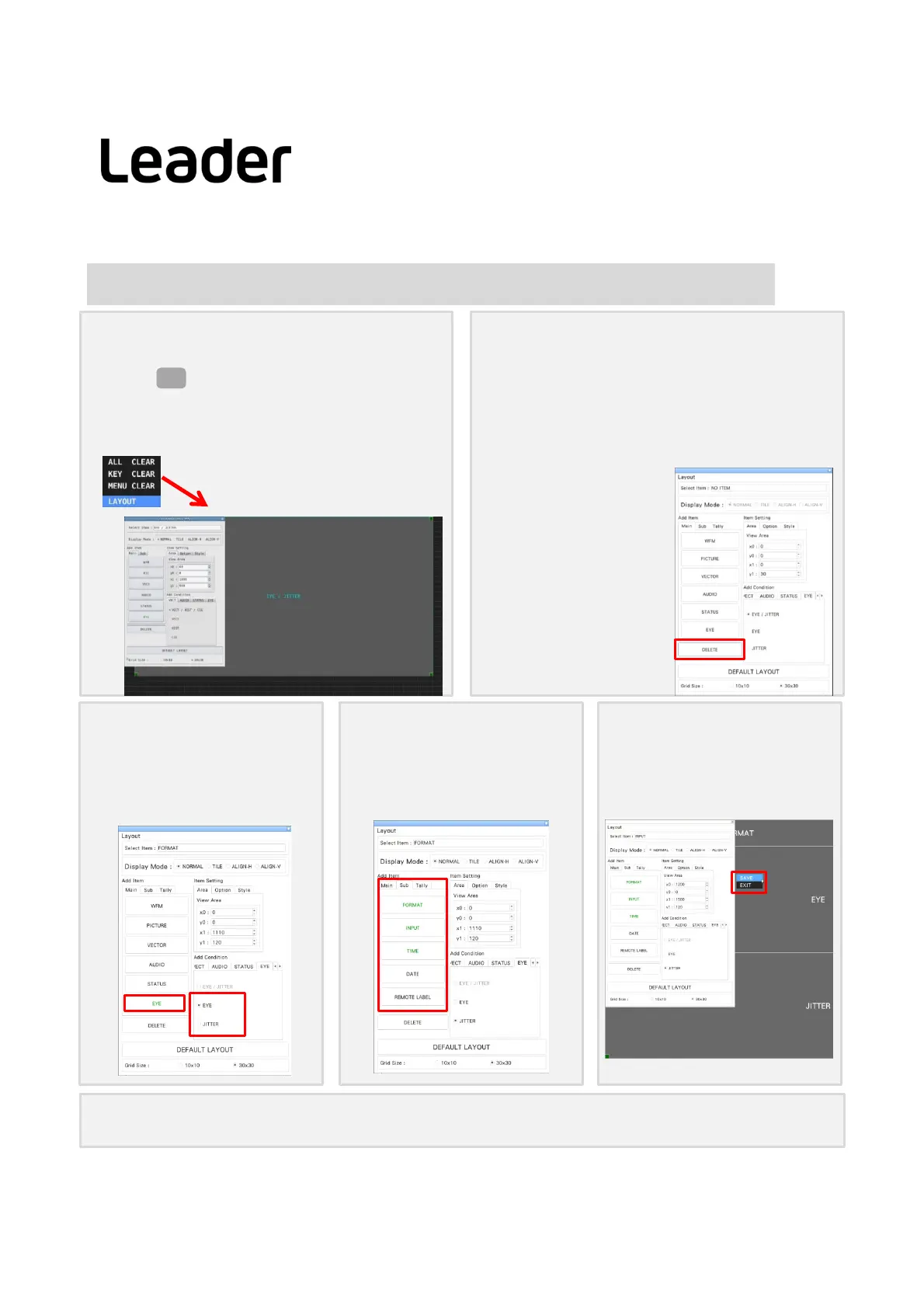
② DeleteEYE/JITTER item
a.ClicktheTIMEitemintheupperrightofthescreen
andselectit.(ThecolorandlettersoftheTIMEitem
framechangetolightblue,SelectiteminLayoutSetup
windowtoTIME.)
b.LayoutSetupwindow> UseDELETE keytodelete
EYE/JITTER
42
Changelayout(Process) -example2- (LV5300‐SER26,LV7300‐SER02/26)
④ Format,Input,Time
itemdisplay
a.AddItem > Sub >add FORMAT,INPUT,
TIME
b.Everyitemscanchangetheplace.
⑤ Finish
a.Rightclickonthelayoutscreen,SAVE.
① Layoutscreendisplay
a. Press toshowthescreen
b. SelectLAYOUTofthewindowdisplayedbyright
clickonthemeasurementscreenanddisplaythe
layoutscreen
EYE
③ choose/add
EYE andJITTER item
a.AddCondition > EYE tab> EYE >
Main> PressEYE >AddEYEitem
b. Youcanchangeitemandsize.
ChooseLAYOUT
PS: Defaultsetting
BypressingDEFAULTLAYOUTatthebottomofthesettingintheLayoutSetupwindow,youwillreturntothedefaultsetting.
LV5300/LV5350/LV7300QuickManual



 To Next Page