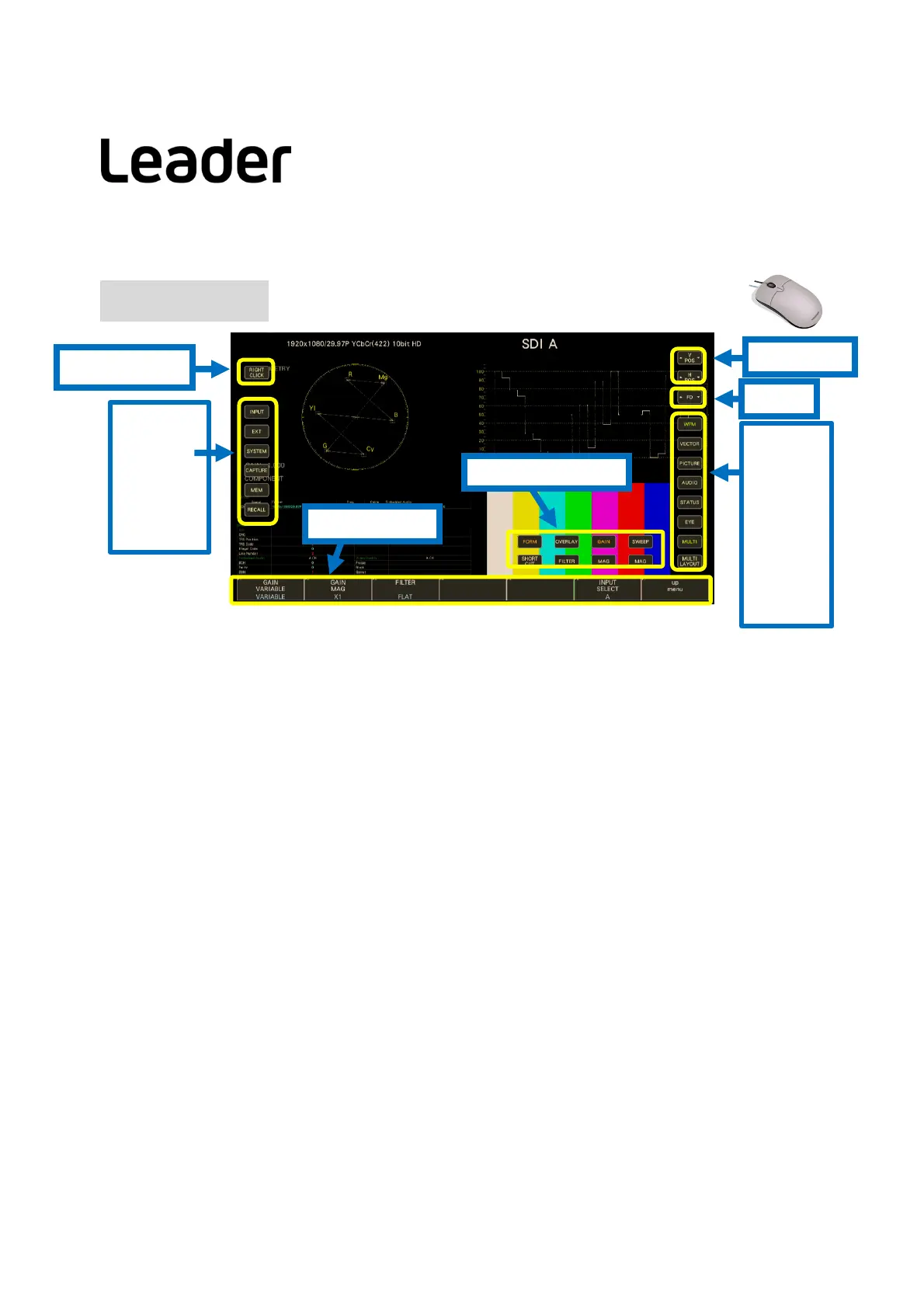
Mode Key
WFM
VECT
PIC
AUDIO
STATUS
EYE
MULTI
MULTI
LAYOUT
4
System Key
INPUT
EXT
SYS
CAP
MEM
RECALL
Function menu
Operation key
V/HPosition
F・D
LV7300-SER01 SD, HD, 3G SDI Input
LV7300-SER02 SDI input with EYE jitter measurement
※Each unit must be configured with at least one of SER01, SER02.
LV7300-SER20 Embedded audio analysis
LV7300-SER21 Closed captioning EIA-608,708/TELETEXT
LV7300-SER22 CIE display
LV7300-SER23 HDR analysis
LV7300-SER24 SDI signal generation
LV7300-SER25 Focus assist
LV7300-SER26 User customizable layout
LV7300-SER27 Tally display
LV7300-SER28 4K format support(12G-SDI/6G-SDI/3G-SDI Dual)
LV7300 factory hardwareoptionunit(Soldseparately)
LV7300 Licenseoption(Soldseparately)
Options
LV5300-SER11/LV5350-SER11 V mount type battery adapter
LV5300-SER12/LV5350-SER12 QR gold type battery adapter
LV5300-SER20/LV5350-SER20 Embedded audio analysis
LV5300-SER21/LV5350-SER21 Closed captioning EIA-608,708/TELETEXT
LV5300-SER22/LV5350-SER22 CIE display
LV5300-SER23/LV5350-SER23 HDR analysis
LV5300-SER24/LV5350-SER24 SDI signal generation
LV5300-SER25/LV5350-SER25 Focus assist
LV5300-SER26/LV5350-SER26 User customizable layout
LV5300-SER27/LV5350-SER27 Tally display
LV5300-SER28/LV5350-SER28 4K format support (12G-SDI/6G-SDI/3G-SDI Dual)
LV5300/LV5350 factory hardwareoptionunit(Soldseparately)
LV5300/LV5350 Licenseoption(Soldseparately)
LV5300/LV5350/LV7300QuickManual
Screen Keys
Right mouse click
(For touch panel)
ThefollowingScreenkeyoperationscanbeperformedwitha
mouseconnectionortouchpanel.Appearswithleftmouse
clickorpaneltouch.



 To Next Page