6-6 LeeBoy Model 8616 Conveyor Paver
Operation
SETUP Screen
1
2
3
4
ESC
OK
5
6
7
8
Figure 6-4
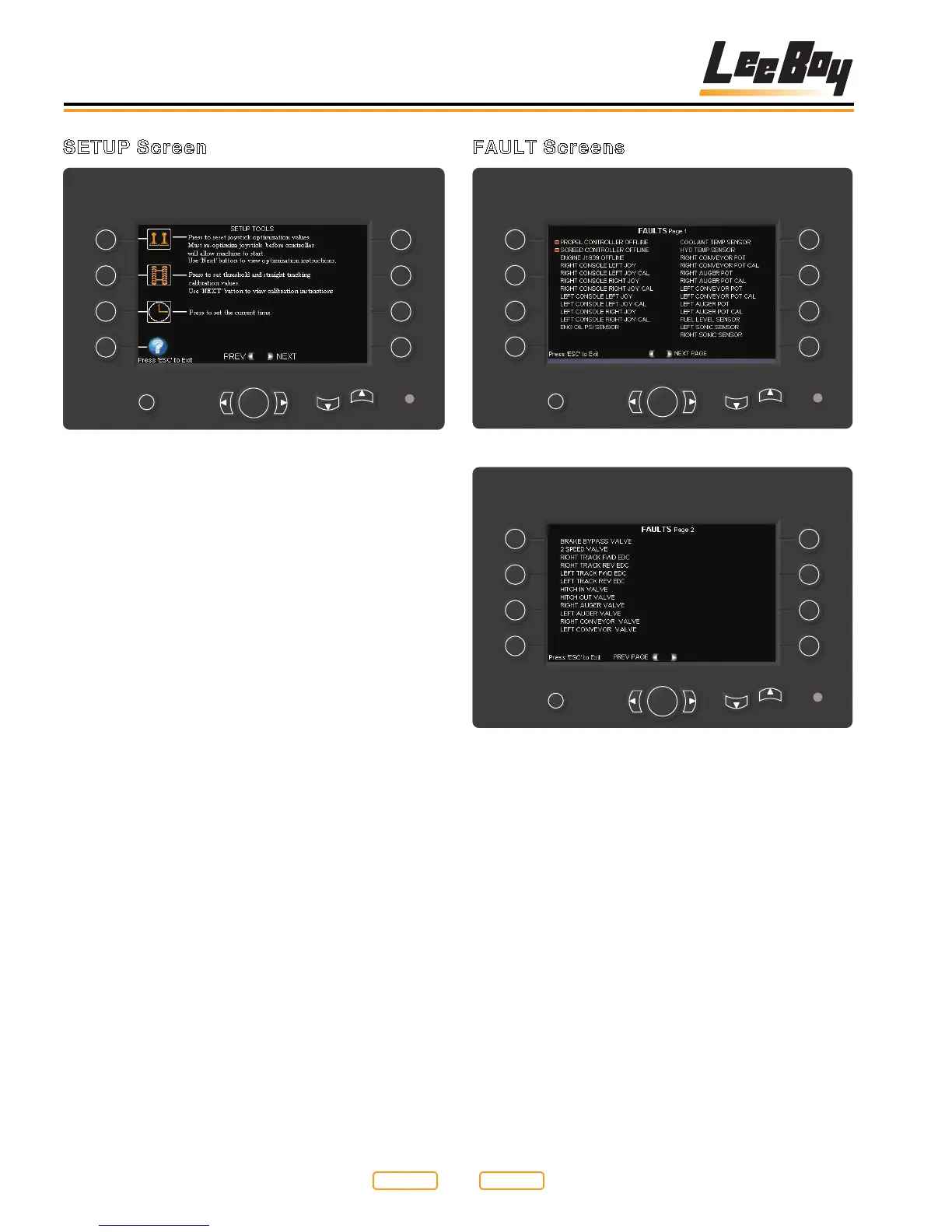
The SETUP screen allows access to change various
paver settings and calibrations. This area should only be
accessed by Authorized LeeBoy Dealers.
• Button 1 - Joystick Optimization Screen
• Button 2 - Propel Threshold and Straight Tracking
Screen
• Button 3 - TIME SET Screen
• Button4-HELPscreen.UsetheLEFTandRIGHT
arrows to scroll through the HELP screens.
• ESC - Exit SETUP screen
FAULT Screens
1
2
3
4
ESC
OK
5
6
7
8
Figure 6-5
1
2
3
4
ESC
OK
5
6
7
8
Figure 6-6
TheFAULTscreensareusedtoinformtheoperatorthat
a particular problem exists. A red box indicates a fault
has been detected with that particular component.
•OutputFault-Theoutputisonandnocurrentis
measured (open or short circuit).
•InputSensorFault-Thesensorvoltageisoutside
acceptable limits.
•InputSensorCal-Thesensorhasnotbeencalibrated.
•ControllerOfine-NoCANcommunicationwith
controller
UsetheRIGHT/LEFTarrowstoscrollthroughthefault
pages. To exit the screen, press ESC.
Return to
Last Viewed
Return to
Thumb Index



 To Next Page