6
LeeBoy Model 8616 Conveyor Paver 6-9
Operation
NOTE: To slow the unit, move joysticks closer to
NEUTRAL or from NEUTRAL to STOP on active
console.
NOTE: To stop paver, pull joysticks back to the neutral
position or use RUN/STOP switch on active
console. When switch is set to RUN, paver
resumes prior speed. (Figure 6-8,3)
Dual Joystick
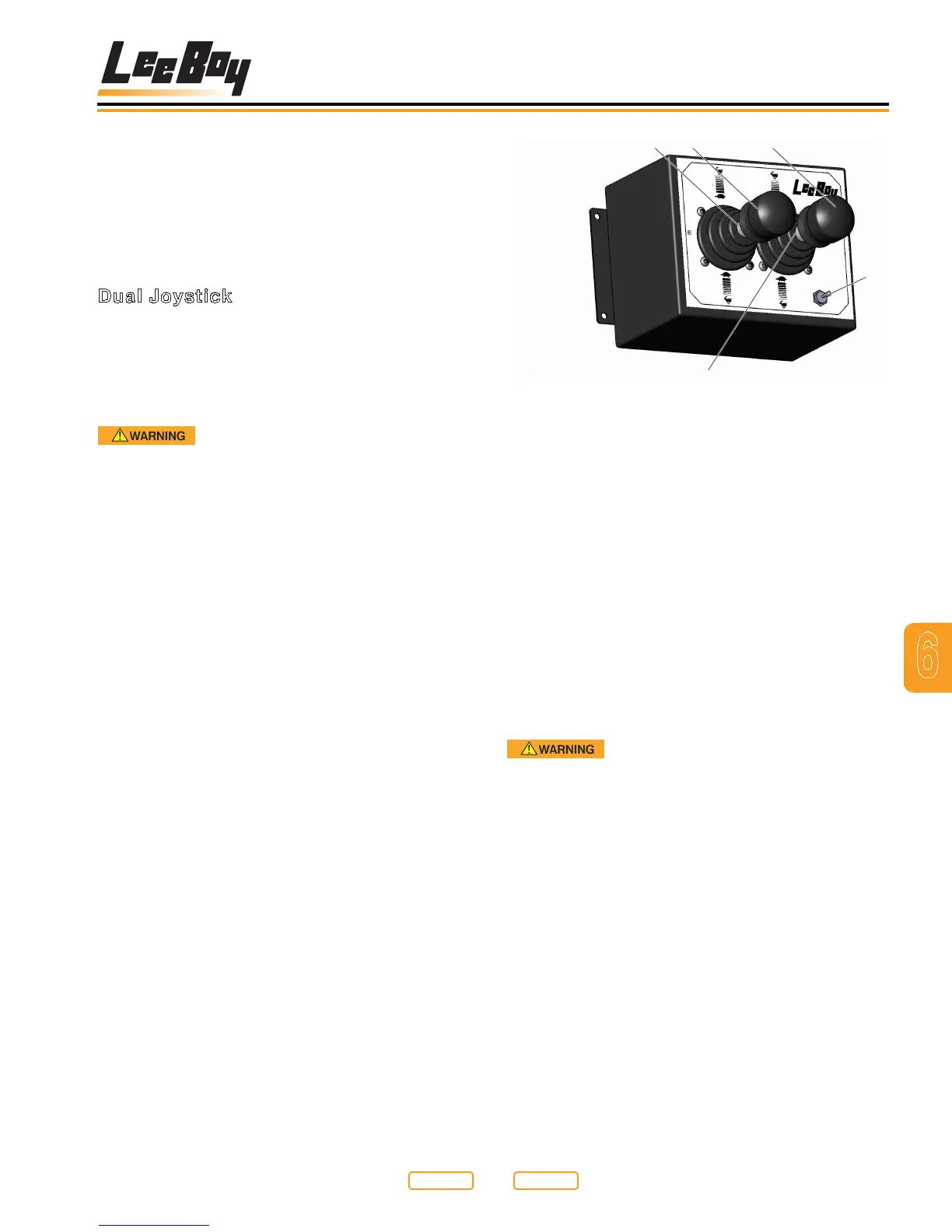
To drive the paver, push both joysticks (Figure 6-8,1,2)
forward slowly to reach the desired speed. The more
you move the joysticks, the faster the travel speed.
1. After the paver has been started and the engine is
warmed up, paver movements may be made.
Before starting forward with paver,
verify there are no people, obstacles or other
equipment in the path of the paver.
2. To drive paver forward, lift up on the neutral lock
on joysticks (Figure 6-8,1,2,4,5) and push forward
to reach desired speed. To move in reverse, lift up
on the neutral lock on joysticks and pull joysticks
backwards to reach desired speed.
3. Place joysticks in neutral to stop paver.
4. To steer the unit to the left, push the right joystick
(Figure 6-8,2) farther forward than the left joystick.
The farther the joystick is pushed, the more the
paver turns. Slow and easy adjustments are
required.
RUN
STOP
LEFT
REVERSE
RIGHT
REVERSE
RIGHT
FORWARD
LEFT
FORWARD
5
3
Dual Joystick
Figure 6-8
1 - Left Steer Joystick
2 - Right Steer Joystick
3 - RUN/STOP Switch
4 - Left Neutral Lock
5 - Right Neutral Lock
5. To steer the unit to the right, push the left joystick
(Figure 6-8,1) farther forward than the right
joystick. The farther the joystick is pushed, the more
the paver turns. Slow and easy adjustments are
required.
6. The RUN/STOP Switch (Figure 6-8,3) will apply
parking brake and stop paver when set to the STOP
position.
Rapid paver deceleration will occur
when E-STOP button or RUN/STOP switch is
engaged when traveling at high speeds. Operators
may be thrown from the paver causing personal
injury.
7. Brakes automatically set when joysticks are in
neutral or when the RUN/STOP switch is set to the
STOP position on the active console.
NOTE: Ground speed percentage can be changed on
the Paver Screen using the Up and Down arrows.
The maximum travel speed is determined by set
ground speed percentage.
Return to
Last Viewed
Return to
Thumb Index



 To Next Page