204 X75HD Installation and Operation Manual
Preliminary—Contents are proprietary and confidential. Do not photocopy or distribute.
Appendix C: Servicing Instructions
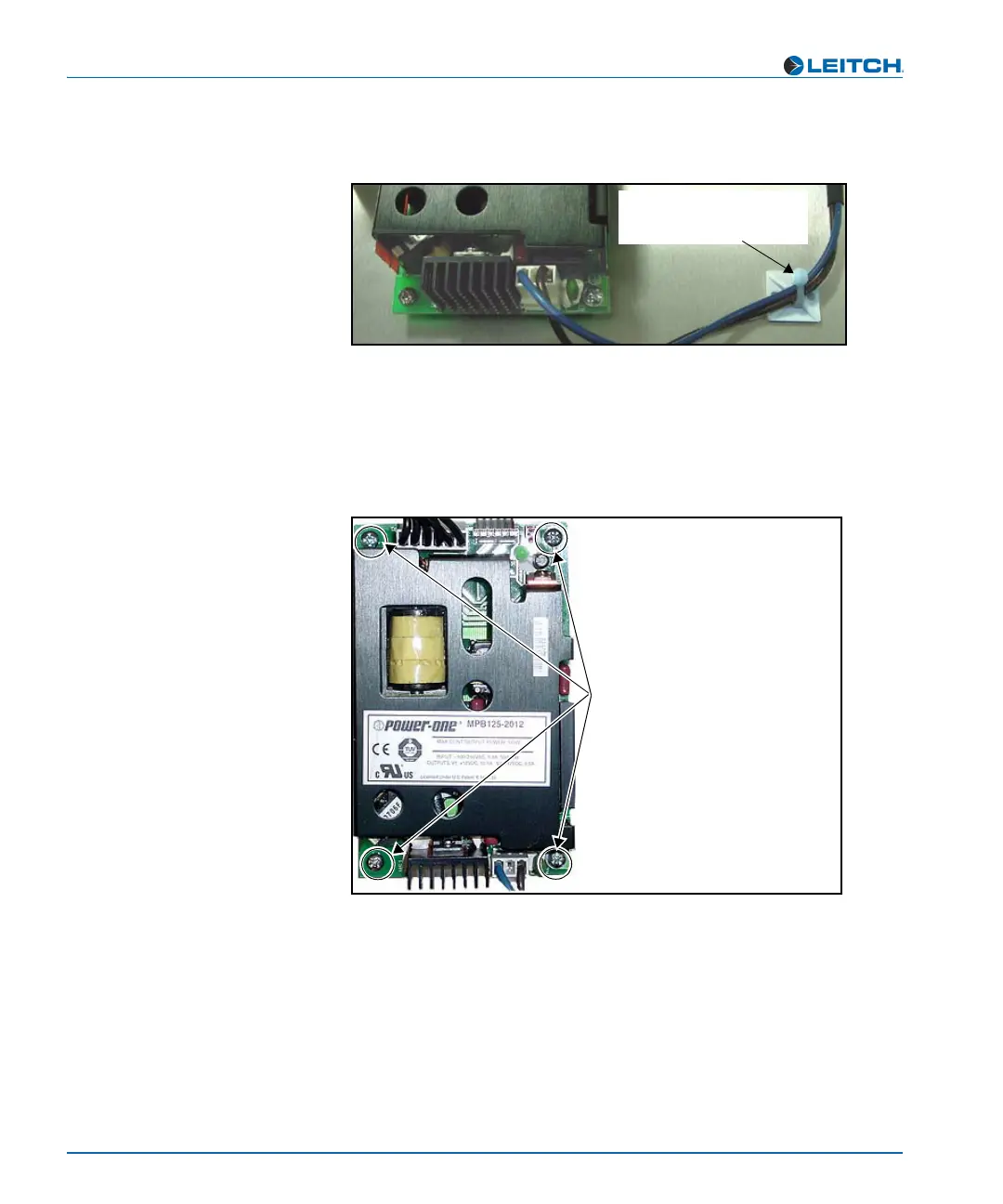
7. Remove the two cable tie wraps holding the AC cabling assembly
to the chassis floor. (See Figure C-24).
Figure C-24. Freeing the AC Cable from the Cable Tie
8. Unscrew the power supply from the chassis floor.
Figure C-25 shows the location of the four screws you need to
remove. Keep these screws for later reuse.
Figure C-25. Removing the Power Supply
9. Remove the power supply from the frame, and replace with a new
one. See “Installing a New Power Supply” on page 205 for more
information.
If removing a redundant power supply, you must either replace the
power supply prior to operation or install a cover plate over the AC
inlet hole to maintain proper ventilation and avoid overheating.
Cable tie wrap
Cut or remove cable tie
wraps to free AC cable
Screw locations
Remove these four screws to
unfasten power supply from
chassis floor



 To Next Page