65
3
RC300RC300hNavi(EE)
3-1. Basic operation
Navigation system
■
Except for route guidance operation
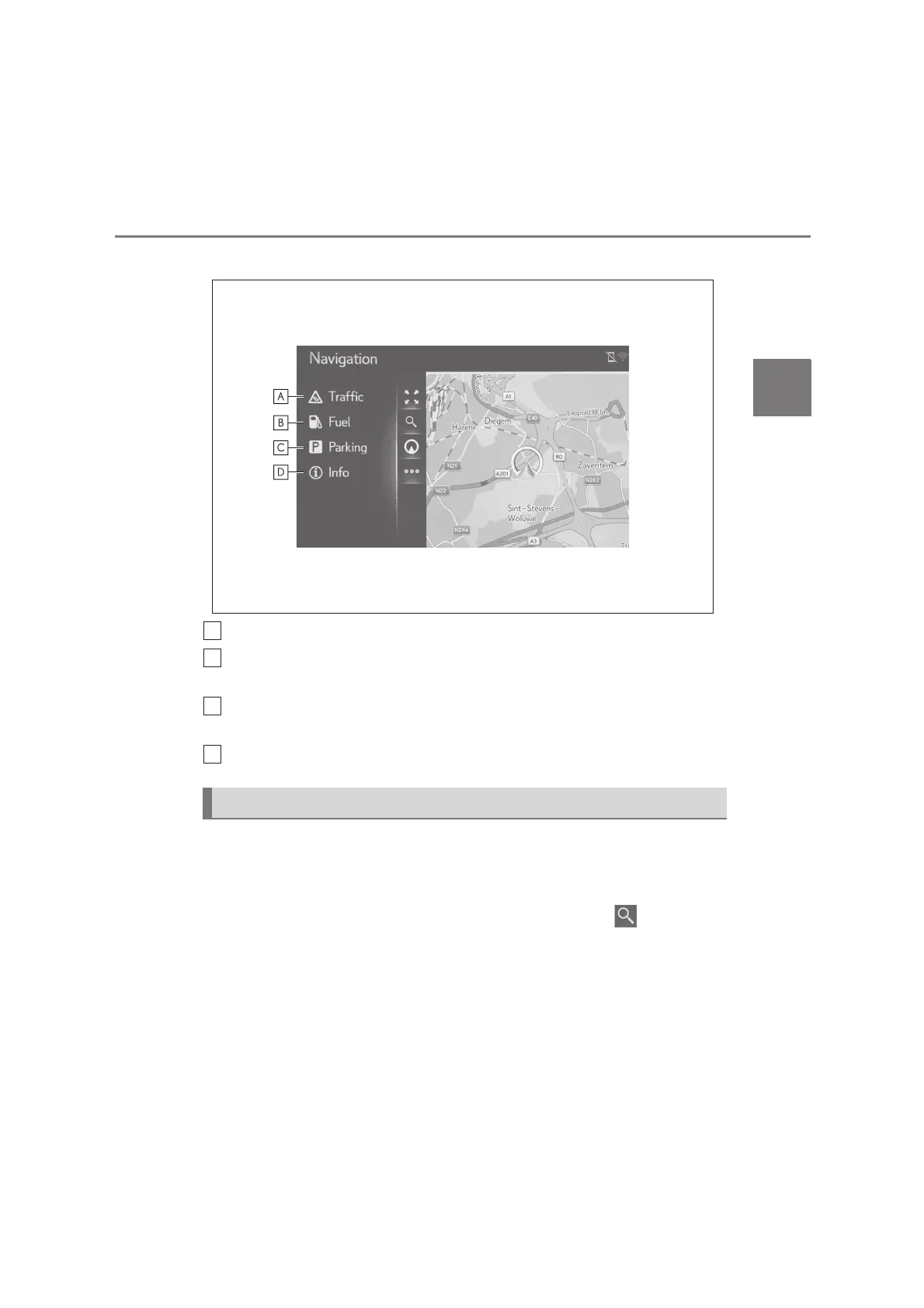
Select to display the traffic messages. (P.74)
Select to display fuel station information. The location and fuel price can also be
checked. (P.225)
Select to display parking lot information. The location, price and available
spaces of parking lots can be checked. (P.224)
Select to display the current position information screen.
Destination menu screen is displayed by following operation:
Press the “MENU” button on the Remote Touch and then select “Destination”
on the menu screen.
Press the “MAP” button on the Remote Touch, and then select .
Destination menu screen






 To Next Page