85
3
RC300RC300hNavi(EE)
3-2. Destination search
Navigation system
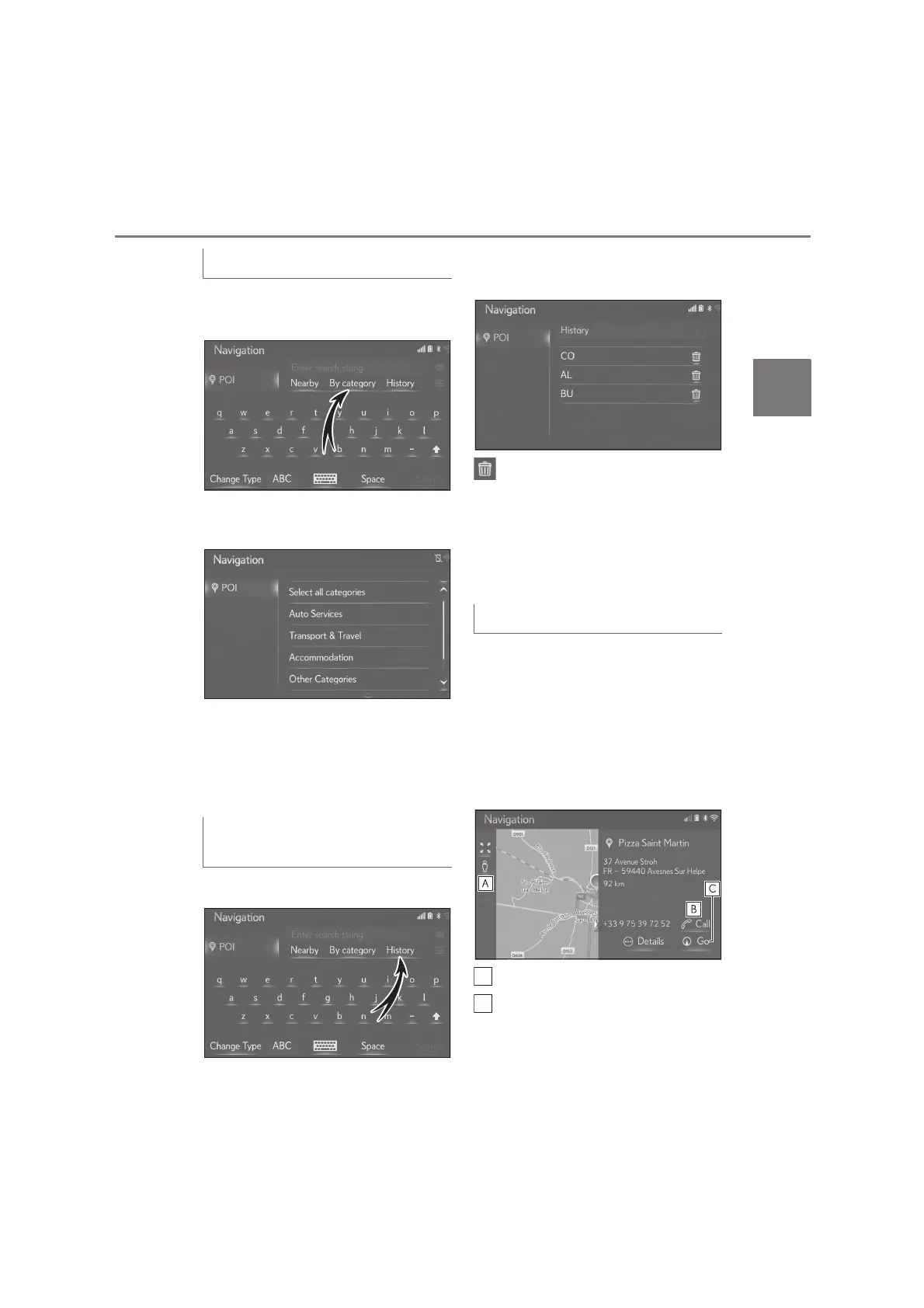
1 Select “By category” on the POI
screen.
2 Select the desired category and
subcategories.
“Select all categories”: Select to display all
POI categories.
3 Select the desired POI.
4 Select “Go”.
1 Select “History” on the POI screen.
2 Select the desired previous search
word.
: Select to delete the search word.
3 Select “Search”.
4 Check that the search results are
displayed. Select the desired POI.
5 Select “Go”.
When the online search results is dis-
play, the pictures on the details screen
is displayed.
1 Select the desired POI.
2 Check that the detailed POI infor-
mation is displayed. Then select
“Details”.
Select to display the Street View.
Select to call the phone number.
• If no Bluetooth
®
phone is available, this
button is greyed out.
Searching by category
Entering keywords from the history
list
Display the online POI details






 To Next Page