12 | 4D-Nucleofector
®
Manual
Figure 2.8: Stat experiment by typing in the experiment name or click the
“load” button to load a predefined experiment (see chapter 8.4.2).
2.8.3 Experiment parameters – overview
An experiment comprises a selected set of vessels or wells
that can only be processed with defined Nucleofection
®
Parameters.
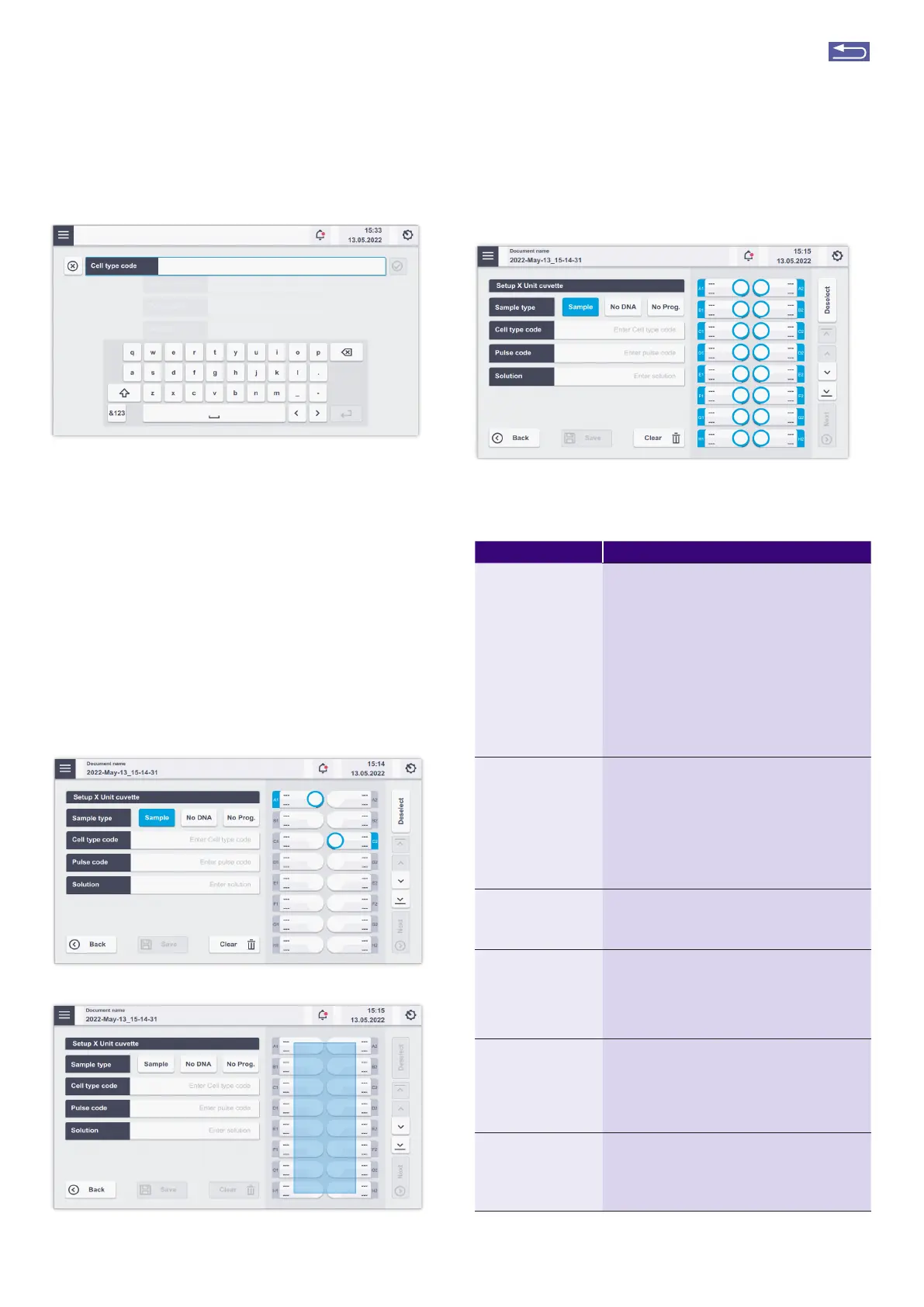
To select a single well or a set of vessels, simply touch the
wells displayed or drag along a set of vessels with your
fingetip.
After selection, there are several options for parameter
definition. Table 2.3 describes the parameters that can
be defined.
Figure 2.9: (A) Selecting single vessels by touching the screen at the
respective well position. (B/C) Multiple vessel selections by dragging across-
the screen.
Table 2.3: Entering Nucleofection
®
Conditions
Parameter Description
Sample type
(X ,Y and 96-well Unit)
1. Sample: This selection defines a normal
sample containing cells and substrate. The
selected Nucleofection
®
Program will be applied
to this position.
2. No DNA: Negative control. Nucleofection
®
Program applied to vessel with cells but without
substrate
3. No Prog.: Negative control. No Nucleofection
®
Program applied to a vessel containing cells and
substrate. In case of “Sample” or “No DNA” the
selection has only an informative purpose. The
selection of “No program” has a functional effect,
i.e. no pulse will be applied.
Cell type code Via the “Cell type code” a predefined combina-
tion of a “Pulse code” and a “Solution” can be
selected. All Lonza optimized conditions for a
cell type are available in the “Cell type code”
drop down menu. Customized cell type codes
(highlighted in black) can be added in addition to
the Lonza-defined codes (highlighted in blue), for
example, after cell line optimization (for details,
see 2.13.2.3).
Solution If the recommended Nucleofector
®
Program
is not selected automatically via the “Cell type
code” option, the “Solution” can be entered
manually.
Pulse code In case the recommended Nucleofector
®
Pro-
gram is not selected automatically via the “Cell
type code” option, a “Pulse code” (e.g. FI-115) can
be entered manually. Note: For manual “Pulse
code” selection, the “Solution” has to be selected
first (see below).
Volume (LV Unit with
LV Nucleocuvette
®
Catridge)
When using the scalable cuvette version, the
LV Nucleocuvette
®
Catridge, the volume that
should be processed has to be defined. Depend-
ing on the number of reservoirs used, one or two
volume parameters must be specified. The maxi-
mum total volume that can be entered is 20 mL.
Fill mode (LV Unit with
LV Nucleocuvette
®
Catridge)
When using the scalable cuvette version, the
LV Nucleocuvette
®
Catridge, the fill mode
(selected via ”Settings”) is indicated. It can be
changed for an individual experiment on the
experiment screen.
A
B
C
Return to TOC



 To Next Page