4D-Nucleofector
®
Manual
|
19
2.11 4D-Nucleofector
®
96-well Unit
The 4D-Nucleofector
®
96-well Unit is designed to simul-
taneously run up to 96 Nucleofection
®
Reactions with cell
numbers ranging from 2 x 10
4
to 1 x 10
6
cells per reaction.
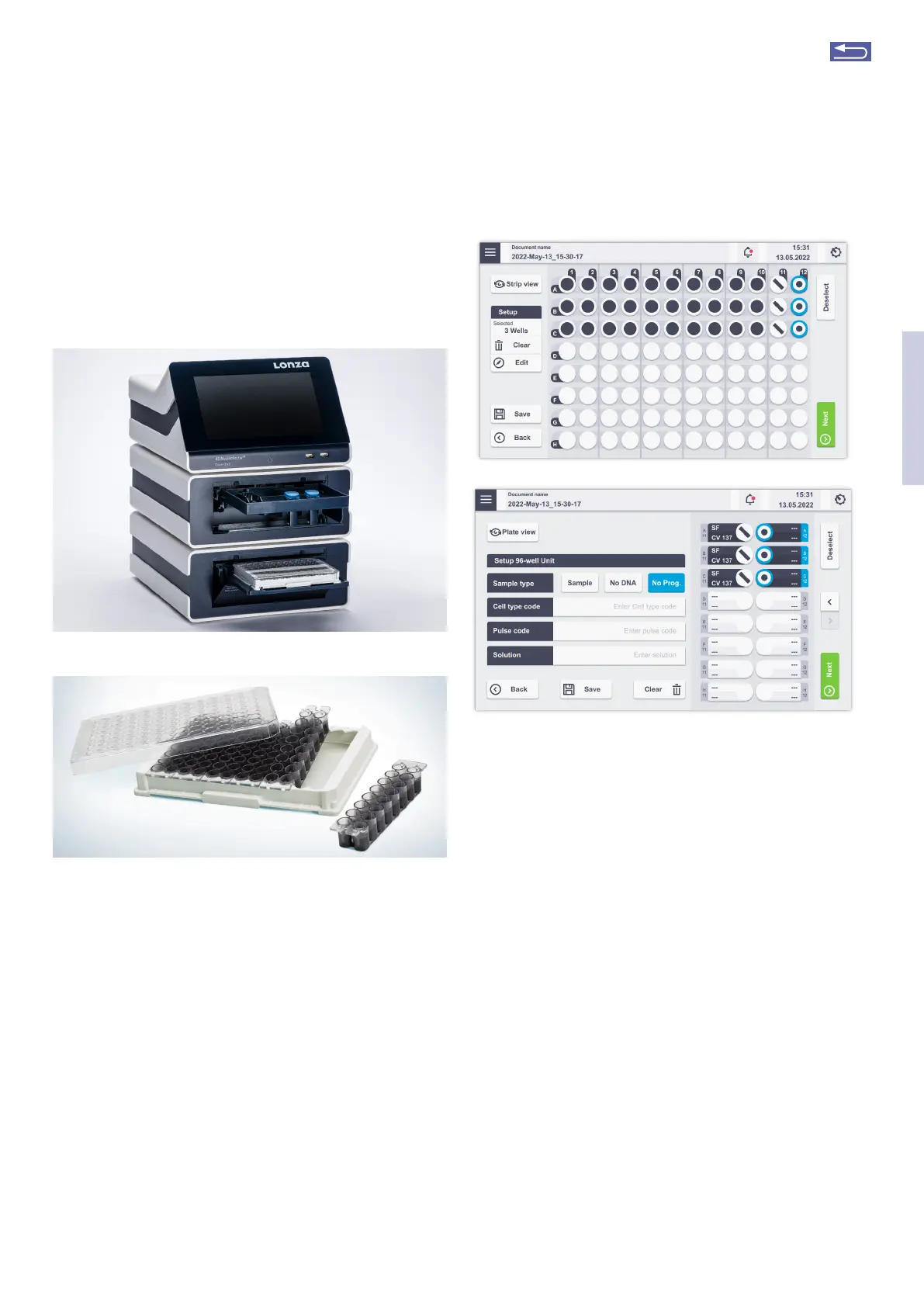
Figure 2.24: 4D-Nucleofector
®
Core Unit and 96-well Unit (A). 96-well
Nucleocuvette
®
Plate (B).
2.11.1 Defining a new experiment
After selecting a vessel type (see chapter 2.8.2), you can
either select a predefined experiment (see chapter 2.8.4) or
create a new experiment.
If you want to create a new experiment, you may tap in the
field “Experiment name” and enter a specific name for the
experiment or accept the suggested name generated with
date and time stamp. Tap on the checkmark at the bottom
to get to the Experiment setup screen (Figure 2.8).
A
B
Figure 2.25: Experiment definition (96-well Unit, plate view (A) and
strip view (B)
1. Select well(s) to define Nucleofection
®
Conditions.
By tapping on a well position one sample/well is
selected, marked by a blue circle around the well
position. Multiple samples/wells can be selected by
dragging across the wells.
Additional wells can be added to the pre-selected
wells by tapping on them.
Remove wells from your selection by tapping on the
selected well again. Dragging across all selected wells
will deselect them. Dragging across selected and
deselected wells again will toggle your selection.
Switching from whole plate view (Figure 2.25 A) to
strip view (Figure 2.25 B) is possible by tapping on the
strip view/ plate view button. In plate view mode se-
lect wells and tap on edit to enter experiment condi-
tions (Figure 2.26 A). In strip view futher information
on the well position and applied pulses are visible for
each well. The selected positions are highlighted in
blue (Figure 2.26 B).
A
B
2
Return to TOC



 To Next Page