14 | 4D-Nucleofector
®
Manual
2.9 4D-Nucleofector
®
X Unit
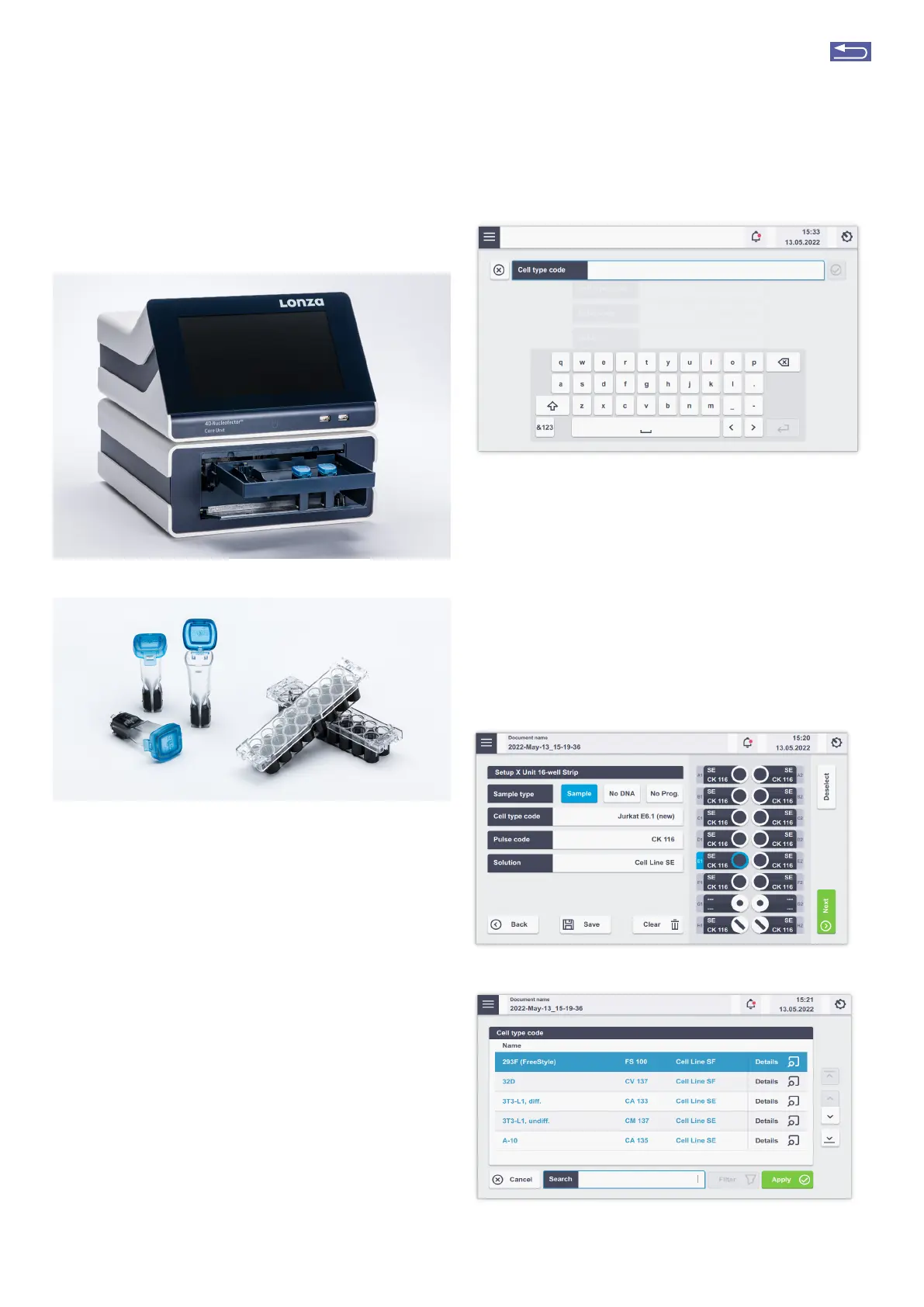
Figure 2.13: 4D-Nucleofector
®
Core and X Unit (A) and Nucleocuvette
®
Ves-
sels and Strips for the use with the X Unit (B).
The 4D-Nucleofector
®
X Unit can handle two types
of vessels:
• 16-well, 20 L Nucleocuvette
®
Strips for cell numbers
ranging from 2 x 10
4
to 1 x 10
6
cells
• Single 100 L Nucleocuvette
®
Vessels for cell numbers
ranging from 2 x 10
5
to 2 x 10
7
cells
By choosing the respective vessel type, you will be directed
to the Experiment setup screen.
A
B
Figure 2.14: Experiment naming (X Unit; example: 16-well
Nucleocuvette
®
Strips)
2.9.1 Defining a new experiment
After selecting a vessel type (see chapter 2.8.2), you can
either select a predefined experiment (see chapter 2.8.4) or
create a new experiment.
If you want to create a new experiment, you may tap in the
field “Experiment name” and enter a specific experiment
name or accept the suggested name generated with date
and time stamp (see chapter 2.8.4). Tap on the checkmark
button to get to the Experiment Setup screen (Figure 2.15).
A
B
Return to TOC



 To Next Page