4D-Nucleofector
®
Manual
|
37
3
3.2 Rescue of samples (X and Y Unit)
This chapter describes how to rescue your samples from
the X or Y Unit in the event of a system failure or power
outage.
• Unplug system from the power source.
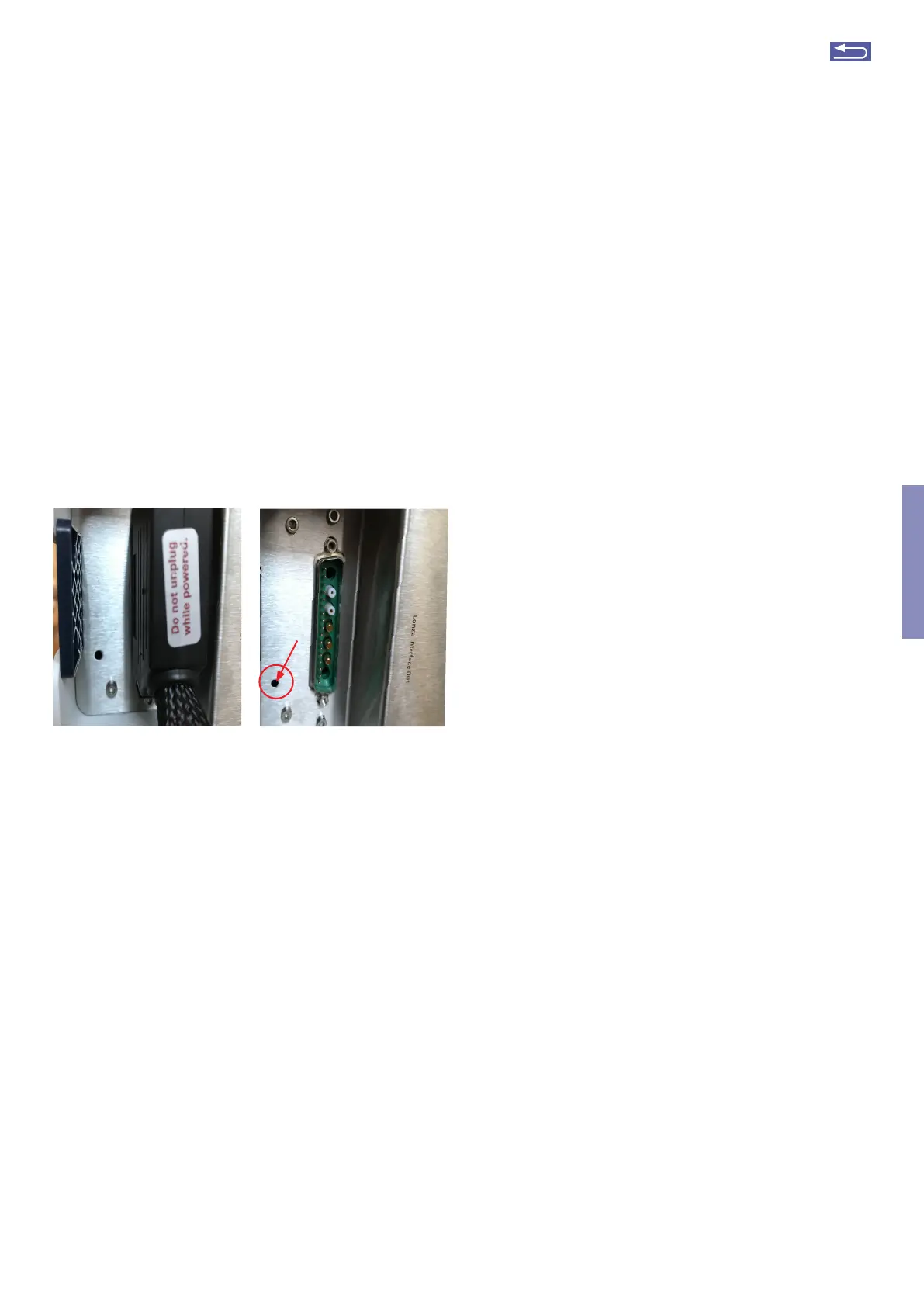
• Remove the terminator cap or cable connection to next
unit (Figure 3.1, A).
• Inset the hexagon screw driver supplied with the 4D-
Nucleofector
®
System in the hole. (Figure 3.1, see arrow)
• Turn the screw manually counter-clockwise until the
screw blocks (may require > 60 turns). Turn back clock-
wise one full turn.
A B
Figure 3.1: (A/B) Rescue of samples
Futher steps
• Manually open the front flap.
• Carefully pull the tray./
• Remove the Nucleocuvette
®
Vessels and rescue your
cells.
• Contact your Lonza representative to solve potential
technical issues.
Return to TOC



 To Next Page