Rev #37
Version 8.0
April 2021
Page 20 of 121
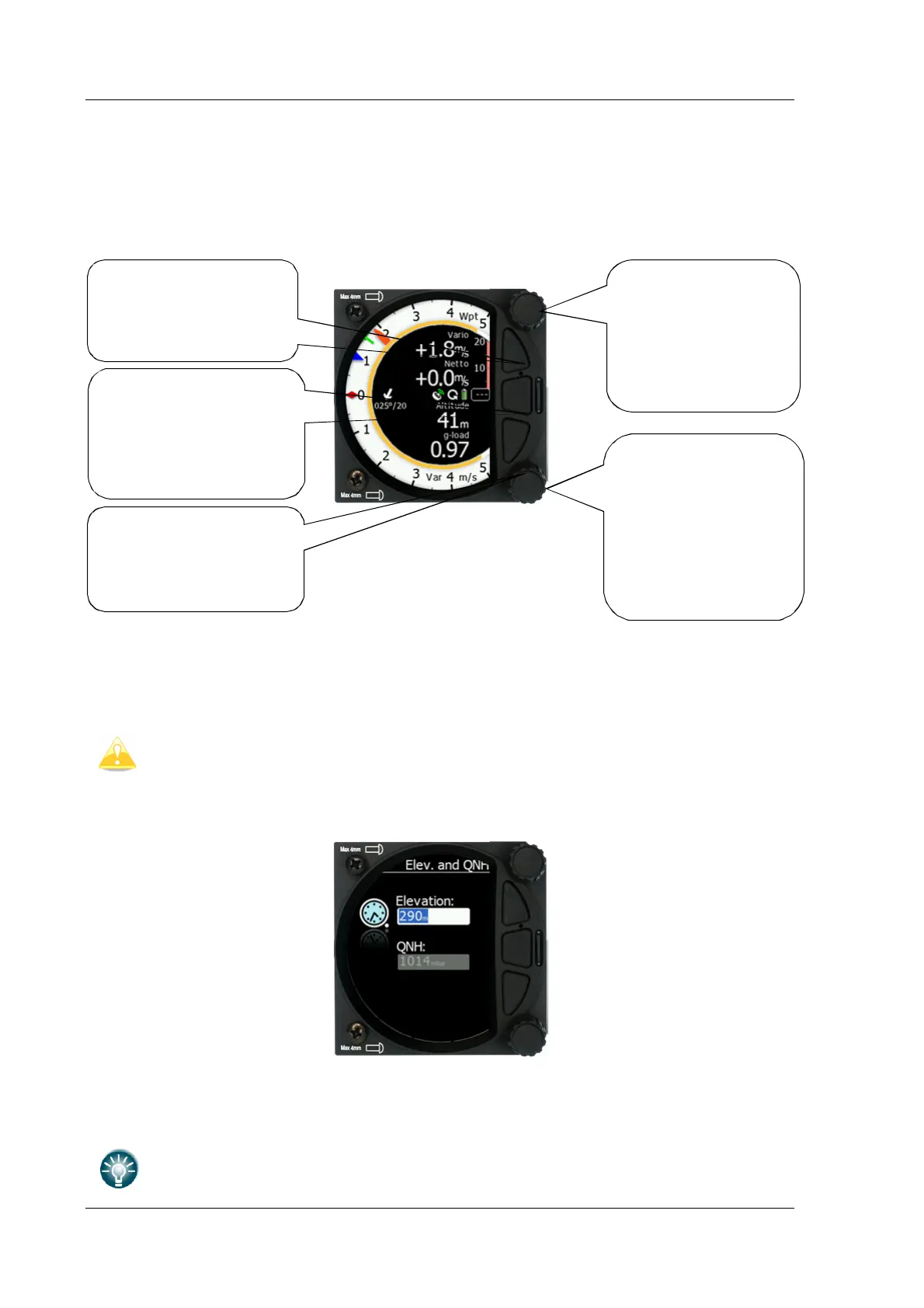
4.3 Buttons (Three)
The three buttons between the two rotary knobs have fixed functions. The top button is ESC
(CANCEL), the middle is to switch between modes and the lower button is the ENTER (OK)
button. The upper and lower buttons are also to rotate between subpages in the WPT and
TSK modes.
4.4 Switching on the Unit
Pressing any of the buttons or rotary knobs will turn on the S8x/S10x. The first LXNAV
welcome screen will appear with the system information (Device name, Version, Serial
number...)
The S8xD rear seat unit cannot be powered up before the S8x/S10x has been
powered up.
When the boot procedure is completed the setup elevation dialogue will be displayed.
The user must set either the Elevation or the QNH with the lower rotary button. After
pressing the lower rotary button, the user can switch between the Elevation and QNH
dialogues. As soon as the settings are set the middle button must be pressed to proceed.
The upper push button also has the power OFF function.
push button
Enter and operate
only in the volume
menu
push button used
for:
Adjusting the level
of the zoom
Enter/confirm the
selection/function
• Mode selection
• Confirm option
• Switch between
modes
• Exit from the
menu
• Mode selection
• Confirm option
in some menus



 To Next Page