Rev #37
Version 8.0
April 2021
Page 33 of 121
5.3 FLARM Mode
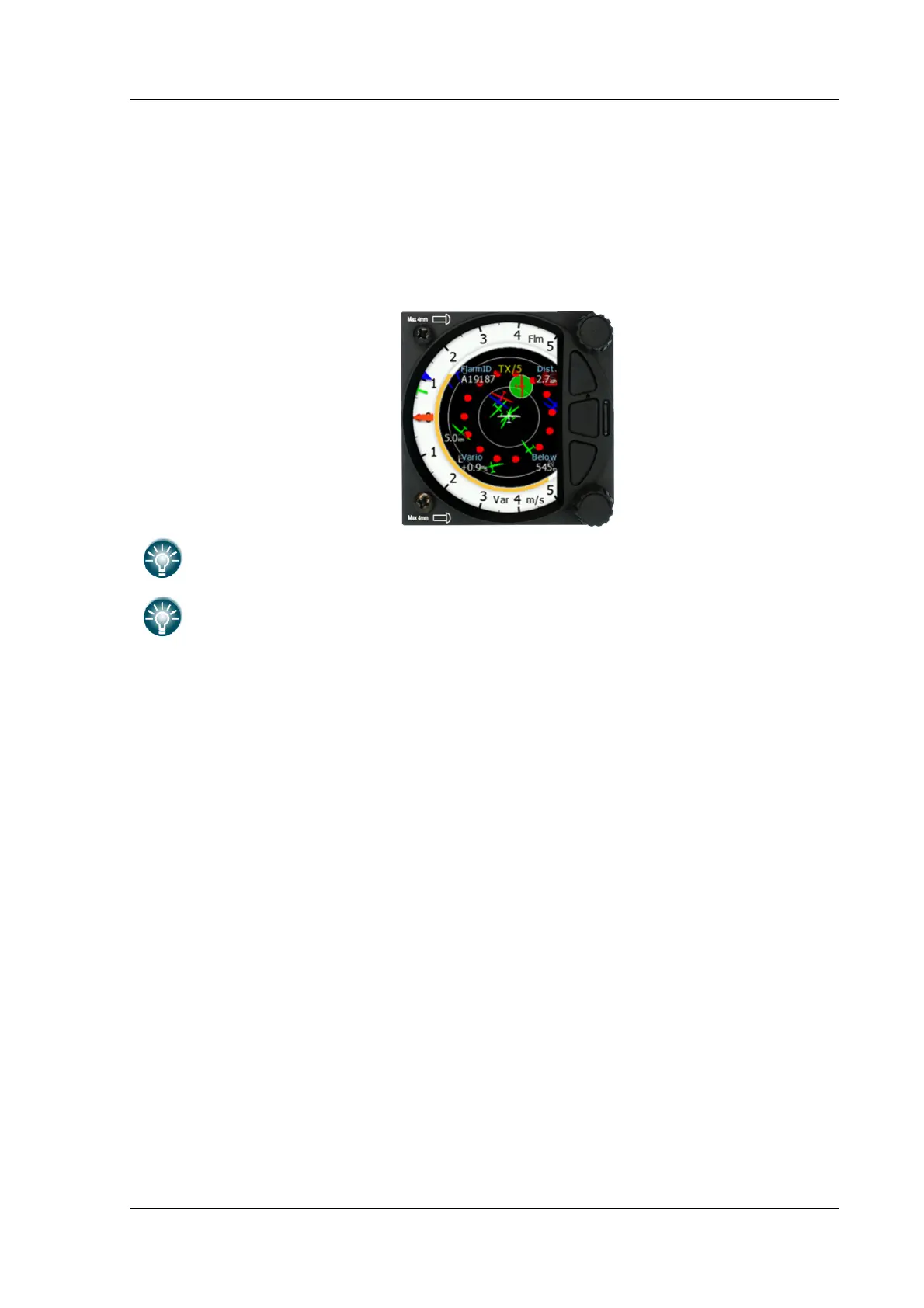
If the S8x/S10x is connected to a FLARM source via the GPS port (in the S10x called the
FLARM port) then the FLARM Mode will display a map of the relative positions of FLARM
targets that are within range. By rotating the lower rotary knob you can change the range
of the display from 0.5 km to 150 km. Switching between FLARM targets is possible via the
up/down button. Data from a selected FLARM object can be seen in 4 corners: FLARM ID,
Distance, Vario and Relative altitude (Above / Below). There is also an indication of how
many FLARM objects are present displayed as: TX/number.
This mode can be disabled via Setup>graphics>modes>FLARM mode.
Distance, relative altitude and vario indications are related to the selected target.



 To Next Page